Skip to Main Content
Sam's Club
Sam's Club
All Departments
All Services
Customer reviews for SAMSUNG Q-Series 3.1 Dolby ATMOS Soundbar with Q-Symphony for
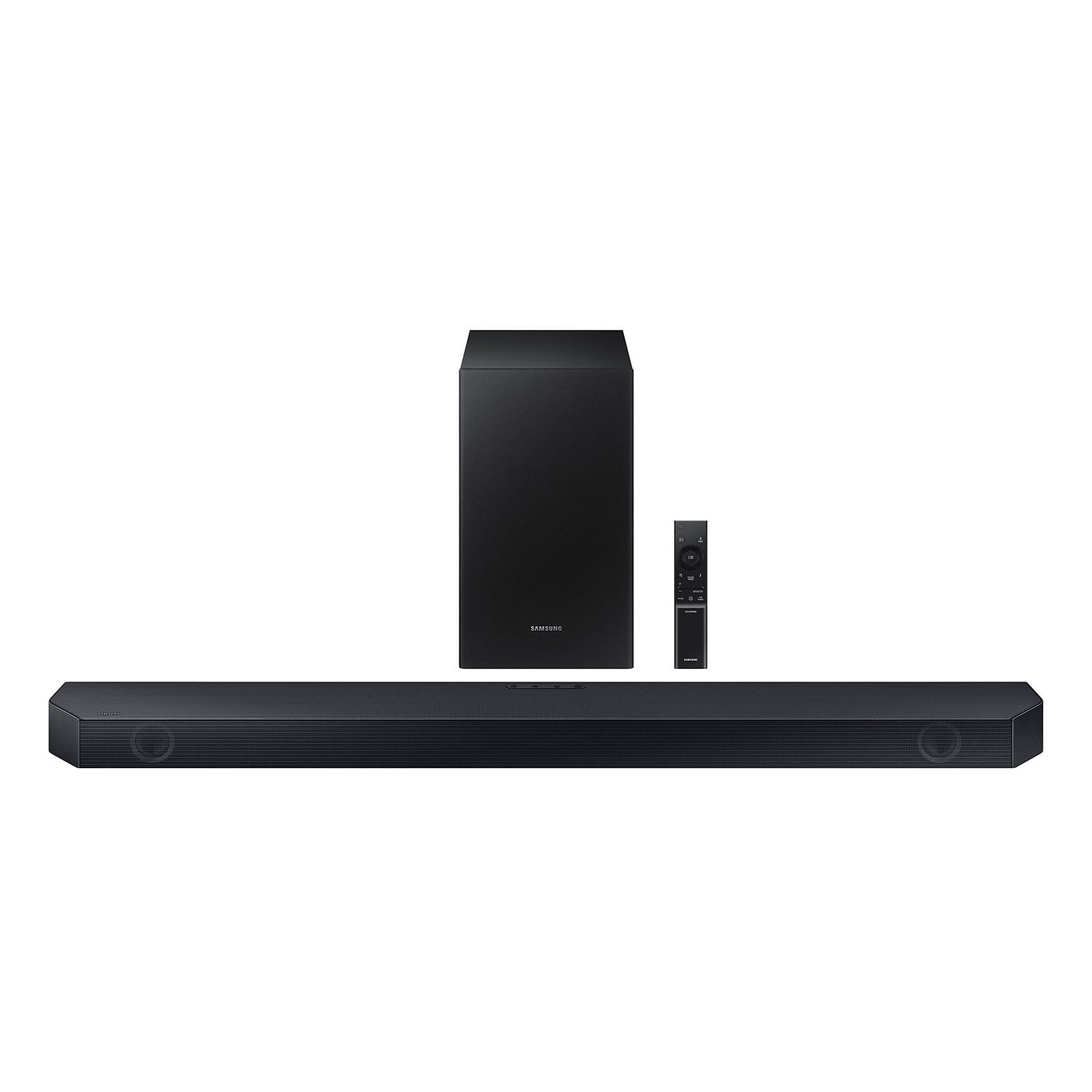
SAMSUNG Q-Series 3.1 Dolby ATMOS Soundbar with Q-Symphony
4.5 out of 5 stars
stars
438 ratings412 reviews
  1. 5 stars73% (320)
  2. 4 stars14% (63)
  3. 3 stars5% (22)
  4. 2 stars3% (11)
  5. 1 star5% (22)

Member photos

  • +5 images
Sort by |
Showing 11-20 of 412 reviews
Mar 15, 2025
Reviewer name: EarthStudent
1 out of 5 stars
1 out of 5 stars review

Verified Purchase

Disconnects All The Time

I'm very disappointed. i purchased this as a gift for a family member. It constantly disconnects for no reason, and it takes 15 minutes to reconnect. Using it with an LG TV. I did a lot of research and thought this to be better quality than others for the price, but I was wrong. I see now many people have this problem.

Review from walmart.com
Helpful?0U8WZUZ49FIB13636465949
reply from Samsung

Hello EarthStudent, We appreciate you taking a few moments to review the Samsung HW-6CC Soundbar. There are a few steps you can take to troubleshoot your Soundbar. First, you will want to download the latest software for your Soundbar. You can download the firmware directly from Samsung’s website by clicking “Support” in the top right corner. Then go to “Manuals & Software” > “TVs & Home Audio” > “Home Audio” > “Sound Bars”. From there, you can select the HW-Q6CC under Q Series. Download the update and install it via USB thumb stick to your soundbar. If you need additional help, there are how-to instructions on this page. Please know that Samsung Customer Service is here to assist as well. Alternatively, you can download SmartThings on your iOS or Android device. This will allow you to update your Soundbar automatically or manually right from your phone or tablet. Please verify that you are running the latest firmware on your TV. You can check to see what software version your TV is using and if there is an available update through the settings on your TV. Go to: Menu > Settings > Support > Software Update. First, try doing a soft reset, unplug the soundbar from the outlet for roughly 30 seconds and then plug it back in. If this still does not correct your issue, then do a hard reset. With the Soundbar on, press the + & - Volume buttons on the body of the soundbar at the same time for at least 5 seconds. INIT OK” appears on the display and then the Soundbar is reset. If you need more help, Samsung is here for you. Please call us at 1-800-SAMSUNG, 8AM - 12AM EST (Ask for Soundbars), 7 days a week. Our Live Chat agents are also available by clicking on the ‘Support’ link on our website. ~ Samsung Solutions

Mar 30, 2025
Reviewer name: Brian
5 out of 5 stars
5 out of 5 stars review

Verified Purchase

I really love this sound bar, this is the third Samsung sound bar I've purchased. This one is by far better than the other 2 that I've owned. I have it paired up to my 55 inch Samsung tv and the Q symphony sounds great. In order to use Q symphony, you will have to connect it through HDMI (I hope that helps), the tv speakers work together with the sound bar and definitely makes a difference compared to connecting it through Bluetooth. unfortunately it doesn't work with bluetooth for that feature and the tv speakers shut off and only play through the sound bar. I found that if you point the back of the subwoofer into a corner, the room will fill with the bass. Irregardless, you still have to point the back of the subwoofer towards a wall with a few inches for you to get the bass experience. the subwoofer will not sound right in the middle of a room. enjoy like I do.

Review from walmart.com
Helpful?0U8WZUZ49FIB13636465949
May 24, 2025
Reviewer name: Jaime
5 out of 5 stars
5 out of 5 stars review

Verified Purchase

Fantastic sound

The subwoofer has more bass than I was expected. I have the soundbar mounted under the TV connected with HDMI cable that supports eArch %26 the subwoofer is across the room against the opposite wall connected with Bluetooth. I have this connected to a Samsung TV with an Amazon 4k Fire stick which is the device used for streaming.

Review from walmart.com
Helpful?0U8WZUZ49FIB13636465949
Oct 18, 2025
Reviewer name: melissa
1 out of 5 stars
1 out of 5 stars review

Verified Purchase

I’m not certain if it was just the subwoofer was faulty, but I returned it because it wasn’t even that loud and No base

Review from walmart.com
Helpful?0U8WZUZ49FIB13636465949
reply from Samsung

Hi melissa, Thank you for your review of the Samsung HW-Q6CC Soundbar and for sharing the issues that have caused you to return your unit. Your experience is very important to us and will be shared with our product team. It is possible that your unit needed minor troubleshooting, a firmware update, or adjustments in settings. Should you ever decide to give Samsung Soundbars another try and have questions or need assistance with settings, setup, or features, please know we are always here to help. Just give us a call at 1-800-SAMSUNG (Ask for Soundbars), 8AM - 12AM EST, 7 days a week. Our Live Chat agents are also available by clicking on the ‘Support’ link on our website. ~ Samsung Solutions

Jul 20, 2025
Reviewer name: Anonymous
3 out of 5 stars
3 out of 5 stars review

Verified Purchase

I got a lemon it seems

Sounds awesome when connected with the hdmi arc connection. The problem is 2-3 days after receiving it, the hdmi went out on it. Now I have to repackage it and send it back for a replacement.

Review from walmart.com
Helpful?0U8WZUZ49FIB13636465949
reply from Samsung

Hello Will, Thank you for sharing your review of the HW-Q6CC Soundbar. We value your feedback and will share it with our teams. If there is anything we can do to improve your enjoyment such as helping to optimize settings for your specific sound scenario, please contact Samsung Customer Support. Just give us a call at 1-800-SAMSUNG (Ask for Soundbars), 8AM - 12AM EST, 7 days a week. Our Live Chat agents are also available by clicking on the ‘Support’ link on our website. ~ Samsung Solutions

Aug 5, 2025
Reviewer name: Judith
5 out of 5 stars
5 out of 5 stars review

Verified Purchase

A Great Value Soundbar!

This soundbar was easy to set up, and has great sound. I especially appreciate the voice enhancement, which makes voices clearer and reduces background noise.

Review from walmart.com
Helpful?0U8WZUZ49FIB13636465949
Jul 20, 2025
Reviewer name: WalmartCustomer
4 out of 5 stars
4 out of 5 stars review

Verified Purchase

The sound quality is great and price were great, no comparison elsewhere. As for the quality, I'm not super excited about the thin cabinet construction of the subwoofer. However, the sound quality and price make it extremely hard to pass up.

Review from walmart.com
Helpful?0U8WZUZ49FIB13636465949
Sep 20, 2025
Reviewer name: nichole
1 out of 5 stars
1 out of 5 stars review

Verified Purchase

This soundbar isn’t very loud. Not to mention, the sub woofer stopped working after only 2 weeks. Returning tomorrow.

Review from walmart.com
Helpful?0U8WZUZ49FIB13636465949
reply from Samsung

Hi nichole, Thank you for your review of the Samsung HW-Q6CC Soundbar and for sharing the issues that have caused you to return your unit. Your experience is very important to us and will be shared with our product team. It is possible that your unit needed minor troubleshooting, a firmware update, or adjustments in settings. Here is some troubleshooting you can try with your subwoofer. Before performing the manual connection procedure for your subwoofer, check whether the power cables for the Soundbar and subwoofer are connected properly and make sure that the Soundbar is turned off. Press and hold ID SET on the rear of the subwoofer for at least 5 seconds. The red indicator on the rear of the subwoofer turns off and the blue indicator blinks. Press and hold the Up button on the remote control for at least 5 seconds. The ID SET message appears on the display of the Soundbar for a moment, and then it disappears. The Soundbar will automatically power on when ID SET is complete. The LINK LED indicator stops blinking and glows a solid blue when a connection is established between the Soundbar and the Wireless Subwoofer. It is possible that your unit needed minor troubleshooting, a firmware update, or adjustments in settings. If you’d like more help with settings, please know we’re here to help! Call us at 1-800-SAMSUNG (Ask for Soundbars), 8AM - 12AM EST, 7 days a week. Or visit us on the Samsung website and click on the ‘Support’ link for: • Live Chat • Manuals, Software, & Warranty Info • Creating a service ticket ~ Samsung Solutions

Sep 23, 2025
Reviewer name: Dennis
5 out of 5 stars
5 out of 5 stars review

Verified Purchase

Little tricky getting sub woofer figured out but overall for price it is worth every dollar I spent. Highly recommended

Review from walmart.com
Helpful?0U8WZUZ49FIB13636465949
Apr 20, 2025
Reviewer name: Ernie
5 out of 5 stars
5 out of 5 stars review

Verified Purchase

Great put!

I purchased this speaker set to replace an old set I had. I am so glad I purchased this one. The sound quality is outstanding. I highly recommend this set.

Review from walmart.com
Helpful?0U8WZUZ49FIB13636465949