Skip to Main Content
Sams Club
Sams Club
Customer reviews for SAMSUNG Q-Series 3.1 Dolby ATMOS Soundbar with Q-Symphony for
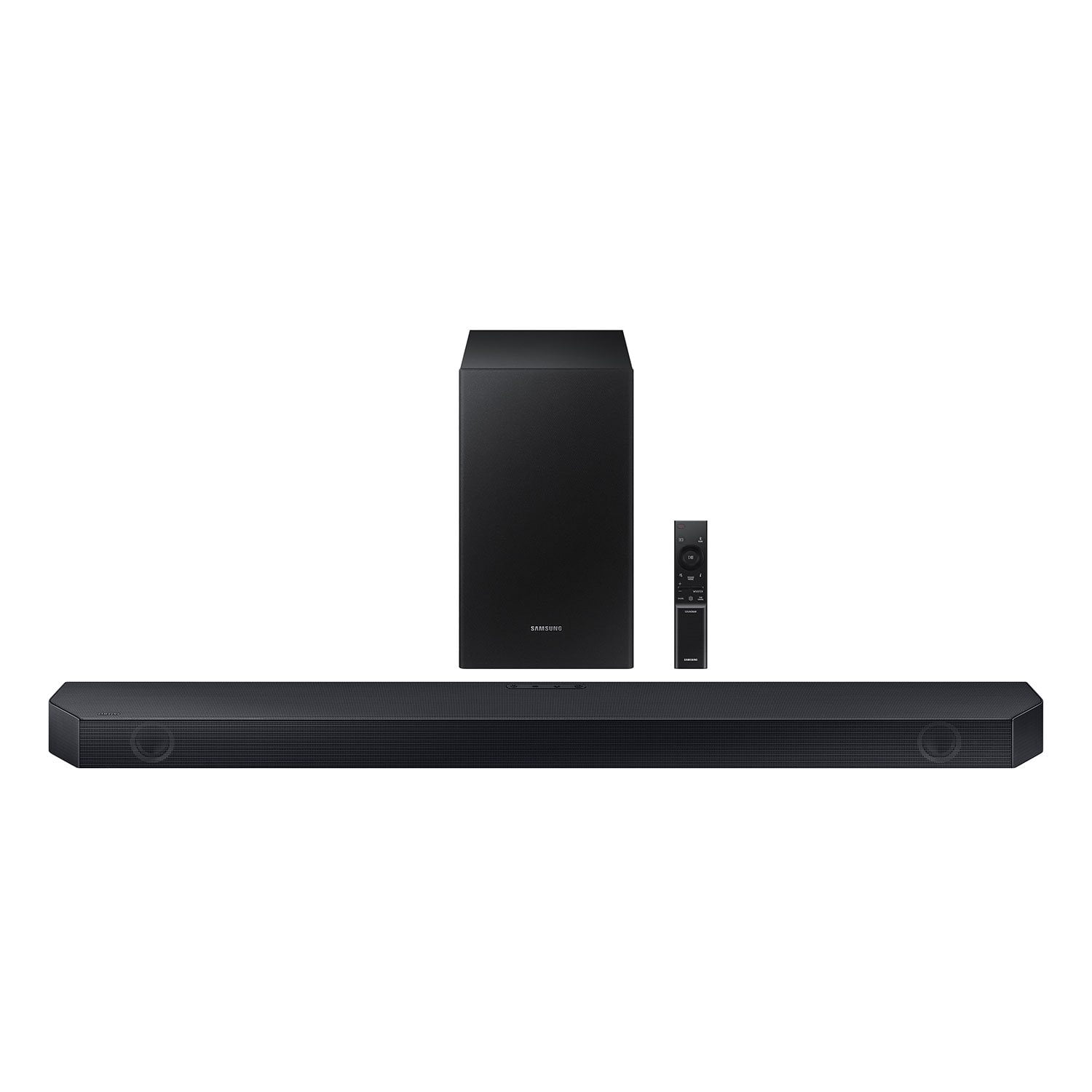
SAMSUNG Q-Series 3.1 Dolby ATMOS Soundbar with Q-Symphony
4.5 out of 5 stars
stars411 ratings385 reviews
  1. 5 stars73% (301)
  2. 4 stars14% (59)
  3. 3 stars5% (20)
  4. 2 stars3% (11)
  5. 1 star5% (20)

Member photos

  • +3 images
Sort by |
Showing 131-140 of 385 reviews
Feb 13, 2025
Rick
2 out of 5 stars review

Verified Purchase

Sound quality is worse than tv sound. Hardly any bass quality at all. Don’t waste your time on this sound system.

Review from walmart.com
Helpful?0U8WZUZ49FIB13636465949
reply from Samsung

Hello Rick,<br /><br />Thank you for taking a moment to review the Samsung HW-Q6CC Soundbar.<br /><br />You can manually optimize your audio experience by pressing the SOUND MODE button to select the desired pre-equalized sound setting. The choices are SURROUND SOUND – GAME – ADAPTIVE SOUND – DTS VIRTUAL:X – STANDARD.<br /><br />To control the volume of the treble or bass press the TONE CONTROL button, and then adjust the volume between -6 to &#43;6 by using the Up/Down buttons on your soundbar remote. <br /><br />Press and hold the SOUND CONTROL button for about 5 seconds to adjust the sound for each frequency band. 150Hz, 300Hz, 600Hz, 1.2kHz, 2.5kHz, 5kHz, and 10kHz are selectable using the Left/Right buttons and each can be adjusted to a setting between -6 to &#43;6 using the Up/Down buttons. (Make sure the Sound mode is set to “STANDARD”.) <br /><br />Press the CH LEVEL button so you can adjust the volume of each speaker. CENTER LEVEL can be adjusted using the UP/DOWN buttons from -6 to &#43;6.<br /><br />With the optional SWA-9200S Wireless Rear Speaker Kit connected you can adjust the volume by using the provided Soundbar remote. Press CH LEVEL and select REAR LEVEL, then use the Up/Down buttons to adjust the volume within a -6 to &#43;6 range. <br /><br />If you would like louder (or softer) bass from your subwoofer, you can adjust the level by rocking the WOOFER button on the soundbar remote, and then adjusting the level from -6 to &#43;6. To set the subwoofer volume level to 0, press the button in.<br /><br />If you need more help, Samsung is here for you. Please call us at 1-800-SAMSUNG, 8AM - 12AM EST (Ask for Soundbars), 7 days a week. Our Live Chat agents are also available by clicking on the ‘Support’ link on our website.<br /><br />~ Samsung Solutions

Jan 4, 2025
WalmartCustomer
5 out of 5 stars review

Verified Purchase

This speaker system was priced better at Walmart than other sites. It was pretty easy to set up and works well.

Review from walmart.com
Helpful?0U8WZUZ49FIB13636465949
Nov 16, 2024
David
5 out of 5 stars review

Verified Purchase

The sound bar was easy to set up and it sounds great the sound bar was easy to set up and it sounds great 00

Review from walmart.com
Helpful?0U8WZUZ49FIB13636465949
Jan 6, 2025
Isaac
5 out of 5 stars review

Verified Purchase

Okay Samsung

Pretty decent soundbar. It gets the job done. Was surprised but overall I totally recommend. Get it while it’s one sale.

Review from walmart.com
Helpful?0U8WZUZ49FIB13636465949
Jan 9, 2025
Bobby
5 out of 5 stars review

Verified Purchase

Won’t be disappointed

This was easy to set up paired with a Samsung tv only need one remote for everything. Sound quality is great you won’t be disappointed.

Review from walmart.com
Helpful?0U8WZUZ49FIB13636465949
Dec 17, 2024
Alisha
5 out of 5 stars review

Verified Purchase

Perfect for our bedroom!

Easy to set up. Sounds absolutely amazing in the bedroom. Did side by side comparison with jbl equivalent and it was not even close to this Samsung

Review from walmart.com
Helpful?0U8WZUZ49FIB13636465949
Dec 9, 2024
Hannah
5 out of 5 stars review

Verified Purchase

Connected on its own i literally just took it out of the packaging and plugged them in. Easy and sounds good

Review from walmart.com
Helpful?0U8WZUZ49FIB13636465949
Mar 2, 2026
WalmartCustomer
3 out of 5 stars review

Verified Purchase

[This review was collected as part of a promotion.] This was a gift so I don't have first hand experience of the product quality.

Review from walmart.com
Helpful?0U8WZUZ49FIB13636465949
Dec 14, 2023
Rose
3 out of 5 stars review

Verified Purchase

Not impressed

I am not too satisfied with this purchase at all. The sound quality could be much better, especially for the price I paid for this product.

Helpful?0U8WZUZ49FIB13636465949
reply from Samsung

Hello Rose,Thank you for sharing your thoughts regarding the audio quality of the HW-Q6CC Samsung Soundbar. I am sorry to see that you are not fully satisfied with your purchase.You can manually optimize your audio experience by pressing the SOUND MODE button to select the desired pre-equalized sound setting. The choices are SURROUND SOUND – GAME – ADAPTIVE SOUND – DTS VIRTUAL:X – STANDARD.To control the volume of the treble or bass press the TONE CONTROL button, and then adjust the volume between -6 to +6 by using the Up/Down buttons on your soundbar remote. Press and hold the SOUND CONTROL button for about 5 seconds to adjust the sound for each frequency band. 150Hz, 300Hz, 600Hz, 1.2kHz, 2.5kHz, 5kHz, and 10kHz are selectable using the Left/Right buttons and each can be adjusted to a setting between -6 to +6 using the Up/Down buttons. (Make sure the Sound mode is set to “STANDARD”.) Press the CH LEVEL button so you can adjust the volume of each speaker. CENTER LEVEL can be adjusted using the UP/DOWN buttons from -6 to +6.With the optional SWA-9200S Wireless Rear Speaker Kit connected you can adjust the volume by using the provided Soundbar remote. Press CH LEVEL and select REAR LEVEL, then use the Up/Down buttons to adjust the volume within a -6 to +6 range. If you would like louder (or softer) bass from your subwoofer, you can adjust the level by rocking the WOOFER button on the soundbar remote, and then adjusting the level from -6 to +6. To set the subwoofer volume level to 0, press the button in.If we can further help with any other issues, please know we are here for you. Just call us at 1-800-SAMSUNG (Ask for Soundbars), 8 AM – 12 AM EST, 7 days a week. Or visit us on the Samsung website and click on the ‘Support’ link for:• LiveChat with an agent• Manuals, Software, & Warranty Info~ Samsung Solutions

Sep 3, 2025
Matthew
4 out of 5 stars review

Verified Purchase

It works fine

Review from walmart.com
Helpful?0U8WZUZ49FIB13636465949