Skip to Main Content
Sams Club
Sams Club
Member ratings & reviews for
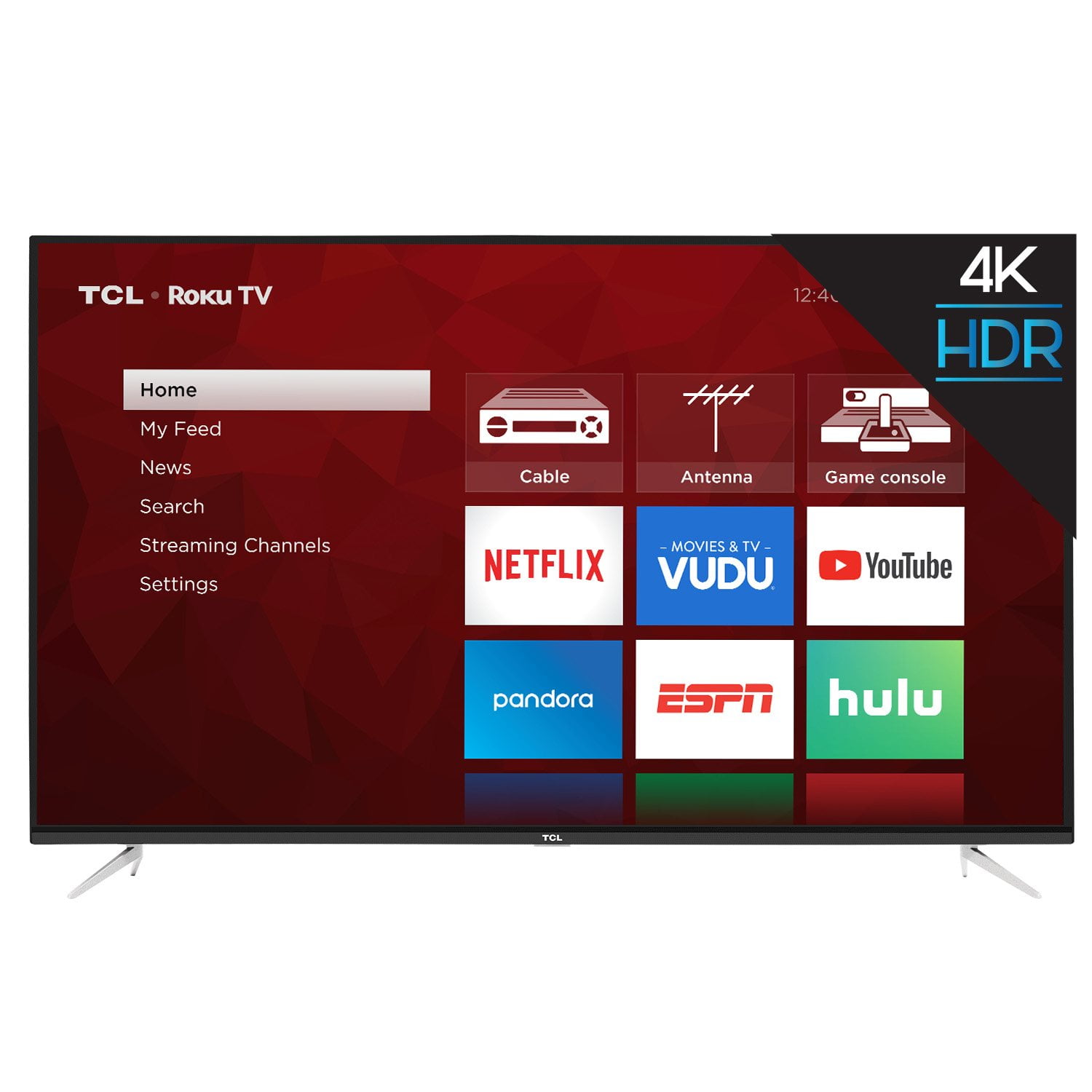
TCL 65" Class 4K UHD Roku Smart TV - 65S423
4.6 out of 5 stars
stars272 ratings143 reviews
  1. 5 stars79% (216)
  2. 4 stars11% (31)
  3. 3 stars3% (7)
  4. 2 stars1% (2)
  5. 1 star6% (16)

Member photos

Sort by |
Showing 1-10 of 143 reviews
Sep 28, 2019
MrDg58
5 out of 5 stars review

Verified Purchase

Great TV at an unbelievable price

I've had this for a couple of weeks now and I really like it. It has a superb picture and at less than $500, it's a great value. I looked at a bunch of TVs and read a lot of reviews, and this just kind of stood out. If you're looking for an outstanding picture and don't want to spend a lot of money, you'll be happy with this TV. And, it comes packaged exceptionally well too!

Helpful?6DABS7KKFYXS13623612166
Apr 3, 2019
Shopper
5 out of 5 stars review

Verified Purchase

Great features and Easy operation

After having Directv for over 20 years, decided to cut the cord. Love YouTube TV, Hulu and Netflix but Was having problem with lip syncing when using the Roku streaming products, have 3 different models. My daughter had a Roku TV and had never had a problem, so decided to give this one a try. Haven't experienced ant lip sync problems! Great price And easy setup and operation. Sooooo glad we dropped Directv!

Helpful?6DABS7KKFYXS13623612166
Feb 18, 2019
idonthaveanickname
5 out of 5 stars review

Verified Purchase

So easy to set up

Everything should be this easy to set up and use. Intuitive interface, simple and intuitive remote control, a backup remote app on the android phone, and a stunning picture, all for less than $500. A real bargain for a top-notch 4K TV. Lovin' it!

Helpful?6DABS7KKFYXS13623612166
Mar 22, 2019
Lorenzo Wife
5 out of 5 stars review

Verified Purchase

I so love this tv great price good quality pictures and sound i recommend this tv you will not he disappointed

Helpful?6DABS7KKFYXS13623612166
Mar 12, 2019
desi
5 out of 5 stars review

Verified Purchase

great

So far so good.....Cant complaint, TV is definitely a 5 star.....lets see how long it will last......

Helpful?6DABS7KKFYXS13623612166
Apr 8, 2019
Lampooon
5 out of 5 stars review

Verified Purchase

Excellent picture quality and value!

I purchased this TV about a month ago and couldn't be happier with the picture quality. Exceptional value for the price I paid!

Helpful?6DABS7KKFYXS13623612166
Sep 28, 2019
Scott M
5 out of 5 stars review

Verified Purchase

Great picture!

I've had this TV for 2 months and absolutely love it. It's perfect

Helpful?6DABS7KKFYXS13623612166
Feb 9, 2021
Terry
5 out of 5 stars review

Verified Purchase

Outstanding value and wifi connection

Outstanding value. Exceptional picture quality and easy wifi set up. Excellent wifi connection from the opposite end of the house with no buffering or signal breakup.

Helpful?6DABS7KKFYXS13623612166
Dec 20, 2019
Shawn
3 out of 5 stars review

Verified Purchase

Great yet not REALLY

This tv has a very nice picture but that's the best part. What I don't like..... The remote is very basic, but great if you watch Netflix, YouTube, ESPN or Hulu all the time. If you use an antenna it stinks. There are no number keys or back function so you have to scroll to what you want to watch. This tv requires a very strong signal or the picture comes and goes which is very annoying!!! You always seem to miss the good part of anything you are watching. So I guess this Tv is great if you stream or pay for your tv service. For anyone wanting to use an antenna I say look for a different tv.

Helpful?6DABS7KKFYXS13623612166
reply from Supplier Response

Hi Shawn,<br /><br />Thank you for taking the time to provide your feedback. Currently, our smart TVs do not support the direct input of channel numbers. However, if your TV is connected to the Internet, you can press the left arrow key to populate a channel guide and navigate channels this way. Additionally, you can enable "favorites" for over the air channels so that your most watched channels will automatically appear towards the top. To enable favorites you would go to Home>Settings>TV inputs>Antenna TV>Favorite Channels>Enable. Hope this helps! <br /><br />Thank you,<br /><br />Sara<br />TCL Customer Support

Apr 10, 2019
CJW
3 out of 5 stars review

Verified Purchase

Casting Failure

I like the TV. Great picture. Smart function nice. Would not recognize casting from Windows 10. Tech bounced me around. Promised investigation and call back. Neither occurred. Unsightly hardwiring was necessary. Disappointed.

Helpful?6DABS7KKFYXS13623612166
reply from TCL Expert

Hi CJW, We're sorry to hear that you may be having some trouble screen mirroring your PC. All of our smart TVs support screen mirroring with compatible Android and Windows devices. Here is a great article with more details how: https://support.roku.com/en-ca/article/208754928-how-to-use-screen-mirroring-with-your-android-or-windows-device. We would be more than happy to look into this for you and try to help you get this feature working. In order for us to better assist you, please reach out to us at tclsocial@tcl.com with your contact information and reference this review, and someone will get back to you right away. Thank you, Sara TCL Customer Support