Skip to Main Content
Sams Club
Sams Club
Customer reviews for Brother LC2033PKS Ink, Cyan/Magenta/Yellow for
Brother LC2033PKS Ink, Cyan/Magenta/Yellow
4.4 out of 5 stars
stars102 ratings69 reviews
  1. 5 stars78% (80)
  2. 4 stars8% (8)
  3. 3 stars2% (2)
  4. 2 stars3% (3)
  5. 1 star9% (9)
Sort by |
Showing 31-40 of 69 reviews
Nov 5, 2018
Joemarine
5 out of 5 stars review

Verified Purchase

Works as advertised

Good ink

Helpful?1A8UO2O85EES13621857019
Dec 18, 2020
Rich and sons new gen llc
5 out of 5 stars review

Verified Purchase

This printer ink quality was so impressive.

Quality ink

Helpful?1A8UO2O85EES13621857019
Dec 12, 2021
Tim L
2 out of 5 stars review

Ink runs low too quickly, too costly

I read and agreed with a review from someone stating that the color ink cartridges seemed to run low quickly, even with little color printing. I had the same experience. Brother sent a reply stating how the printer will mix all colors even for black only, which I have done on occasion. However I also go out of my way to select monochrome as suggested by Brother and it seems to make little difference.

Review from brother-usa.com
Helpful?1A8UO2O85EES13621857019
reply from Brother Customer Service.

Stated page yields for genuine Brother cartridges are based on the ISO testing standards. The number of pages that can be printed with a cartridge is affected by several factors, including paper size, number of pages per print job, amount of print on each page, font size, and print content (graphics, charts, etc.). Print jobs with large text fonts, graphics, charts, and/or large amount of solid coverage (black or any given color) will use much more toner and will shorten the life of the toner cartridge. Please verify you have purchased a new Brother Genuine cartridge by following the steps on this website: https://www.brother-usa.com/supplies/ink-and-toner/security If you have any questions about your Genuine cartridge, please contact Brother customer service at www.brother-usa.com/support.

Jan 15, 2024
Lose_Lose
1 out of 5 stars review

Highest per page cost

After only getting a few pages from the standard yield cartridges I sprung for this and it was even worse since I didn’t get 20 pages total out of it before they needed to be replaced. My biggest job is my returns of maybe 15 pages for both and by the time I get the odd single form to fill, it’s already out of ink. It keeps cleaning and using up the ink during the idle times. What kind of blatant rip-off is this!! Deserves a negative star of I could!

Review from brother-usa.com
Helpful?1A8UO2O85EES13621857019
reply from Brother Customer Service

We would like to take this opportunity to thank you for your feedback. At Brother, customer satisfaction is something we take seriously. We would love to hear from you with more details to be able to better assist you. Our Brother Customer Support Team is available to assist you direct: www.brother-usa.com/brother-support Your Brother machine will perform maintenance purges of the print head at regular intervals. The cleaning is to ensure consistent print quality and prevent damage to the print head. These purges remove any air or debris that may have gotten into the print head manifold. Your machine will use the minimum amount of ink necessary to perform this operation. If the time setting on the machine isn't correct, the cleaning will be performed at an unexpected time. Please make sure the time is set correctly on your machine. Note You can't change or turn off regular cleaning cycles. The cleaning time is built into the machine's firmware and is not user adjustable. Below is a link with more information on Machine performs regular cleaning cycles: Answer Link: https://help.brother-usa.com/AgentWeb/api/contextmanager/v.32311020002/workspaceContext/workspace/processedPrint/Answer/85399

Jun 4, 2019
Edward
5 out of 5 stars review

Easy Order Brother Ink Cartridges

Top Quality Ink From Brother. The process of purchasing from Wal Mart is so easy, with product delivered to my door. I always check and double check for best prices. Walmart again had the best price. Since I use my Printer often I order 2 LC203 XL Ink Cartridge Packs of 3 colors. this was not my first order for this Product .

Review from walmart.com
Helpful?1A8UO2O85EES13621857019
Oct 17, 2024
Francois
2 out of 5 stars review

Is Brother skimming by calling empty early?

your ink is good, but many have good ink. My main peeve is you indicate the ink reservoir to be low or empty when it's not. Then even though there is remaining ink, you have engineered the software to not allow continuation of printing without replacing with a new cartridge. You indicate empty even earlier (more ink remaining) when using a non-brother cartridge. When time comes to replace the printer, I will do so with a non-brother printer.

Review from brother-usa.com
Helpful?1A8UO2O85EES13621857019
reply from Brother Customer Service

Thanks for taking the time to review your experience with the Brother LC2033PKS Inks. We appreciate your feedback. I’m sorry to hear that you are having Ink yield not as expected with the Brother LC2033PKS Inks. I sincerely apologize for any inconvenience this issue may have caused you. We’d like an opportunity to help. Please contact us directly at: https://www.brother-usa.com/support NOTE: Brother recommends that customers don't use generic ink cartridges or refill their Brother ink cartridges. Using non-Brother supplies may affect the hardware performance, print quality, and machine reliability since the ink formulation in genuine Brother ink cartridges prevents smearing and clogging of the print head. The Brother limited warranty doesn't apply to any problem caused by the use of unauthorized third party ink and/or cartridges. Brother multifunction machines are designed to work with ink of a particular specification and will work to a level of optimum performance when used with genuine Brother branded ink cartridges. Brother can't guarantee this optimum performance if the ink or ink cartridges of other specifications are used. Brother doesn't, therefore, recommended the use of cartridges other than genuine Brother branded cartridges with this machine or the refilling of empty cartridges.

Aug 11, 2020
patty annS
1 out of 5 stars review

Major ripoff

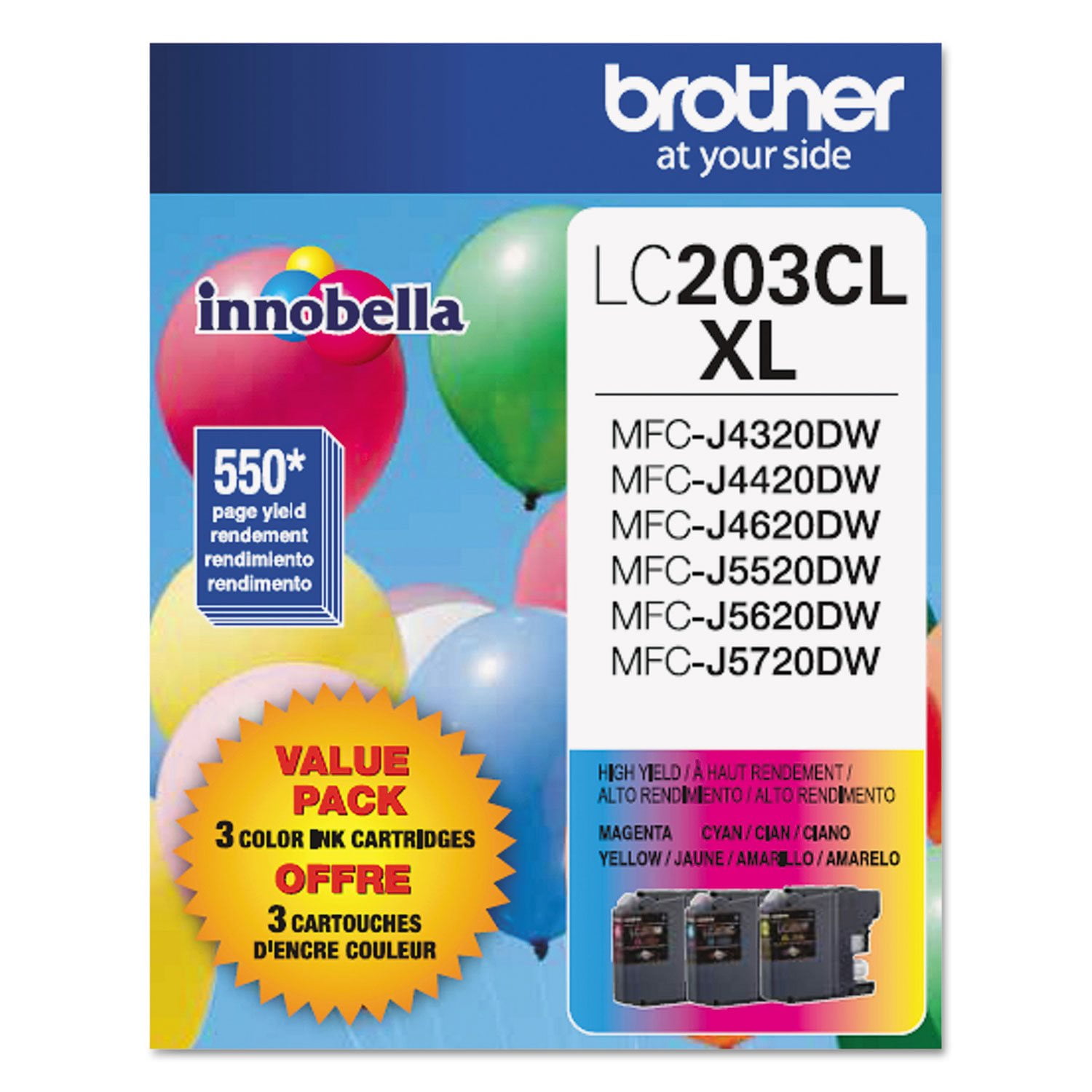
Box states printing 550 sheets. I'm lucky if I get 50 sheets! And this is the LC203CL XL, so it's supposed to be extended life. When the printer tells me I need to change the cartridge, there is still quite a bit of ink in it. Either fix the problem or lower the price.

Review from brother-usa.com
Helpful?1A8UO2O85EES13621857019
reply from Customer Service

Hi, we understand the ink cartridge did not last as expected. The stated page yields for genuine Brother cartridges are based on the ISO testing standards. The number of pages that can be printed with a cartridge is affected by several factors, including paper size, number of pages per print job, amount of print on each page, font size, and print content (graphics, charts, etc.). Print jobs with large text fonts, graphics, charts, and/or large amount of solid coverage (black or any given color) will use much more toner and will shorten the life of the toner cartridge. If you have any questions about your Genuine cartridge, please contact Brother customer service at 877-276-8437.

Mar 23, 2021
Steve
2 out of 5 stars review

Agree with all poor ratings - here's why

I do very little color printing. 95% Black. Yet my color cartridges run out with little actual use. Why, because the machine eats up lots of ink every time it performs a self cleaning.. Very profitable for Brother, but a costly loss for us consumers. Brother, what is your solution?

Review from brother-usa.com
Helpful?1A8UO2O85EES13621857019
reply from Brother Customer Service

We understand that you are unhappy with the Brother LC2033PKS ink cartridges and we'd like to help. A factor that could be affecting your color ink consumption is the amount of printing from a computer, even if the print jobs are black only. Because your Brother inkjet printer offers full color printing, the default setting in the print driver is color. This means the machine will automatically mix all the colors to produce a selected color, even black. You can specify to print only monochrome in the printer driver settings. For better assistance, feel free to contact Brother Customer Service directly at https://www.brother-usa.com/support

Aug 25, 2019
Satisfied
5 out of 5 stars review

Top Shop

It is necessary to use the correct ink in your printer. Most places offer compatible. They are no good. It is great to have a good source like Walmart to get the correct one. Easy to order, delivery time is excellent. Walmart makes it a good experience to shop.

Review from walmart.com
Helpful?1A8UO2O85EES13621857019
Jan 22, 2023
Twon
1 out of 5 stars review

Great reviews

I was going to purchase ink from here, but then I read all the reviews and it just seems like I would be avoiding a headache by not purchasing. Seems like there were other places with better reviews and happier customers. Definetly going to give them a try especially since the prices are better. The printer has innobella ink in it when I bought it and yeah, I agree the self cleaning used up a ton of ink and it doesnt print on the page now even though I can tilt the cartridge and see that it has ink in it it will not print on the page for me. frustrating. I now understand it is from the cartridge and will give another company a try.

Review from brother-usa.com
Helpful?1A8UO2O85EES13621857019
reply from Brother Customer Service

We would like to take this opportunity to thank you for your feedback. At Brother, customer satisfaction is something we take seriously. The ink that is left in the cartridge after the ink sensor goes to the left of the window is extra amount of ink added to each cartridge. This ink is not included in the page yield. The extra ink is to allow for additional automatic cleanings if the cartridge is not replaced right away. This is a safety measure that Brother institutes into the design of the machine to prevent automatic cleanings with 0 ink left in the cartridge. If the machine cleans with 0 ink in the cartridge, it will suck in air and cause the print head to dry up and fail. If you have any questions about your Brother Genuine cartridge, please contact Brother customer service: https://www.brother-usa.com/brother-support