
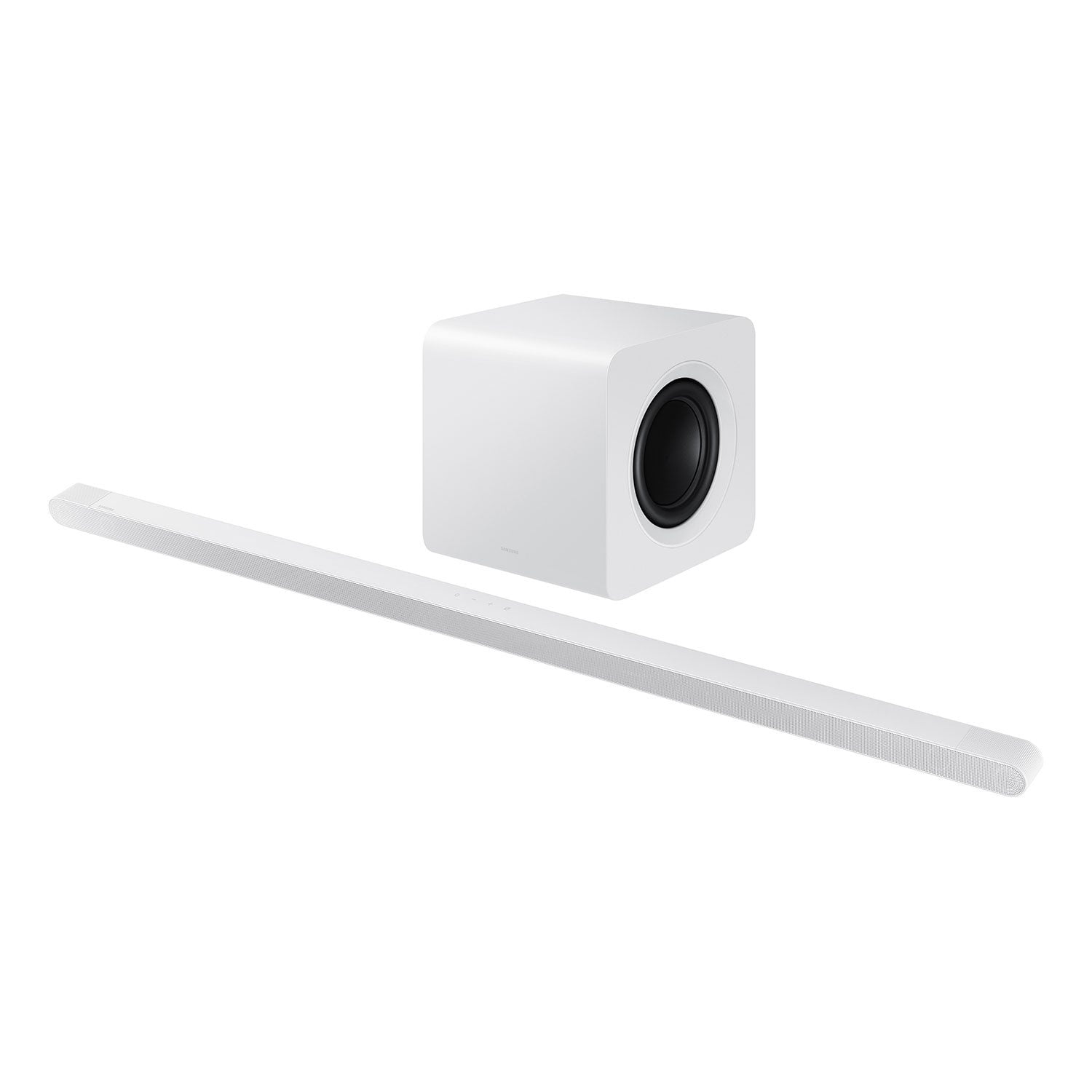
 Customer reviews for SAMSUNG 3.1.2 Channel Sound Bar with Wireless Subwoofer, Q-Symphony & Dolby ATMOS Audio (Choose Color) for
Great Quality- Very Happy with my purchase
[This review was collected as part of a promotion.] I am very happy qith my purchase. The audio is even better than I expected, bery clean audio, has made the movie watching experience incredible, I do nlt think there is any need to go to the movie theater anymore! I love that I can now forget about cables and connecting it to my tv, I can easily now just pair my Samsung TV and we're ready to start watching! I truly recommend this product for those who want to have a loud and clean sound for their living room, absolutely worth the price!
The bass bangs!
[This review was collected as part of a promotion.] I love the sound quality that this soundbar has it it's such deep base. It's so easy to use as soon as I hit the on button on my t. V it's already up and running and playing the sound from whatever i'm watching. If i'm not careful I can wake the neighbors up with this thing. So we keep it under twenty volume after ten p m haha!
Great soundbar
[This review was collected as part of a promotion.] This is an excellent soundbar. It has great audio quality. On top of that it is perfect for the in home theater vibe I was going for. It does a great job of making music and movies sound perfect. I thoroughly enjoy this product. I highly recommend it for anyone who wants to add just a little extra to their family home entertainment.
Big sound in a slim package
[This review was collected as part of a promotion.] Wow! The Samsung S800D blew me away. I wanted the sound of something better than TV speakers but also aesthetically pleasing. Here meets the S800D. The voices are crisp, music sounds great! If you have a compatible Samsung TV; you can have the best of both worlds with something known as Q-symphony. It combines the soundbar and Tv speakers into a beautiful immersive sounding experience. Another feature which really sets this soundbar above and beyond is active voice amplifier. Picture this, let’s say you are watching a show or movie with high background noise and the characters are talking. By having AVA on it will pickup on the noise and amplify the characters taking; so no dialogue is potentially lost and you don’t need to question what was said. The clarification of dialogue allows me to focus on the show without missing any exciting action. If you’re a gamer like my kids are, take advantage of Samsung’s game mode which is found in this soundbar. It provides more immersion and uses the up firing speakers for more intense sound effects from your gaming if you have the latest systems. If music is more your thing, it offers chrome cast and airplay support which provides better quality than your average Bluetooth connection as well Spotify connect. If you have a compatible Samsung phone you can tap the soundbar and your music will automatically switch over. Want to control your smart TV with your voice or pause your music? The soundbar also as voice assistant capability freeing up needing to get another device. I highly recommend this soundbar. So many features packed into a slim package!
Awesome
[This review was collected as part of a promotion.] This sound bar is super slim so it fits in the small space we have for one. Really happy that we could finally get a sound bar, and love the sound it puts out. It's like a movie theatre experience no matter what we're watching. Guests have commented on the sound quality and our kids love the way their movies sound now. Also, the set up for this sound bar took 5 minutes. Plug it in set it where you want it, and follow a few steps and you're ready, even if you don't have a Samsung TV. I'd definitley recommend.
Bluetooth sound delay
We are pairing with a frame TV via bluetooth and the delay is horrible. Samsung support basically said there is some "interference" and delay to be expected. If that was the case, including the wire for hookup would have been helpful. Very disappointed in the technology. Also you can't get all of the audio features when connected via bluetooth.
Hello Danielle, Thank you for taking a moment to review the Samsung HW-S801D Soundbar. If the video on the TV and audio from the soundbar are not synchronized, press the SOUND CONTROL button on the soundbar remote, until you see AUDIO SYNC on the display. You can then set the audio delay between 0~300 milliseconds by using the Up/Down buttons. Additionally, please make sure your soundbar is using the latest firmware version. You can update the firmware version of your soundbar by using the SmartThings App or a USB device. If available, you may also want to update the firmware Version of your TV which may feature audio delay improvements. If you continue to experience audio delay, and are connected wirelessly, please use the included HDMI cable to connect the soundbar to the TV. Using a wired connection instead of wireless often eliminates the audio delay entirely and improves the user experience. If you need more help, Samsung is here for you. Please call us at 1-800-SAMSUNG, 8AM - 12AM EST (Ask for Soundbars), 7 days a week. Our Live Chat agents are also available by clicking on the ‘Support’ link on our website. ~ Samsung Solutions
Great Soundbar!
[This review was collected as part of a promotion.] This isn't a cheap soundbar. I've tried the cheap ones and they're garbage. You get what you pay for in this. Whether watching a movie with surround spund, or listening to music, the quality is there and it sounds clean and crisp. I'm a very big fan!
Best hands down
[This review was collected as part of a promotion.] Never purchase anything else I strictly only use Samsung products and this sub and sound bar is the best out there nothing on the market today that can even attempt to com close to the sound an depth it has
This is the best speaker I have ever listened on!
[This review was collected as part of a promotion.] I use it for everything my tv and for my phones music through Bluetooth and it sounds amazing very crisp sound the base is so dope clear words ! I swear its everything and more everyone should try this and any other one that you guys make as well ! Trust me they won't be disappointed one bit!
Stopped working after 8 months
[This review was collected as part of a promotion.] Very disappointed and would not recommend this soundbar. Was decent while it worked but after 8 months, stopped working and Samsung support didn’t do much to help with a resolution. It’s a long paper weight, dust collector at this point. Look elsewhere if you want a soundbar you could rely on.
Hi Samsungwhileitworked, We appreciate you taking a moment to review the HW-S800D Soundbar. There are a few steps you can take to troubleshoot your Soundbar. First, try doing a soft reset, unplug the soundbar from the outlet for roughly 30 seconds and then plug it back in. Next, update the firmware on your soundbar. The easiest way to accomplish this would be to download the SmartThings app and connect your Soundbar to Wi-Fi. This will allow you to not only download any firmware updates but also control your entire soundbar on the screen of your smart device. Please also verify that you are running the latest firmware on your TV. You can check to see what software version your TV is using and if there is an available update through the settings on your TV. Go to: Menu > Settings > Support > Software Update. If this still does not correct your issue, then do a hard reset. With the Soundbar on, press the + & - Volume buttons on the body of the soundbar at the same time for at least 5 seconds. The LED display changes as follows: White moves from left to right and right to left, and the middle LED blinks Cyan 3 times. Then the middle LED will blink RED and turn off. Updating the firmware on your soundbar gives you all the benefits of the latest improvements. When the Soundbar is connected to the Internet, Auto Update allows software to update automatically even when the Soundbar is turned off. You can also update by using the SmartThings app. If not connected to the internet, you can download it onto a USB device, and then upload it to your soundbar - no wireless connection required. Connect the USB drive that contains the update firmware to the SERVICE port of the Soundbar. 1.Go to the Samsung Electronics website (www.samsung.com) → click on the “Support” option in the upper left corner. 2.Click on “Manuals & Software” from the pop-up list > TVs & Home Theater > Home Theater > Select your model 2. Download the firmware file (USB type). 3. Unzip the file to create a folder with the file name. 4. Store the created folder in a USB and then connect it to the Soundbar. 5. A sequence of “UPDATE” > “BYE” > “ON” will appear on the display 3 times. This will take around 6 minutes. - During update, do not turn it off or remove the USB. - If “UPDATE” does not appear on the display window, remove the power cord from the Soundbar and then reconnect it. - When the latest version is installed, no update is performed. - Depending on the USB type, update may not be supported. 6. After the 3 cycles are complete, the Soundbar will restart and last source used will appear on the display for about 20 seconds and then it will go off (“UPDATE” > “BYE” > “ON”) 3 times “D.IN” > off If you need more help, Samsung is here for you. Please call us at 1-800-SAMSUNG, 8AM - 12AM EST (Ask for Soundbars), 7 days a week. Our Live Chat agents are also available by clicking on the ‘Support’ link on our website. ~ Samsung Solutions