Skip to Main Content
Sam's Club
Sam's Club
All Departments
All Services
Customer reviews for HP Envy Inspire 7252e Wireless All-in-One Inkjet Printer, 3 Months Instant Ink with HP+ for
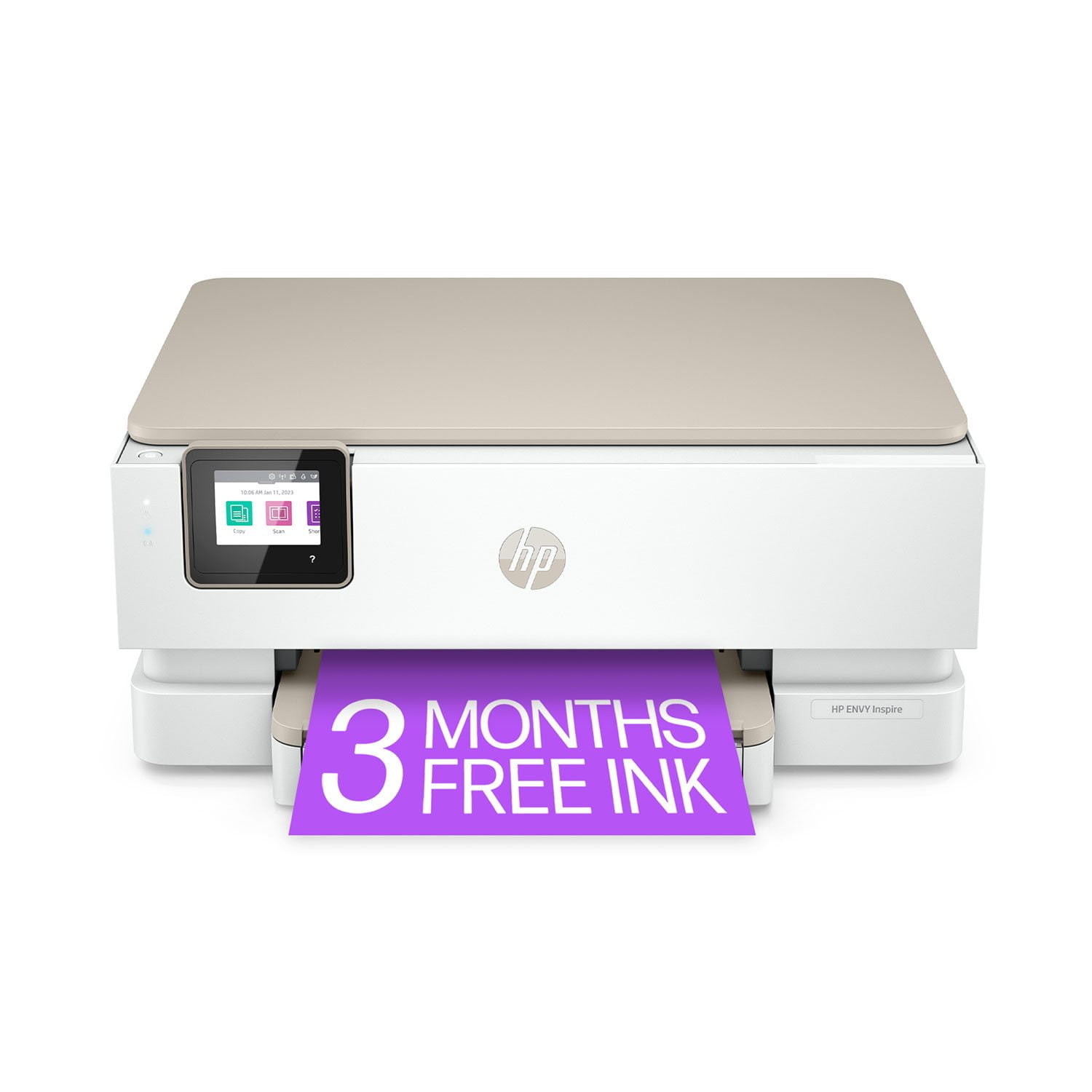
HP Envy Inspire 7252e Wireless All-in-One Inkjet Printer, 3 Months Instant Ink with HP+
4.3 out of 5 stars
stars
273 ratings147 reviews
  1. 5 stars71% (194)
  2. 4 stars9% (25)
  3. 3 stars9% (24)
  4. 2 stars3% (7)
  5. 1 star8% (23)

Member photos

Sort by |
Showing 31-40 of 147 reviews
Jul 17, 2025
Reviewer name: Khrut27Gg
5 out of 5 stars
5 out of 5 stars review

Verified Purchase

Don't envy the Envy, go ahead and buy one.

The printer is user friendly. Setup and driver installation really easy. Good print quality, fast and quiet. Just be advised, there are some misleading suggestions to get the user to buy support, and the free ink is not free for long.

Review from hp.com
Helpful?4QGYDVA2R5NB13577366130
Mar 22, 2024
Reviewer name: Putting Green
5 out of 5 stars
5 out of 5 stars review

Verified Purchase

Wow just what the doctor ordered.

Received the printer in quick time. Set up with computer with all iPhones. Using HP Smart app and it works great It even works when I am in another room all the way across the house. Very happy with quality and speed os printing.

Review from hp.com
Helpful?4QGYDVA2R5NB13577366130
May 24, 2023
Reviewer name: Rose
3 out of 5 stars
3 out of 5 stars review

Verified Purchase

Problem with Ink ??

I was ready to use my new printer but the picture wasn't good because it was all pink. I called the HP comp. and reported the problem and we did some testing the ink and found out the black working. She is sending me 2 new cartlages with in 3 working days. I hope the problem is only the ink.

Review from walmart.com
Helpful?4QGYDVA2R5NB13577366130
Mar 27, 2023
Reviewer name: Phillip
4 out of 5 stars
4 out of 5 stars review

Verified Purchase

Faulty cartridge, useless app, still great printer

The printer works great, no thanks to HP making it needlessly frustrating to get it started. First of all, it was only printing magenta from the tri-color cartridge, so I tried using HP Smart app to do cartridge cleaning and alignment prompts and any other trouble shooting, but it kept saying there was no paper when there clearly was. I eventually found out you can do those same prompts straight from the printer's touch screen and the prompts went through just fine. In fact, the only thing the app is really needed for is the intial set up and installing updates, as any other diagnostics can be done from the printer itself. After that it still only printed magenta, so it was safe to assume the packaged ink cartridge was faulty. I then contacted HP support, told them everything I've done and asked if I could get a replacement cartridge sent, but they said I would need to go through "roughly 15 to 30 minutes" of trouble shooting with them, even though I explained to them I had already done all that. So I just bit the bullet and bought a new cartridge, installed it, and now everthing prints just fine. So a faulty pre packaged ink cartridge that I had to replace with my own money, a mostly useless app, and bad support, but despite all that, the printer works great after I finally got it up and running correctly. I tested some of my digital art on both normal paper and specialty photo paper and the color quality was great with no visible streaks like you get in some printers. So if you're luckier than me and get sent working cartridges and mostly ignore the app, you'll have a good quality printer.

Review from walmart.com
Helpful?4QGYDVA2R5NB13577366130
Nov 3, 2024
Reviewer name: Janelle
1 out of 5 stars
1 out of 5 stars review

Verified Purchase

I couldn't print anything. The printer keeps jamming, so it doesn't do me any good.

Review from walmart.com
Helpful?4QGYDVA2R5NB13577366130
Jan 14, 2025
Reviewer name: Debra Sue from Florida
5 out of 5 stars
5 out of 5 stars review

Verified Purchase

Information screen is so easy to follow

I love the message window so you can see what's happening. My last printer just had error numbers that came up and you had to go online to figure out the issues. It is also very quiet. It is slightly slower printing color, which is k because the quality is better

Review from hp.com
Helpful?4QGYDVA2R5NB13577366130
Jan 8, 2023
Reviewer name: Elizabeth
1 out of 5 stars
1 out of 5 stars review

Verified Purchase

Garbage

This printer does not print borderless like stated. It also ran out of ink after printing 10 pages.

Review from walmart.com
Helpful?4QGYDVA2R5NB13577366130
reply from HP Team

Hi, Elizabeth.I’m sorry that you’ve had a disappointing start to owning your printer. I can wholly understand why being unable to print borderless images and seeing ink run out rapidly would add up to a big frustration. I want to help you understand what’s happening and remedy any problems that exist, so I’ll provide some clarifying information and resources aimed at serving that end.First, I can’t say for certain what has happened with the ink supply in your case, but some printers come with what are known as setup cartridges, which have a lower capacity than regular or XL cartridges. If you’ve used only the cartridges that came with the printer, this could explain what you’re seeing. However, if you’ve installed replacement cartridges, the XL cartridges designed for your printer have estimated yields of 415 to 600 pages, while the regular size cartridges are expected to produce 165 to 200 pages. How cartridges perform in your own printer varies according to numerous factors, including resolution, how dry the air is and how absorbent the paper is.For help with borderless printing – and if you believe the ink-use issue needs further investigation – I recommend that you contact us directly so we can help you assess what’s happening and find the proper course of action. HP+ printers such as yours come with exclusive concierge support. To call and reach live HP+ experts, visit the following URL and enter your HP+ serial number:- hp.com/plus-helpKeithHP Care hp.com/support

Feb 5, 2024
Reviewer name: michael
5 out of 5 stars
5 out of 5 stars review

Verified Purchase

Great printer.

set up was very easy. little bigger then i thought but it fine. prints fast and great quality printing.

Review from walmart.com
Helpful?4QGYDVA2R5NB13577366130
Feb 6, 2024
Reviewer name: Tomasz
5 out of 5 stars
5 out of 5 stars review

Verified Purchase

Great home printer

Money to value amazing. Its not the fastest but print quality is really good. BTW with out instaink this printer can came high cost to everyday use.

Review from walmart.com
Helpful?4QGYDVA2R5NB13577366130
Dec 8, 2024
Reviewer name: Who else
4 out of 5 stars
4 out of 5 stars review

Verified Purchase

??

Printer works fine but it kept saying I would get ink for three months. No choice. Have not seen any ink or any notice it was on the way.

Review from hp.com
Helpful?4QGYDVA2R5NB13577366130