Customer reviews for SAMSUNG 11.1.4 Channel Sound Bar with Wireless Subwoofer, Q-Symphony & Dolby ATMOS Audio forMember photos


+258 images
Great Sound, But May Not Be Perfect For Your Room
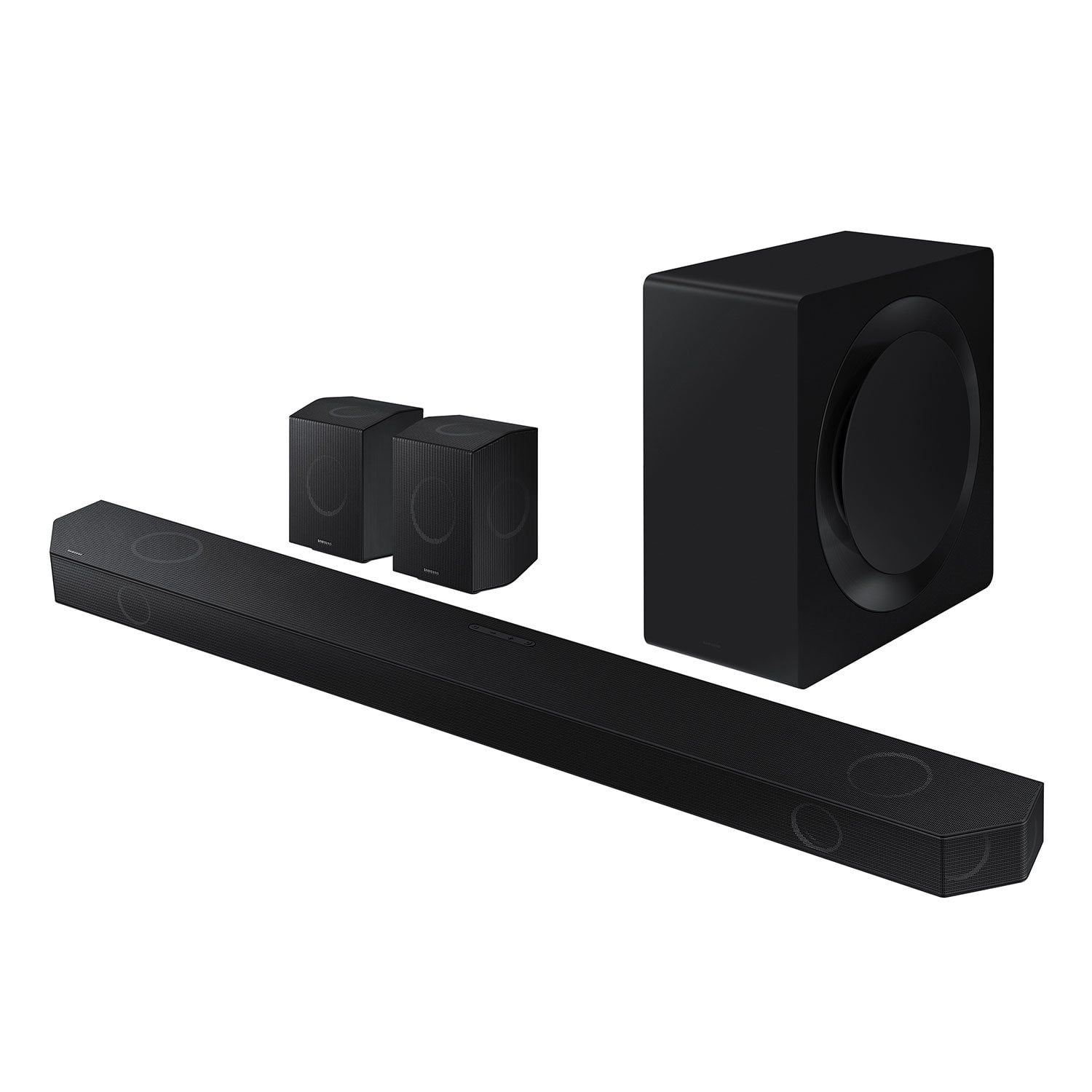
I’ve owned the Samsung Q990D for about a month, and while it’s an excellent all-in-one soundbar system, there are a few important things buyers should know before investing. Pros ✅ > Excellent sound quality: Clear dialogue, strong bass, and detailed mids. Movies and music sound dynamic and full. > Plug-and-play simplicity: Setup is fast, with automatic wireless pairing for the subwoofer and rear speakers. > Solid build quality: Premium materials and a clean design that fits well with most TV setups. > Impressive immersion (**in the right room**): ONLY when reflections are ideal, Dolby Atmos and DTS:X effects feel spacious and convincing. Cons ⚠️ > Misleading channel count: Marketed as 11.1.4, but physically it’s a 5.1.4 system that uses digital processing and sound reflection to simulate extra channels. Again, the height channels heavily rely on reflections. > Heavily room-dependent: Atmos and surround effects rely on wall and ceiling reflections. If your room is open, irregularly shaped, or has too high/low or slanted ceilings, expect far less surround impact. > Not an expandable system: You cannot add extra speakers or upgrade the configuration — you’re locked into the included setup. > Virtualization over substance: Many of the “11 channels” are created through software and psychoacoustic tricks rather than discrete drivers. > Limited tuning control: EQ and channel customization are minimal; advanced users may find it restrictive. Bottom Line 💬 The Q990D is one of the most powerful and convenient soundbar packages available, but don’t be misled by the “11.1.4” marketing. In a perfectly shaped room, it sounds great. In a typical living room, it’s essentially a premium 5.1 system with smart processing — not a full Atmos setup.
Hi, thank you for taking time out of your day to share your thoughts with us about your Samsung experience. We're sorry to hear about the negative experience. We will share your feedback with the team!
My first soundbar
[This review was collected as part of a promotion.] Just got the first Samsung Q990D and it’s insane! The surround sound is super immersive, bass hits hard, and everything feels like a real home theater. Setup was easy, no lag, no issues. Honestly one of the best soundbars I’ve tried . Totally worth it!
Good but nothing special.
[This review was collected as part of a promotion.] As title says, good overall sound for the price but I was expecting more. Bass is minimal, 3d sound doesn't really create a immersive experience but the sound is fuller in comparison to just using sound from TV. Nothing special therefore 3 stars.
Hi SamsungUs3r, We appreciate you taking a few moments to review the HW-Q990D Samsung Soundbar. You can manually optimize your audio experience by pressing the SOUND CONTROL button (which looks like a gear), you can set the audio function such as Auto EQ, Spacefit sound, AVA, Voice Enhance mode, Night mode, Sync, Surround speaker mode, Virtual. The desired item can be adjusted using the Up/Down buttons. Alternatively, you can press and hold the SOUND CONTROL button for about 5 seconds to adjust the sound for each frequency band. 150Hz, 300Hz, 600Hz, 1.2kHz, 2.5kHz, 5kHz, and 10kHz are selectable using the Left/Right buttons and each can be adjusted to a setting between -6 to +6 using the Up/Down buttons. You can try quickly optimizing the audio by pressing the SOUND MODE button on your remote, and then select the desired sound effect by choosing STANDARD, SURROUND SOUND, GAME, or ADAPTIVE SOUND. To control the volume of each speaker, press the CH LEVEL button on the provided remote. Then select CENTER LEVEL, SIDE LEVEL, WIDE LEVEL, FRONT TOP LEVEL, REAR LEVEL, or REAR TOP LEVEL. Once you find the channel you are looking for, adjust the volume between -6 to +6 by using the Up/Down buttons. There are multiple ways to control the bass levels for your new Soundbar. 1) Using the WOOFER button on the provided Soundbar remote. Use the woofer button by pushing forward or pulling backward on the button itself to adjust the bass levels between -12 or -6/+6. If you want to reset the bass to 0 then push the button in. 2) When you press the TONE CONTROL button, you can adjust the treble or bass levels between -6/+6. Alternatively, you can adjust all of these same settings and more within the SmartThings app. Download the app for your iOS or Android device and then connect your Soundbar to Wi-Fi. From here, you will be able to adjust all of the same settings as the provided remote, but with the added benefit of being able to see the changes on your smart device. I hope these tips help you enjoy your new product. You can always contact us for further help at 1-800-SAMSUNG (Ask for Soundbars), 8 AM – 12 AM EST, 7 days a week. Our Live Chat agents are also available by clicking on the ‘Support’ link on our website. ~ Samsung Solutions
INSANE SOUND!
[This review was collected as part of a promotion.] I have always wanted that movie theatre experience when watching movies and shows at the house. This system made me wish I had purchased it sooner. I mainly watch movies and shows and the clarity of the Q symphony is unmatched. Games have more depth and make me truly feel like I'm in the virtual world with buildings crumbling behind me, birds chirping off in the distance compared to the footsteps that seem near by, and the bass that shakes the house when an explosion goes off. This is truly an immersive experience. Paired with the smart things app on my phone, controlling the soundbar is amazingly simple to adjust on the fly. I did find the space fit sound can sometimes get a little wonky if people are moving around the room and talking closer to the TV, it will get quite and then a few seconds later sounds great again, would be better if it had a more seamless adjustment but it's very easy to get past that because it really isn't too noticeable. Pairing to my phone's Bluetooth was a simple push of a button in the smart things app. Once connected I was even more blown away with how crisp the highs were and how punchy the bass was. This sound system is great for every day watching, listening, and gaming. Whether your new to surround sound or looking to upgrade, the Q990D is the sound system you've been searching for.
360 performance
[This review was collected as part of a promotion.] The Samsung Q Series 11.1.4 ch soundbar is an exceptional piece of technology that transforms the home viewing experience. The sound quality is crystal clear with powerful, rich bass that can be felt. The immersive surround sound, thanks to the 11.1.4 channels and wireless Dolby Atmos, elevates the home theater experience to new heights. Movies and games come alive with realistic 3D sound that projects from all around, including above, providing full and immersive spatial audio. The setup process is straightforward and hassle-free, making it easy to start enjoying incredible audio right away. This system is a top-of-the-line option that provides an outstanding audio experience, making it highly recommended for anyone looking to upgrade their home entertainment setup.
Its OK
Have to admit this system was not what I thought it would be. It is hooked up to our lg TV. I had been at a persons house that had a similar sound system that was hooked up onto a Samsung TV and it was amazing. Way better than this system is on the LG TV. But for the most part it is functional for our needs. Not going to buy a Samsung TV to get the same sound.
Q990d truly immersive
[This review was collected as part of a promotion.] he Samsung Q990D is hands-down the best soundbar I’ve owned, delivering truly immersive 11.1.4-channel Dolby Atmos audio with powerful bass, crystal-clear dialogue, and flawless wireless rear speakers and subwoofer. It syncs perfectly , supports 4K/120Hz, and packs smart features like Wi-Fi, Bluetooth, and HDMI eARC. Setup is easy, design is sleek, and the sound quality fantastic. Yes, it’s Absolutely worth it.
Great when everything is working
The sound is great but eArc seems to frequently stop working and end up having to listen from TV speakers. Also Alexa has days it doesn't work. Sometimes it happens after the power goes out but sometimes just happens. I wish it was more reliable because the sound is really good.
Hello Mike197, Thank you for taking a moment to review the HW-Q990D Soundbar. There are a few steps you can take to troubleshoot your Soundbar. First, you will want to download the latest software for your Soundbar. You can download the firmware directly from Samsung’s website by clicking “Support” in the top right corner. Then go to “Manuals & Software” > “TVs & Home Audio” > “Home Audio” > “Sound Bars”. From there, you can select the HW-Q990D under Q Series. Download the update and install it via USB thumb stick to your soundbar. If you need additional help, there are how-to instructions on this page. Please know that Samsung Customer Service is here to assist as well. Alternatively, you can download SmartThings on your iOS or Android device. This will allow you to update your Soundbar automatically or manually right from your phone or tablet. Please verify that you are running the latest firmware on your TV. You can check to see what software version your TV is using and if there is an available update through the settings on your TV. Go to: Menu > Settings > Support > Software Update. First, try doing a soft reset, unplug the soundbar from the outlet for roughly 30 seconds and then plug it back in. If this still does not correct your issue, then do a hard reset. With the Soundbar on, press the + & - Volume buttons on the body of the soundbar at the same time for at least 5 seconds. INIT OK” appears on the display and then the Soundbar is reset. While the Soundbar is On, press both the Vol+ and Vol- buttons on the unit simultaneously until the display shows "INIT", then release. If this doesn’t work, then try using the remote control: While the Soundbar is ON, press and hold the SOUND CONTROL ("Gear") button on the Soundbar remote for 10 seconds. You will see "150HZ" on the display. Keep pressing until you see "INIT" on the display, then release. If you need more help, Samsung is here for you. Please call us at 1-800-SAMSUNG, 8AM - 12AM EST (Ask for Soundbars), 7 days a week. Live Chat with an agent as well as manuals, software, creating a service ticket, and warranty info can be found at the ‘Support’ link on our Samsung website. ~ Samsung Solutions
When they say Surround, they mean it!
[This review was collected as part of a promotion.] I have had top of the line systems for over 30 years; this one has me looking in all directions for where the sound is coming from!!! Putting away my high-end speakers and the top-of-the-line Denon system, whether music or movies no need for anything else.
Truly wireless surround
[This review was collected as part of a promotion.] This is a great wireless soundbar with big, 3d immersive sound that works even better with a Samsung Neo Qled TV in the form of Q symphony. This feature optimizes the audio experience by blending the sound from the tv with the soundbar. Truly impressive. Very happy with my purchase