Skip to Main Content
Sams Club
Sams Club
Customer reviews for SAMSUNG 3.1.2 Channel Sound Bar with Wireless Subwoofer, Q-Symphony & Dolby ATMOS Audio (Choose Color) for
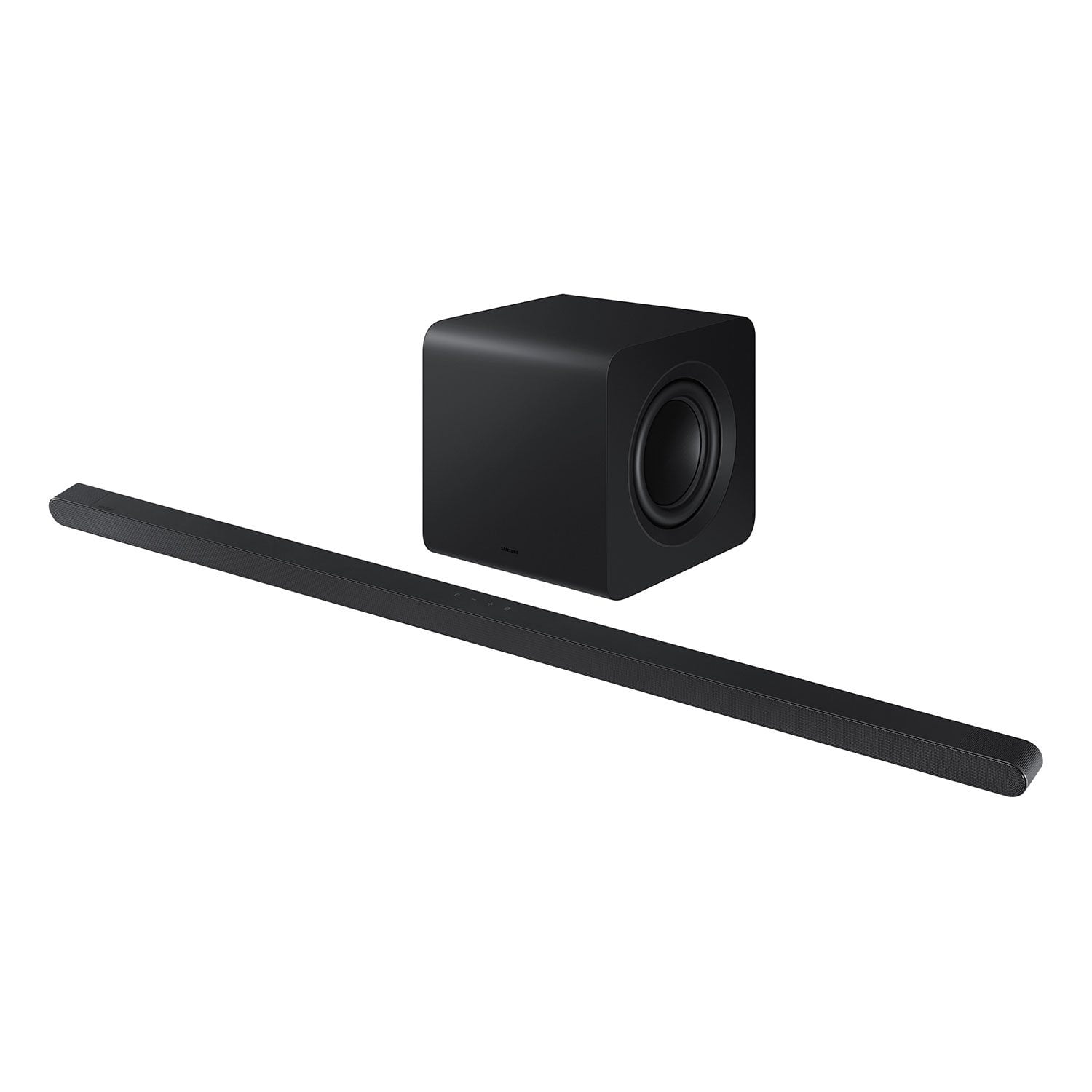
SAMSUNG 3.1.2 Channel Sound Bar with Wireless Subwoofer, Q-Symphony & Dolby ATMOS Audio (Choose Color)
4.7 out of 5 stars
stars381 ratings381 reviews
  1. 5 stars79% (300)
  2. 4 stars15% (59)
  3. 3 stars2% (9)
  4. 2 stars1% (3)
  5. 1 star3% (10)

Member photos

  • +85 images
Sort by |
Showing 71-80 of 381 reviews
Nov 11, 2025
Freefree
5 out of 5 stars review

Great gift

[This review was collected as part of a promotion.] This Item is a awesome gift. Does not take up too much room and easy to install. My mother is very happy.

Review from Samsung US
Helpful?6PK86ZM75TYA13573766686
Oct 24, 2025
Honeybun
4 out of 5 stars review

This product is fantastic.

[This review was collected as part of a promotion.] This product is fantastic in its wel renounced audio and wireless features making it suitable for almost anywhere.

Review from Samsung US
Helpful?6PK86ZM75TYA13573766686
Oct 10, 2025
Mznini
5 out of 5 stars review

This product looks fits me perfectly

[This review was collected as part of a promotion.] I love music music helps me get through alot of my tough days in my life. I suffer from depression and ptsd,and this stereo means alot to me for the good bad my happy and sad days.

Review from Samsung US
Helpful?6PK86ZM75TYA13573766686
Nov 20, 2025
Nathan
5 out of 5 stars review

Best speaker

[This review was collected as part of a promotion.] The speaker sounds great, love the different sound settings, and the the speaker and base make you feel like you are in a theater!

Review from Samsung US
Helpful?6PK86ZM75TYA13573766686
Oct 8, 2025
Heeydar
5 out of 5 stars review

It's the best thing I have ever used

[This review was collected as part of a promotion.] I make use of in in movies watching, and gaming it gives me the sound and background eco sound I like.

Review from Samsung US
Helpful?6PK86ZM75TYA13573766686
Aug 23, 2025
HappyFlute
5 out of 5 stars review

Exceptional audio quality.

[This review was collected as part of a promotion.] Quality sound enhances our listening experience, allowing us to fully immerse ourselves in audio content. It's important to appreciate the clarity that comes with high-fidelity audio, as it makes a noticeable difference. Whether it's music, podcasts, or movies, the right sound can truly elevate any form of media. Furthermore, the absence of unwanted noise allows for a more pleasurable listening experience. Ultimately, quality sound contributes significantly to our enjoyment and appreciation of audio.

Review from Samsung US
Helpful?6PK86ZM75TYA13573766686
Jun 7, 2025
Samsungwhileitworked
2 out of 5 stars review

Stopped working after 8 months

[This review was collected as part of a promotion.] Very disappointed and would not recommend this soundbar. Was decent while it worked but after 8 months, stopped working and Samsung support didn’t do much to help with a resolution. It’s a long paper weight, dust collector at this point. Look elsewhere if you want a soundbar you could rely on.

Review from Samsung US
Helpful?6PK86ZM75TYA13573766686
reply from Samsung Solutions

Hi Samsungwhileitworked, We appreciate you taking a moment to review the HW-S800D Soundbar. There are a few steps you can take to troubleshoot your Soundbar. First, try doing a soft reset, unplug the soundbar from the outlet for roughly 30 seconds and then plug it back in. Next, update the firmware on your soundbar. The easiest way to accomplish this would be to download the SmartThings app and connect your Soundbar to Wi-Fi. This will allow you to not only download any firmware updates but also control your entire soundbar on the screen of your smart device. Please also verify that you are running the latest firmware on your TV. You can check to see what software version your TV is using and if there is an available update through the settings on your TV. Go to: Menu > Settings > Support > Software Update. If this still does not correct your issue, then do a hard reset. With the Soundbar on, press the + & - Volume buttons on the body of the soundbar at the same time for at least 5 seconds. The LED display changes as follows: White moves from left to right and right to left, and the middle LED blinks Cyan 3 times. Then the middle LED will blink RED and turn off. Updating the firmware on your soundbar gives you all the benefits of the latest improvements. When the Soundbar is connected to the Internet, Auto Update allows software to update automatically even when the Soundbar is turned off. You can also update by using the SmartThings app. If not connected to the internet, you can download it onto a USB device, and then upload it to your soundbar - no wireless connection required. Connect the USB drive that contains the update firmware to the SERVICE port of the Soundbar. 1.Go to the Samsung Electronics website (www.samsung.com) → click on the “Support” option in the upper left corner. 2.Click on “Manuals & Software” from the pop-up list > TVs & Home Theater > Home Theater > Select your model 2. Download the firmware file (USB type). 3. Unzip the file to create a folder with the file name. 4. Store the created folder in a USB and then connect it to the Soundbar. 5. A sequence of “UPDATE” > “BYE” > “ON” will appear on the display 3 times. This will take around 6 minutes. - During update, do not turn it off or remove the USB. - If “UPDATE” does not appear on the display window, remove the power cord from the Soundbar and then reconnect it. - When the latest version is installed, no update is performed. - Depending on the USB type, update may not be supported. 6. After the 3 cycles are complete, the Soundbar will restart and last source used will appear on the display for about 20 seconds and then it will go off (“UPDATE” > “BYE” > “ON”) 3 times “D.IN” > off If you need more help, Samsung is here for you. Please call us at 1-800-SAMSUNG, 8AM - 12AM EST (Ask for Soundbars), 7 days a week. Our Live Chat agents are also available by clicking on the ‘Support’ link on our website. ~ Samsung Solutions

Jun 5, 2025
BeachSoundGuy
3 out of 5 stars review

Great looking, sound lacking.

[This review was collected as part of a promotion.] The soundbar is my main source of audio in a relatively small open concept living room/kitchen space. The smaller, low profile footprint of the soundbar is great, but I’m unfortunately very underwhelmed by the performance of the product. Based on the product info online and various reviews online, I was expecting “bigger” sound. Especially for the price. A few issues: WiFi connectivity is not great. I can get it to connect, but it won’t stay connected. I want to use the Q Symphony feature, but it won’t stay connected. I’ve switched to Bluetooth. Second, the SOUND: it’s clear, it’s better than the TV, but I was really hoping for fuller, bigger sound - better, punchier bass. I’ve tried adjusting settings but even after doing that, the results are lackluster. The subwoofer is on the smaller side and the drivers on the soundbar are small due to the smaller profile, so I guess I should have known better.

Review from Samsung US
Helpful?6PK86ZM75TYA13573766686
reply from Samsung Solutions

BeachSoundGuy, Thank you for taking a moment to review the Samsung HW-S801D Soundbar. Updating the firmware on your soundbar gives you all the benefits of the latest improvements. When the Soundbar is connected to the Internet, Auto Update allows software to update automatically even when the Soundbar is turned off. You can also update by using the SmartThings app. To optimize your audio experience, please try the various sound modes this model offers. Press the SOUND MODE button on your remote, and then select your desired sound effect: ADAPTIVE SOUND, DTS VIRTUAL:X, MUSIC, GAME, STANDARD. When you press the SOUND MODE button it will change to the different modes in the above order. You can further adjust TREBLE and BASS via the TONE CONTROL button. Also, you can also add the SWA-9500S Rear Speaker Kit to create a multi-channel system for a true surround sound experience. If you need more help, Samsung is here for you. Please call us at 1-800-SAMSUNG, 8AM - 12AM EST (Ask for Soundbars), 7 days a week. Our Live Chat agents are also available by clicking on the ‘Support’ link on our website. ~ Samsung Solutions

Aug 21, 2025
TechFan23
1 out of 5 stars review

Great sound and sleek design

[This review was collected as part of a promotion.] I ’ve been using my Samsung soundbar for both work and leisure. The audio quality is crystal clear for Zoom calls, and when I switch to movies or gaming, the deep bass and surround sound make it feel like a theater experience. It connects effortlessly to my TV and phone, and the Bluetooth range is impressive. This has become an essential part of my daily routine

Review from Samsung US
Helpful?6PK86ZM75TYA13573766686
reply from Samsung Solutions

Hello TechFan23, Thank you for purchasing the Samsung HW-S801D and for your review. I am glad to hear that you are happy with the performance of your new soundbar. If you are experiencing specific issues that caused you to give this a 1-star rating, please know Samsung Customer Support is here to help. Call us at 1-800-SAMSUNG (ask for Soundbars), available 8 AM – 12 AM EST, 7 days a week. LiveChat with an agent by clicking the ‘Support’ link on the Samsung website. ~Samsung Solutions

Jun 8, 2025
Samsung4ever
5 out of 5 stars review

Great Quality- Very Happy with my purchase

[This review was collected as part of a promotion.] I am very happy qith my purchase. The audio is even better than I expected, bery clean audio, has made the movie watching experience incredible, I do nlt think there is any need to go to the movie theater anymore! I love that I can now forget about cables and connecting it to my tv, I can easily now just pair my Samsung TV and we're ready to start watching! I truly recommend this product for those who want to have a loud and clean sound for their living room, absolutely worth the price!

Review from Samsung US
Helpful?6PK86ZM75TYA13573766686