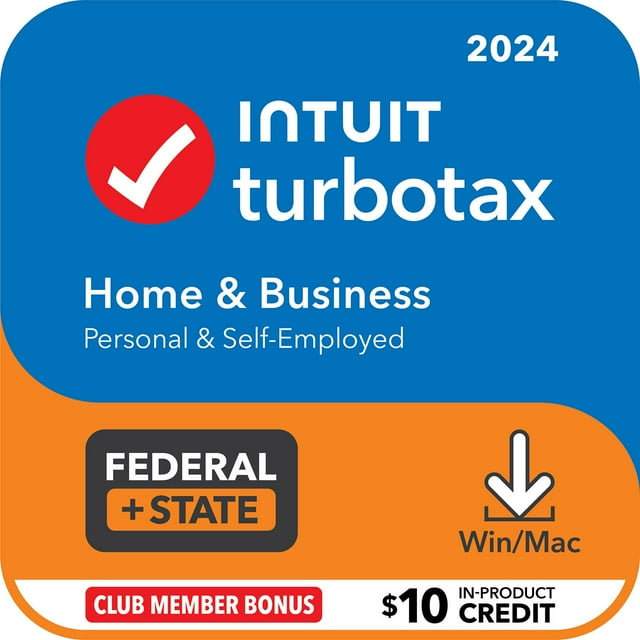
Intuit TurboTax Home & Business 2024 Email Delivery, Federal and State Returns + Federal E-file with $10 in-product credit
Hero image 0 of Intuit TurboTax Home & Business 2024 Email Delivery, Federal and State Returns + Federal E-file with $10 in-product credit, 0 of 7

Intuit TurboTax Home & Business 2024 Email Delivery, Federal and State Returns + Federal E-file with $10 in-product credit

|3,850 ratings

Smart summary

Generated by AI
  • Finds Business Deductions

    Finds Business Deductions

    Finds industry-specific tax deductions for self-employed write-offs.
  • Create W-2s and 1099s

    Create W-2s and 1099s

    Quick Employer Forms let you prepare tax documents for your employees and contractors.
  • Checks For Audit Triggers

    Checks For Audit Triggers

    The Audit Risk Meter scans your tax return for potential flags before filing.
  • Includes Five Federal E-Files

    Includes Five Federal E-Files

    You can file up to five federal tax returns electronically using this software.
  • Includes Ten Dollar Credit

    Includes Ten Dollar Credit

    Get a ten-dollar credit toward state filing fees or your Audit Defense service.

Specifications

TurboTax Federal Tax Year 2024
Windows Download (Basic, Deluxe, Premier, Home & Business and Business)
NOTE: TurboTax Business is Windows Only
Operating Systems Windows 10 or later
Specific Windows OS: Windows 10 (64-bit), Windows 11 (64-bit)
RAM 4GB or more recommended
Hard Disk Space 1 GB (plus up to 4.5 GB for Microsoft .NET 4.8 if not already installed)
Monitor 1024x768 or higher recommended
Third Party Software Microsoft Visual C++ 2022 Redistributable (included with TurboTax Installer), Microsoft .NET 4.8
Internet Connection 1 Mbps modem (Broadband connection highly recommended). Required for product activation, software updates and optional online features
Printer Any Windows-compatible inkjet or laser printer
Administrative rights required
Mac Download (Basic, Deluxe, Premier, and Home & Business)
Operating Systems macOS Ventura 13 or later
(macOS Monterey 12 not supported)
Specific macOS: macOS Ventura 13, macOS Sonoma 14, macOS Sequoia 15
Prices may vary in club and online
How do you want your item?
Sam's credit card
Limited time! Get a $60 statement credit when you open an account between 10/28-12/2 and use it to make $30 in eligible Sam’s Club purchases within 30 days¹


About this item

Product details

TurboTax® 2024 – File your taxes with 100% confidence

TurboTax® is tailored to your unique situation. It searches over 375 personal and small business deductions and credits, so you can be confident you’re getting every dollar you deserve.

  • Recommended if you are self-employed, an independent contractor, freelancer, small business owner, sole proprietor, or have a home office or home-based business
  • Includes 5 Federal e-files and 1 State via download. State e-file sold separately. Get U.S.-based techinical support (hours may vary)
  • Your downloaded software resides on your computer, so you can view and manage your tax data (Intuit Account required)
  • Boost your bottom line with industry-specific small business tax deductions
  • Get a head start by importing your info from last year's TurboTax return or other tax software
  • Create and e-file W-2s and 1099s for employees & contractors using Quick Employer Forms
  • Up-to-date on the latest tax laws so you have the latest information
  • Avoid mistakes by importing W-2s, investment & mortgage information from participating companies
  • Guides you through start-up costs that new businesses can deduct
  • Simplified asset depreciation and reporting
  • Audit Risk Mete checks your return for audit triggers
  • Runs thousands of checks before you file to help identify missing deductions or credits

*Email delivery TurboTax 2024 Desktop products are available only via download. After purchase, you will receive an email from SamsEDelivery@esd.synnex.com with the Software Activation Key and a link, with simple instructions for downloading and installing the software

Disclaimer

TurboTax Desktop software is now download only and will no longer be vailable on a CD. Download format is quick and easy, plus ensures you have thelatest product updates.

Installation Requirements: Product download, installation and activation requires an Intuit Account and internet connection. Product limited to one account per license code. You must accept the TurboTax License Agreement to use this product. Not for use by paid preparers.

TurboTax Desktop Products: Price includes tax preparation and printing of federal tax returns and free federal e-file of up to 5 federal tax returns. Additional fees may apply for e-filing state returns. E-file fees may not apply in certain states, check here for details. Savings and price comparison based on anticipated price increase. Software updates and optional online features require internet connectivity.

Fastest Refund Possible: Fastest federal tax refund with e-file and direct deposit; tax refund time frames will vary. The IRS issues more than 9 out of 10 refunds in less than 21 days.

Average Refund Amount: Sum of $3140 is the average refund American taxpayers received based upon IRS data date ending 02/17/23 and may not reflect actual refund amount received.

TurboTax Product Support: Customer service and product support hours and options vary by time of year.

#1 Best Selling Tax Software: Based on aggregated sales data for all tax year 2022 TurboTax products.

Deduct From Your Federal Refund: A $40 Refund Processing Service fee may apply to this payment method. Prices are subject to change without notice.

Data Import: Imports financial data from participating companies; Requires Intuit Account. Quicken and QuickBooks import not available with TurboTax installed on a Mac. Imports from Quicken (2021 and higher) and QuickBooks Desktop (2021 and higher); both Windows only. Quicken import not available for TurboTax Desktop Business. Quicken products provided by Quicken Inc., Quicken import subject to change.

Audit Defense: Audit Defense is a third-party add-on service provided, for a fee, by TaxResources, Inc., dba Tax Audit. See Membership Agreements at https://turbotax.intuit.com/corp/softwarelicense/ for service terms and conditions.

All features, services, support, prices, offers, terms and conditions are subject to change without notice.

Installation Instructions

  • Within minutes, you will receive an email from transaction@info.samsclub.com confirming your purchase.
  • Then, you will receive an email from SamsEDelivery@esd.synnex.com with the Software Activation Key and a link to download TurboTax: www.InstallTurboTax.com.
  • Codes are usually delivered within 48 hours depending on additional order validation required by Sams Club or your Credit Card company.
  • Note: If you do not see this email within 48 hours of your purchase, confirm that it was not misdirected to your spam/junk folder.
  • Click the download link, www.InstallTurboTax.com, and follow the instructions for downloading and installing the software.

Technical Support: www.turbotax.com/support

info:
If the item details above aren't accurate or complete, we want to know about it. 

Key specifications

Specifications

TurboTax Federal Tax Year 2024
Windows Download (Basic, Deluxe, Premier, Home & Business and Business)
NOTE: TurboTax Business is Windows Only
Operating Systems Windows 10 or later
Specific Windows OS: Windows 10 (64-bit), Windows 11 (64-bit)
RAM 4GB or more recommended
Hard Disk Space 1 GB (plus up to 4.5 GB for Microsoft .NET 4.8 if not already installed)
Monitor 1024x768 or higher recommended
Third Party Software Microsoft Visual C++ 2022 Redistributable (included with TurboTax Installer), Microsoft .NET 4.8
Internet Connection 1 Mbps modem (Broadband connection highly recommended). Required for product activation, software updates and optional online features
Printer Any Windows-compatible inkjet or laser printer
Administrative rights required
Mac Download (Basic, Deluxe, Premier, and Home & Business)
Operating Systems macOS Ventura 13 or later
(macOS Monterey 12 not supported)
Specific macOS: macOS Ventura 13, macOS Sonoma 14, macOS Sequoia 15
RAM 4GB or more recommended
Hard Disk Space 1 GB
Monitor 1024x768 or higher recommended
Internet Connection 1 Mbps modem (Broadband connection highly recommended). Required for product activation, software updates and optional online features
Printer Any Macintosh-compatible inkjet or laser printer

Member ratings & reviews

3.9 out of 5 stars
stars
3,850 ratings3,850 reviews
Write a review
Filtered and sorted results would be available on the new 'Customer ratings & reviews' page.
Sort by |

Showing 1-3 of 3,850 reviews

Sep 29, 2026
Reviewer name: LXT320
5 out of 5 stars
5 out of 5 stars review

I enjoy doing my taxes with TurboTax.

It makes filing taxes a much smoother process than anticipated. The calculations are accurate, gives very good details of the topics and I can even search on their website for clarification of topics. I'm able to switch between input and form view easily. It reports my forms very clearly and easy to find.

Review from turbotax.intuit.com
Helpful?45PO1UY7ALO513967455955
Oct 12, 2026
Reviewer name: Chief Gray
5 out of 5 stars
5 out of 5 stars review

Turbo Tax is a very friendly user program

Been using Turbo Tax since 2015. Easy to use once the program downloads. The only complaint i have is that for the 2025 tax year program i had to get a new laptop because the program wouldn't download to my desktop that is only 2 years old. I had the same issue with the 2024 tax year program, but i was able to buy your download program CD, which you no longer provided for the 2025 tax year. The program is very easy to understand and user friendly, which makes data entry very easy to input.

Review from turbotax.intuit.com
Helpful?45PO1UY7ALO513967455955
Sep 4, 2026
Reviewer name: bje48
4 out of 5 stars
4 out of 5 stars review

Revise Updates AFTER yax due date.

I have already suggested STOP asking for "updates" after April 15. I ALWAYS file for an extension, and this is a waste of 3-5 minutes every time I log in to work / add / change anything. I must assume the forms are not changed AFTER 4.15 of any year. At least allow an option to skip.

Review from turbotax.intuit.com
Helpful?45PO1UY7ALO513967455955
Prices may vary in club and online
How do you want your item?