Skip to Main Content
Sam's Club
Sam's Club
All Departments
All Services
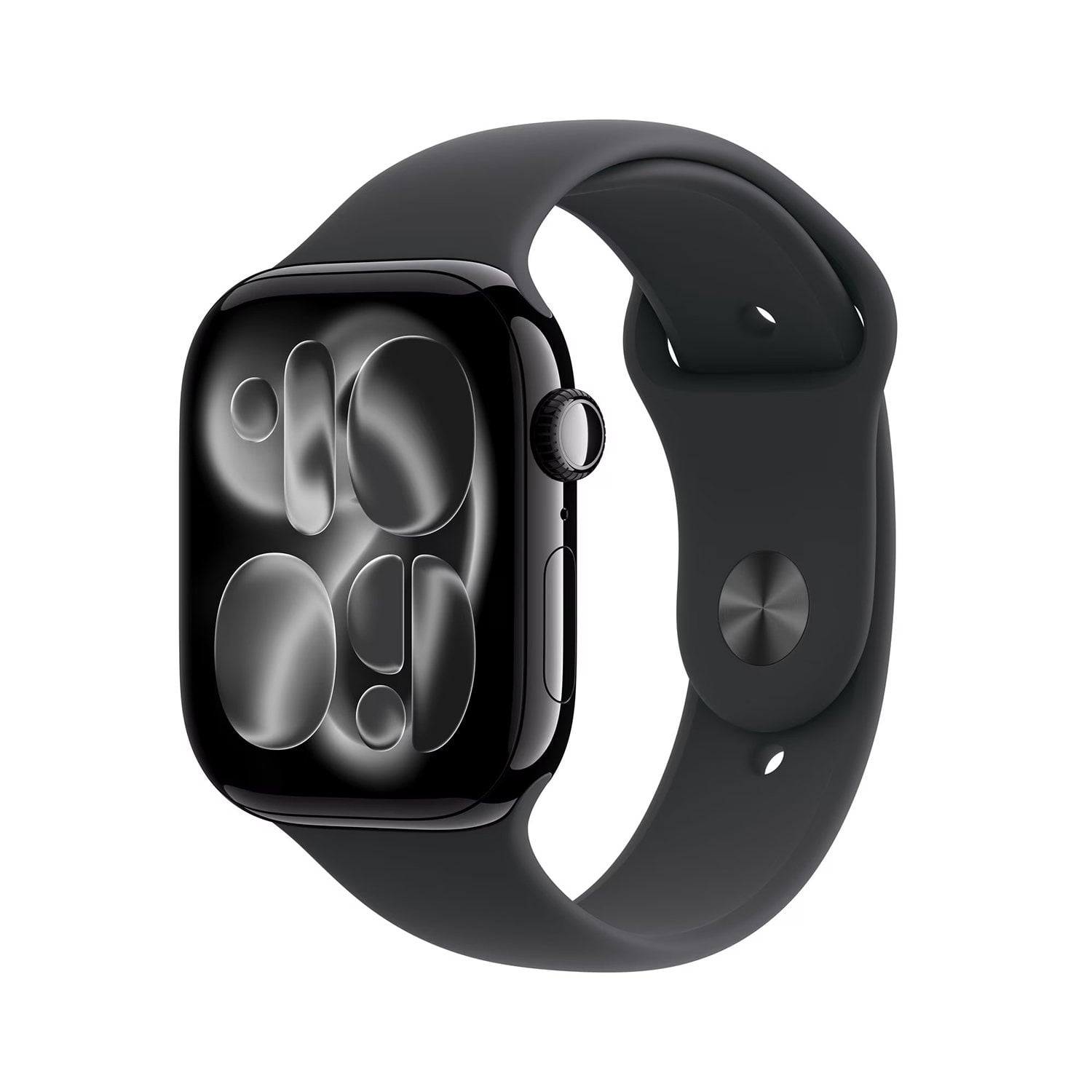
Customer reviews for Apple Watch Series 11 GPS + Cellular 46mm Aluminum Case for
Apple Watch Series 11 GPS + Cellular 46mm Aluminum Case
4.4 out of 5 stars
stars
145 ratings145 reviews
  1. 5 stars79% (115)
  2. 4 stars6% (8)
  3. 3 stars4% (6)
  4. 2 stars2% (3)
  5. 1 star9% (13)
Sort by |
Showing 71-80 of 145 reviews
May 8, 2026
Quin Kelley
5 out of 5 stars review

Verified Purchase

Perfect watch

Perfect watch . I love it

Review from ATT.com
Helpful?4Y85LEUQNP4P17810603818
Apr 14, 2026
Bfro
1 out of 5 stars review

Verified Purchase

Bad watch

Nothing but problems with this since buying it.

Review from ATT.com
Helpful?4Y85LEUQNP4P17810603818
reply from AT&T CARE - Kevin

Hi, thank you for your honest feedback. We are deeply sorry for the technical problems experienced with your watch. We understand that having a new device malfunctioning can be frustrating and can negatively impact your experience. We would love to offer you assistance and have more information about the technical issues that steamed from the watch. If you wish you can fill out this form with clear details about why the watch doesn't meet your needs. https://www.att.com/get-support/ Furthermore you can also visit Apple Support for tailored recommendations and hands‑on troubleshooting steps that can help turn this experience around for you. https://support.apple.com/ We appreciate customers like you who provide valuable feedback that never goes unnoticed and helps us continue improving.

Jul 4, 2026
Dustin
5 out of 5 stars review

Verified Purchase

Great watch

Review from walmart.com
Helpful?4Y85LEUQNP4P17810603818
Nov 27, 2025
Anonymous
5 out of 5 stars review

Verified Purchase

.

It was amazing and I really enjoyed

Review from ATT.com
Helpful?4Y85LEUQNP4P17810603818
Jan 10, 2026
Anonymous
1 out of 5 stars review

Verified Purchase

Not happy so far

Have been unable to connect my watch to cell data due to some bug

Review from ATT.com
Helpful?4Y85LEUQNP4P17810603818
Jan 26, 2026
AT79
5 out of 5 stars review

Verified Purchase

Good purchase would recommend

Nice , as described still learning about it

Review from ATT.com
Helpful?4Y85LEUQNP4P17810603818
Dec 22, 2025
K Casabantes
5 out of 5 stars review

Verified Purchase

I can know how my walking is being recorded.

Love the fact that I can keep track of my steps And health

Review from ATT.com
Helpful?4Y85LEUQNP4P17810603818
Jan 19, 2026
Ms Donson
5 out of 5 stars review

Verified Purchase

Apple Watch review

Love the watch just what I was expecting

Review from ATT.com
Helpful?4Y85LEUQNP4P17810603818
Jan 23, 2026
Chill will 1988
2 out of 5 stars review

Verified Purchase

Could work better for the price

Touch screen not very responsive

Review from ATT.com
Helpful?4Y85LEUQNP4P17810603818
reply from AT&T CARE

Thank you for sharing your feedback on the Apple Watch Series 11. We’re sorry to hear the touch screen hasn’t been as responsive as you expected and we know how important smooth performance is, especially for the price. We’d love the chance to help troubleshoot this with you, as sometimes a quick adjustment or update can make a big difference, we truly appreciate your input — it helps us continue to refine our products and deliver the quality you deserve. Here are few steps you can try and see if it helps with the watch freezing issue: 1.Clean the Screen: Ensure that the Apple Watch screen is clean and free from dirt, oil, or moisture. Use a non-abrasive, lint-free cloth to gently wipe the screen. If your fingers are dirty or if you're wearing gloves, the screen may not respond to touch. 2.Force Restart the Watch: If the screen remains unresponsive, perform a force restart. To do this, press and hold both the Side button and the Digital Crown for about 10 seconds until you see the Apple logo. This can resolve many temporary glitches. 3.Check for Water Lock: If the water lock feature is enabled (indicated by a water drop icon), the screen will not respond to touch. Disable Water Lock by turning the Digital Crown until the watch exits this mode. 4.Update watchOS: Ensure that your Apple Watch is running the latest version of watchOS. Updates can fix bugs and improve performance. You can check for updates through the Watch app on your paired iPhone. 5.Resync the Apple Watch: If the issue persists, try unpairing and then re-pairing your Apple Watch with your iPhone. Open the Watch app, select your watch, tap the i icon, and choose Unpair Apple Watch. After unpairing, follow the prompts to set it up again. 6.Check for Hardware Issues: If none of the above step's work, there may be a hardware issue with the touch screen. In this case, consider contacting Apple Support or visiting an Apple Store for further assistance

Jan 1, 2026
No thank u
1 out of 5 stars review

Verified Purchase

N/A

Doesn’t read all the health data like it says definitely doesn’t hold charge like it says

Review from ATT.com
Helpful?4Y85LEUQNP4P17810603818