Customer reviews for SAMSUNG 70" Class U7900F Series 4K Crystal UHD Smart TV forMember photos


+1278 images
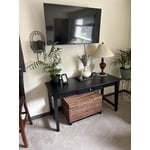
Far cry from the 21 inch TV of my childhood.
While the TV has great color and sound it does see to have a mind of its own. The remote takes some getting use to. Just when I think I have it figured out something changes. I am a fan of Samsung though and I will keep working with it. This is my third Samsung TV and probably not my last. My children have my older TVs and they are still going strong. I just like to keep up with technology. I am 81 years old.
Perfect For Guest Room, or Anywhere!
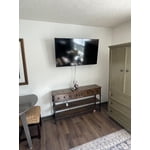
[This review was collected as part of a promotion.] It is perfect for the bedroom or office. Picture is great and it's lightweight to hang on the wall. Only thing I can find to complain about is the speakers. They are a little weak and tinny, but, face it, we all use a sound bar anyhow. I couldn't have asked for a better TV for the guest room. Add to that, the SAMSUNG TV, and you have the perfect guest room amenity. I thought, at first, the remote was pretty sad.... but it's really perfect. With all the streaming services, you really don't need all the numbers and buttons. Simple, sturdy and elegant. Love it.
Disappointed with the functionality
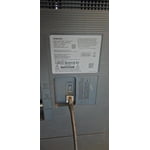
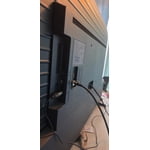
[This review was collected as part of a promotion.] In terms of resolution and picture quality, this TV is an excellent buy. The image is sharp, bright, and very enjoyable for everyday viewing. However, the functionality is limited. It only has two HDMI ports. In my case, one is used for the cable box and the other for my home theater system, which leaves no additional HDMI inputs available. Another significant limitation is the app platform. The TV does not allow you to add apps beyond those offered in Samsung's app store. I was unable to install some of the streaming services I use, such as Peacock, Max (HBO Max), and Paramount+. As a result, I now need to purchase an external streaming device like a Roku or Fire Stick — but with no available HDMI ports, that creates another challenge. I want to emphasize that I am a big Samsung fan. I love the brand and own several Samsung products, including my phone, refrigerator, stove, and air conditioner. That's actually why I chose this TV. I was aware of the HDMI limitation when I purchased it, but it was not clearly advertised that app availability would also be restricted by the platform. Overall, the picture quality is very good, but the limited connectivity and restricted app ecosystem reduce its overall functionality.
Hi Capu, Thank you for reaching out to us. Please know the apps you listed: Peacock, Max (HBO Max), and Paramount+ are all available for download. To ensure your TV is up to date, please update your Firmware. Go to Settings> Support> Software Update. To Search for & Install Apps: 1. From the Home screen, press left on the remote’s directional pad. 2. Navigate to and select Search. 3. Using the search bar, enter the content or app you’d like to find. 4. Navigate to and select the app you’d like to install, then select Install. Note: Previously installed apps can be accessed on the Settings screen. Adding & Managing Apps on Home Screen 1. Go to App Settings (these can be found at the bottom of the Apps screen) and select the app you want to move. The following options will be available: a. Add to Home: Move the app to your desired location on the Home screen. b. Delete: Delete app. c. Lock/Unlock: Lock the app with a PIN so only you can use it. When the app is selected again, you will be prompted to enter the PIN to unlock it. d. Reinstall: Reinstall the app. e. View Details: View the app’s information and details. If you continue to have issues, please contact us at 1-800-SAMSUNG, available daily from 8AM - 12AM EST. You can also visit the Samsung website and click on ‘Support’ for: • Live Chat • Manuals, Software, & Warranty Info ~ Samsung Advisor
Love at First Screen...Delivers Epic Everything!
[This review was collected as part of a promotion.] I absolutely love my 75-inch Samsung TV. It's vibrant and ultra-sleek in size for a TV of its kind. The resolution brings every scene to life with stunning clarity and color depth. Connectivity is fast and user friendly, especially with other Samsung devices, making setup effortless. The sound quality and color depth elevate the entire experience to premium levels. I use the SmartThings app for additional features such as self adjusting brightness and lighting control and mobile remote use via your mobile phone. There are lots of selections to choose from depending on preference. The entire entertainment value is packed within, including games, apps, and music channels. The TV remote has one push buttons to easily access YouTube and Prime if that's your thing. I also love the synchronicity of using Spotify from mobile to TV. It's a great product filled with many extras that I wasn't expecting.
Great T.V. but
[This review was collected as part of a promotion.] The TV keeps losing wifi signal and does not allow for the phone to screen mirror. I have to completely restart the T.V. and aswell as the Bluetooth. I have a speaker that I have to keep reinstalling due to the Bluetooth being lost.
Hi Moravation, Thank you for reaching out to us. Please ensure your TV is running the latest Firmware. Go to Settings> Support> Software Update. Please ensure your TV is running the latest Firmware, version 1132.0. Go to Settings> Support> Software Update. If this firmware version is not yet available on your TV, you can download the update on a USB drive and manually update your TV: 1. On Samsung's website (upper right corner), go to: Support > Manual & Software > Find your TV model, and click on the Firmware – Upgrade File. 2. When the file has finished downloading, locate it and then unzip it. There is normally one folder inside but there may be multiple files. 3. Copy or move all of the files that were included in the zip file to a USB flash drive, but do not place them inside any other folders. If you place the software folders inside a folder on the USB flash drive, the TV or monitor will not find them. 4. Connect the USB drive containing the software upgrade into a USB port on your device. 5. Using your device's remote, navigate to and select Settings, then select All Settings, and then select Support. Select Software Update, select Update Now, and then select Yes if prompted. Your device will search the USB drive for update files. Follow the on-screen instructions to install the updated software. Updates usually take a few minutes; please do not turn off the TV until the update is complete. When the update is finished, it will restart automatically. If you need additional support, Samsung is here to help. Please call us at 1-800-SAMSUNG, available daily from 8AM - 12AM EST. You can also chat with a LiveChat agent by clicking the ‘Support’ link on our website. ~ Samsung Advisor
Great picture quality
[This review was collected as part of a promotion.] I purchased this tv about 5 months ago. It's different from roku brand. I love how I can connect my phone to my TV and use it as a remote. I can also connect my earbuds so I won't interrupt my wife sleep. Overall it was a great purchase. I hope this review help
its a great tv u can connect to almost anything
[This review was collected as part of a promotion.] its a great tv u can like to almost anything then just use ur remote control 4 the TV say u link ur fan then 1 last remote u need to not lose its quite nice the picture quality its amazing sound quality is pretty good to but im going to get surround sound its otw but I would recommend it to any1 really great tv slim n not to heavy 4 it being a 75 inch
Great colors
[This review was collected as part of a promotion.] Something that i really like about this tv is the colors how they look fantastic doesnt mater if you use it for watching a movie or playing video gases the color contrast,brightnes and resolution are incredible something else that i really like is how you can change the modes of the tv from movie mode to filmaker mode and game mode also the compatibility is really good giving me the option to connect my playstation,speakers.
Love my new tv
This thing is amazing, love the picture and samsung tv. It was easy to connect to my apps. I have a samsung tablet and phone, so connecting to them is super easy. The only thing I would complain about is the small remote, I prefer something with numbers on it, not push a button to have the numbers appear on screen
Perfect tv for me!!!
[This review was collected as part of a promotion.] My tv is amazing!!! I have it mounted in my bedroom and the picture quality is amazing. It even makes older shows/movies look better!!! The colors pop and is very clear. Easy to connect to my Samsung soundbar and my phone through the smart things app. I recommend getting the soundbar with it because it will take the experience to another level. 10/10