Skip to Main Content
Sam's Club
Sam's Club
All Departments
All Services
Customer reviews for SAMSUNG 70" Class U7900F Series 4K Crystal UHD Smart TV for
SAMSUNG 70" Class U7900F Series 4K Crystal UHD Smart TV
4.5 out of 5 stars
stars
3,907 ratings3,900 reviews
  1. 5 stars73% (2,864)
  2. 4 stars15% (593)
  3. 3 stars6% (241)
  4. 2 stars2% (91)
  5. 1 star3% (118)

Member photos

  • +1528 images
Sort by |
Showing 861-870 of 3,900 reviews
Apr 20, 2026
Reviewer name: Big D
5 out of 5 stars
5 out of 5 stars review

New Samsung tv 65 inch.

[This review was collected as part of a promotion.] My last Samsung 65 inch tv was great. It lasted for 10 years. I recently upgraded to a new 65 inch Samsung tv. I'm really happy and impressed with the quality of the new Samsung tv. Awesome picture quality and great viewing experience. I would recommend Samsung tv.

Review from Samsung US
Helpful?519VMKO7QPOP17358505999
Feb 17, 2026
Reviewer name: Butafly13
4 out of 5 stars
4 out of 5 stars review

Great price

[This review was collected as part of a promotion.] Great price, picture good. Has all the smart features. Just wish I could figure out how to turn it off and get right back into my cable TV. Always restarts at apps and have to choose where to watch. Maybe I need to default or something.

Review from Samsung US
Helpful?519VMKO7QPOP17358505999
Feb 13, 2026
Reviewer name: Ironman318
5 out of 5 stars
5 out of 5 stars review

Great features
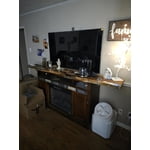
[This review was collected as part of a promotion.] This television offers a remarkable visual experience, showcasing vibrant colors and deep contrasts. Its advanced processing engine ensures fluid motion, making fast-paced content appear exceptionally clear. The user interface is intuitive and easy to navigate, providing seamless access to a wide array of applications. Furthermore, the sound quality is surprisingly robust, adding an immersive layer to any viewing session. Overall, this display unit represents a significant advancement in home entertainment technology.It offers a vibrant viewing experience with its advanced display technology. You can expect excellent color accuracy and deep contrast ratios. The smart features integrated into the system provide a user-friendly interface for accessing various applications. Overall, it presents a compelling option for home entertainment.

Review from Samsung US
Helpful?519VMKO7QPOP17358505999
Feb 20, 2026
Reviewer name: Nurseb
4 out of 5 stars
4 out of 5 stars review

Sound is not loud enough.

[This review was collected as part of a promotion.] Great picture, remote control difficult to figure out, still can't figure out how to use it with Alexa. Otherwise the only other problem is the volume will not go up as loud as I would like for my 92 yo mom to hear.

Review from Samsung US
Helpful?519VMKO7QPOP17358505999
May 20, 2026
Reviewer name: Sunshine
4 out of 5 stars
4 out of 5 stars review

Wall installations

[This review was collected as part of a promotion.] We're having difficulty mounting it on the wall because the back of the mounting bar sits lower. Once we install it, the top side of the TV leans forward, making it feel unstable and like it might fall down. That's why we had to place it on top of the table instead..

Review from Samsung US
Helpful?519VMKO7QPOP17358505999
May 20, 2026
Reviewer name: TV viewer
3 out of 5 stars
3 out of 5 stars review

5 Months later

[This review was collected as part of a promotion.] Having issues with quality of picture. Seem to lose edges of screen on video shot at night. When TV goes into Directors mode for picture quality, whites turn brown like old sepia photos. Navigating the menu for Samsung programs is not user friendly. Too many clicks. Seems like the cache needs to be emptied often compared to my last TV.

Review from Samsung US
Helpful?519VMKO7QPOP17358505999
reply from Samsung Advisor

Hi TV viewer, We appreciate your feedback on the picture quality of Samsung’s U7900F TV. For the best performance, please ensure the latest firmware version is installed: Home > left directional key > Settings > Support > Software Update You can also improve responsiveness by running the built-in Device Care tool, which checks system memory, clears cached data, and closes background apps: Home > left directional key > Settings > Support > Device Care > Start Device Care If the image doesn’t quite match your preferences, there are several adjustments you can make to better suit your viewing environment and content type. First, please ensure your TV is running the latest firmware, as updates may include important picture quality enhancements. Go to: Home > Left directional button > Settings > Support > Software Update > Update Now To explore picture mode options, navigate to: Home > Left directional button > Settings > All Settings > Picture > Picture Mode. Options include: • Standard – Ideal for general viewing • Dynamic – Brighter and more vibrant for well-lit spaces • Eco – Optimized for energy efficiency • Movie – Best for viewing in low light • Filmmaker Mode – Preserves the content creator’s intent and disables motion smoothing for supported content You can further customize your image by going to: Settings > All Settings > Picture > Expert Settings, where you can adjust Brightness, Contrast, Color Tone, Sharpness, Contrast Enhancer and more. I hope these suggestions help. If you have any other questions, feel free to call us at 1-800-SAMSUNG between 8AM – 9PM EST Mon – Fri, 8AM – 6PM Sat – Sun. You can also reach our LiveChat team by selecting the ‘Support’ link on our website. ~ Samsung Advisor

May 14, 2026
Reviewer name: ViperQueen4
5 out of 5 stars
5 out of 5 stars review

Awesome TV

[This review was collected as part of a promotion.] Love how I can use the SmartThings app and control my son's TV. The brightness is fantastic and the resolution is so good, very vibrant, and the sleek design doesn't make it stand out like a sore thumb.

Review from Samsung US
Helpful?519VMKO7QPOP17358505999
Apr 20, 2026
Reviewer name: Duke 3
2 out of 5 stars
2 out of 5 stars review

Poor picture quality

[This review was collected as part of a promotion.] This is my 5th samsung tv, and the poorest quality of all of them. The picture has no depth to it and the sound do3s not come on sometime when turned on fist time of day, unless I Unplug the power cord! NOT A GREAT TV

Review from Samsung US
Helpful?519VMKO7QPOP17358505999
reply from Samsung Advisor

Hi Duke 3, We appreciate your feedback on the picture quality of Samsung’s U7900F TV. If the image doesn’t quite match your preferences, there are several adjustments you can make to better suit your viewing environment and content type. First, please ensure your TV is running the latest firmware, as updates may include important picture quality enhancements. Go to: Home > Left directional button > Settings > Support > Software Update > Update Now To explore picture mode options, navigate to: Home > Left directional button > Settings > All Settings > Picture > Picture Mode. Options include: • Standard – Ideal for general viewing • Dynamic – Brighter and more vibrant for well-lit spaces • Eco – Optimized for energy efficiency • Movie – Best for viewing in low light • Filmmaker Mode – Preserves the content creator’s intent and disables motion smoothing for supported content You can further customize your image by going to: Settings > All Settings > Picture > Expert Settings, where you can adjust Brightness, Contrast, Color Tone, Sharpness, Contrast Enhancer and more. If you’d like help finding the best picture settings for your preferences, please don’t hesitate to contact Samsung Support at 1-800-SAMSUNG, available 8AM – 9PM EST Mon – Fri, 8AM – 6PM Sat – Sun. You can also LiveChat with an agent or explore additional resources on our website by clicking the ‘Support’ link. ~ Samsung Advisor

May 20, 2026
Reviewer name: caesarc6
3 out of 5 stars
3 out of 5 stars review

Terrible response remote to TV

[This review was collected as part of a promotion.] The remote is not responding fast enough/ I have to tap on the remote 3-5 times before it responds / ALSO I can be in the middle of a show and the TV blacks out and reboots and these 2 problems are daily ALSO I have other type TVs and no problems si it's not the service or the internet

Review from Samsung US
Helpful?519VMKO7QPOP17358505999
reply from Samsung Advisor

Hi caesarc6, Thank you for reaching out to us. If your remote isn’t responding, here are a few quick steps to help determine if it’s working correctly: 1. Check the batteries: Remove the back cover of your remote and replace the batteries with a fresh set, ensuring they are inserted in the correct direction. 2. Test for infrared signal: Point the front of the remote at your smartphone camera. While holding down any button, you should see a flashing light through the camera screen. (For iPhone users, the front-facing camera works best.) If you see the light, your remote is working and may need to be re-paired with your TV. 3. Point the remote correctly: Try pointing the remote directly at the TV from about 5-6 feet away. This can help ensure a clearer signal between the remote and the TV. Finally, please ensure your TV is running the latest Firmware. Go to Home > left directional key > Settings > Support > Software Update > Update Now. Should you need more help, we're here for you. You can reach us at 1-800-SAMSUNG (8AM – 9PM EST Mon – Fri, 8AM – 6PM Sat – Sun), or connect with a LiveChat agent by selecting ‘Support’ on our website. ~ Samsung Advisor

May 11, 2026
Reviewer name: BrianMommy36
4 out of 5 stars
4 out of 5 stars review

Great tv

[This review was collected as part of a promotion.] Easy to set up. Love that i was able to download an app to get the control access on my phone. Downside, the actual control is hard to manage compared to others. I bought the TV for my elderly dad and he had trouble navigating it. Also the control app on the phone is also confusing, but other than those issues I love my tv

Review from Samsung US
Helpful?519VMKO7QPOP17358505999