Skip to Main Content
Sam's Club
Sam's Club
All Departments
All Services
Customer reviews for SAMSUNG 70" Class U7900F Series 4K Crystal UHD Smart TV for
SAMSUNG 70" Class U7900F Series 4K Crystal UHD Smart TV
4.6 out of 5 stars
stars
3,150 ratings3,143 reviews
  1. 5 stars75% (2,348)
  2. 4 stars15% (472)
  3. 3 stars6% (176)
  4. 2 stars2% (64)
  5. 1 star3% (90)

Member photos

  • +1269 images
Sort by |
Showing 821-830 of 3,143 reviews
Dec 3, 2025
Yougetwhatyoupayfor
3 out of 5 stars review

Need more hdmi ports

[This review was collected as part of a promotion.] It doesn't have the connection for optical to conect your soround system and only has 2 port for HDMI that was unexpected but has the option to connect your sound bar via Bluetooth but when you turn off the TV the bar stays on in search for Bluetooth device to conect. Bummer

Review from Samsung US
Helpful?519VMKO7QPOP17358505999
reply from Samsung Advisor

Hi Yougetwhatyoupayfor, We appreciate your feedback regarding the available inputs on the U7900F TV. Please know your feedback is important to us and will be shared with our internal teams. If you ever have questions or need support, we’re here to help. Call us at 1-800-SAMSUNG, available from 8AM - 12AM EST, seven days a week. You can also connect with a LiveChat agent by clicking the ‘Support’ link on our website. ~ Samsung Advisor

Feb 25, 2026
Dusty
5 out of 5 stars review

Samsung 60"tv

[This review was collected as part of a promotion.] It is very clean looking tv. The screen is vivid and bright with sharp colors and great resolution. I have not had issues with security.i do have one complaint and that is I moved recently and took great care to transport the TV and the screen now has a line down the right side when its on. So maybe look into a tougher screen material. Other then that I love it

Review from Samsung US
Helpful?519VMKO7QPOP17358505999
Feb 6, 2026
Murphy
5 out of 5 stars review

Awesome Smart TV
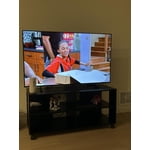
[This review was collected as part of a promotion.] The 55 inch smart TV that I have by Samsung is impeccable I love the size the color the resolution is impeccableThe sound it's also great and there's nothing right now that I can see that I don't like about it thank you so much Samsung

Review from Samsung US
Helpful?519VMKO7QPOP17358505999
Feb 20, 2026
avlisrafa3
4 out of 5 stars review

Great TV!

[This review was collected as part of a promotion.] The picture quality is impressive for a 4K UHD display, and the Smart TV features are easy to navigate. Overall, a solid choice for the price, though there's minor room for improvement in sound quality.

Review from Samsung US
Helpful?519VMKO7QPOP17358505999
Mar 23, 2026
Bangbuck
5 out of 5 stars review

Great

[This review was collected as part of a promotion.] Fantastic piece of equipment. Couldn't ask for a better tv. Brightness is great color is amazing the aesthetics are perfect for the home. Resolution is great when I play game. The security can be confusing.

Review from Samsung US
Helpful?519VMKO7QPOP17358505999
Feb 17, 2026
Capu
2 out of 5 stars review

Disappointed with the functionality

[This review was collected as part of a promotion.] In terms of resolution and picture quality, this TV is an excellent buy. The image is sharp, bright, and very enjoyable for everyday viewing. However, the functionality is limited. It only has two HDMI ports. In my case, one is used for the cable box and the other for my home theater system, which leaves no additional HDMI inputs available. Another significant limitation is the app platform. The TV does not allow you to add apps beyond those offered in Samsung's app store. I was unable to install some of the streaming services I use, such as Peacock, Max (HBO Max), and Paramount+. As a result, I now need to purchase an external streaming device like a Roku or Fire Stick — but with no available HDMI ports, that creates another challenge. I want to emphasize that I am a big Samsung fan. I love the brand and own several Samsung products, including my phone, refrigerator, stove, and air conditioner. That's actually why I chose this TV. I was aware of the HDMI limitation when I purchased it, but it was not clearly advertised that app availability would also be restricted by the platform. Overall, the picture quality is very good, but the limited connectivity and restricted app ecosystem reduce its overall functionality.

Review from Samsung US
Helpful?519VMKO7QPOP17358505999
reply from Samsung Advisor

Hi Capu, Thank you for reaching out to us. Please know the apps you listed: Peacock, Max (HBO Max), and Paramount+ are all available for download. To ensure your TV is up to date, please update your Firmware. Go to Settings> Support> Software Update. To Search for & Install Apps: 1. From the Home screen, press left on the remote’s directional pad. 2. Navigate to and select Search. 3. Using the search bar, enter the content or app you’d like to find. 4. Navigate to and select the app you’d like to install, then select Install. Note: Previously installed apps can be accessed on the Settings screen. Adding & Managing Apps on Home Screen 1. Go to App Settings (these can be found at the bottom of the Apps screen) and select the app you want to move. The following options will be available: a. Add to Home: Move the app to your desired location on the Home screen. b. Delete: Delete app. c. Lock/Unlock: Lock the app with a PIN so only you can use it. When the app is selected again, you will be prompted to enter the PIN to unlock it. d. Reinstall: Reinstall the app. e. View Details: View the app’s information and details. If you continue to have issues, please contact us at 1-800-SAMSUNG, available daily from 8AM - 12AM EST. You can also visit the Samsung website and click on ‘Support’ for: • Live Chat • Manuals, Software, & Warranty Info ~ Samsung Advisor

Feb 18, 2026
TKapes
5 out of 5 stars review

I Love ❤️ this TV

[This review was collected as part of a promotion.] This TV will not disappoint!! I absolutely live the picture and quality sound. I have had friends who don't have a Samsung TV complain about their speaker quality, but both of my Samsung tv's. It's also user friendly. The settings and aps are all see to navigate.

Review from Samsung US
Helpful?519VMKO7QPOP17358505999
Feb 17, 2026
Big D
5 out of 5 stars review

Great tv

[This review was collected as part of a promotion.] It sounds like I have a wonderful television that offers a wealth of features for your enjoyment. The integration of apps and game mode can significantly enhance your viewing and gaming experiences. Streaming capabilities further expand the entertainment options available. It's great that you are finding so much value in the various functionalities of your device. We hope you continue to enjoy all it has to offer.

Review from Samsung US
Helpful?519VMKO7QPOP17358505999
Feb 17, 2026
Keemz
5 out of 5 stars review

Huge Screen, Crystal Clear Quality

[This review was collected as part of a promotion.] Absolutely loving my 75-inch Samsung Crystal UHD! The picture quality is stunning for the price, everything is super crisp and the colors really pop. It's thin, looks great on the wall, and the smart features are fast and easy to navigate. Best upgrade I've made in a long time!

Review from Samsung US
Helpful?519VMKO7QPOP17358505999
Jan 10, 2026
MACADOODY
4 out of 5 stars review

THE remote is small, cheap, and unreadable! WHY??

The remote is cheap, non-user friendly, small, ridiculous, color is BLACK. when you know tv is uses in the DARK and nothing lights up! Prior SAMSUNG removes used numbers which were WHITE that people can see. NO circles and ALL BLACK SMALL DIALS AND BUTTONS. Absurb!!!!! Who do you think you big corporations are???? I have another SAMSUNG and was hoping I waoukd have been able to us my old remote! I wasn't 👎👎👎👎👎👎👎. Would not recommend SAMSUNG because of cheap remote!

Review from Samsung US
Helpful?519VMKO7QPOP17358505999
reply from Samsung Advisor

Hi MACADOODY, Thank you for sharing your experience. Samsung remotes are designed to offer convenient control, but we understand if you’d prefer to use a universal remote. Many third-party remotes work well with Samsung TVs, though setup steps may vary by brand and model. You can also use previous Samsung TV remotes, as long as they work with an Infrared Sensor. To get started, we recommend checking the manufacturer’s instructions for programming codes and pairing methods. If you run into any trouble or have compatibility questions, Samsung Support is happy to help. You can reach us at 1-800-SAMSUNG, 8AM – 12AM EST, 7 days a week. LiveChat agents are also available at the ‘Support’ link on our website. ~Samsung Advisor