Skip to Main Content
Sam's Club
Sam's Club
All Departments
All Services
Customer reviews for SAMSUNG 70" Class U7900F Series 4K Crystal UHD Smart TV for
SAMSUNG 70" Class U7900F Series 4K Crystal UHD Smart TV
4.5 out of 5 stars
stars
3,906 ratings3,899 reviews
  1. 5 stars73% (2,863)
  2. 4 stars15% (593)
  3. 3 stars6% (241)
  4. 2 stars2% (91)
  5. 1 star3% (118)

Member photos

  • +1528 images
Sort by |
Showing 751-760 of 3,899 reviews
Jul 27, 2026
Reviewer name: MikeFrost55
4 out of 5 stars
4 out of 5 stars review

Samsung TV

[This review was collected as part of a promotion.] TV was on sale. Great price! Bought to replace a Toshiba 65 inch. Picture quality is good. Lags just a little bit. Colors are bright.

Review from Samsung US
Helpful?519VMKO7QPOP17358505999
Aug 20, 2026
Reviewer name: Zander
5 out of 5 stars
5 out of 5 stars review

Great quality

[This review was collected as part of a promotion.] Beautiful picture and all the contrast is tuned in great I have always been a LG fan but this tv has brought Samsung back to favorite .

Review from Samsung US
Helpful?519VMKO7QPOP17358505999
Aug 5, 2026
Reviewer name: Janet
5 out of 5 stars
5 out of 5 stars review

65” tv

We have owned several Samsung products, and needed to upgrade our last TV. This was a great choice for us. We enjoy the quality of this tv. Took awhile to figure out the remote but we love it ♥️

Review from Samsung US
Helpful?519VMKO7QPOP17358505999
Feb 25, 2026
Reviewer name: Eaglestrikes
4 out of 5 stars
4 out of 5 stars review

Overall a good product

[This review was collected as part of a promotion.] Product is usable with some control problems for older folks. It's not easily navigable and requires a lot of going out of the site then returning to find what you want

Review from Samsung US
Helpful?519VMKO7QPOP17358505999
Jul 24, 2026
Reviewer name: MAKZ
4 out of 5 stars
4 out of 5 stars review

Picture & Sound

[This review was collected as part of a promotion.] Sound, particularly dialogue, is difficult to understand/hear. We are purchasing a sound bar to hopefully alleviate this problem.

Review from Samsung US
Helpful?519VMKO7QPOP17358505999
Jul 28, 2026
Reviewer name: Doralb73
5 out of 5 stars
5 out of 5 stars review

Awesome TV

[This review was collected as part of a promotion.] This TV is like watching on a movie screen. Sound is very good. The remote is too touchy and hard to use for volume. The picture quality is the best, sharp.

Review from Samsung US
Helpful?519VMKO7QPOP17358505999
Aug 5, 2026
Reviewer name: Khoai
5 out of 5 stars
5 out of 5 stars review

Great Smart TV
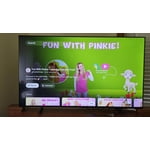
[This review was collected as part of a promotion.] My family very like this 55" Samsung Smart TV, a Samsung plus is very good with too many movies, series.

Review from Samsung US
Helpful?519VMKO7QPOP17358505999
Aug 1, 2026
Reviewer name: Player
5 out of 5 stars
5 out of 5 stars review

Awsome

[This review was collected as part of a promotion.] I LIke the features and all the cool features this tv puts out it does every thing u want to love it

Review from Samsung US
Helpful?519VMKO7QPOP17358505999
Jul 27, 2026
Reviewer name: Smhhhhhhh
3 out of 5 stars
3 out of 5 stars review

It's ok

[This review was collected as part of a promotion.] The picture quality is not that great, not really clear when watch shows and movies in 4k. There needs to be an option on the tv setting to control picture quality.

Review from Samsung US
Helpful?519VMKO7QPOP17358505999
reply from Samsung Advisor

Hi Smhhhhhhh, We appreciate your feedback on the picture quality of Samsung’s U7900FD TV. If the image doesn’t quite match your preferences, there are several adjustments you can make to better suit your viewing environment and content type. First, please ensure your TV is running the latest firmware, as updates may include important picture quality enhancements. Go to: Home > Left directional button > Settings > Support > Software Update > Update Now To explore picture mode options, navigate to: Home > Left directional button > Settings > All Settings > Picture > Picture Mode. Options include: • Standard – Ideal for general viewing • Dynamic – Brighter and more vibrant for well-lit spaces • Eco – Optimized for energy efficiency • Movie – Best for viewing in low light • Filmmaker Mode – Preserves the content creator’s intent and disables motion smoothing for supported content You can further customize your image by going to: Settings > All Settings > Picture > Expert Settings, where you can adjust Brightness, Contrast, Color Tone, Sharpness, Contrast Enhancer and more. If you’d like help finding the best picture settings for your preferences, please don’t hesitate to contact Samsung Support at 1-800-SAMSUNG (8AM – 9PM EST Mon – Fri, 8AM – 6PM Sat – Sun). You can also LiveChat with an agent or explore additional resources on our website by clicking the ‘Support’ link. ~ Samsung Advisor

Aug 19, 2026
Reviewer name: ToyaToy
5 out of 5 stars
5 out of 5 stars review

Samsung TV

[This review was collected as part of a promotion.] I love my Samsung TV, I love the fact that it has Samsung TV because now I don't have to pay for cable. Saves me some money, woohoo.

Review from Samsung US
Helpful?519VMKO7QPOP17358505999