Skip to Main Content
Sam's Club
Sam's Club
All Departments
All Services
Customer reviews for SAMSUNG 70" Class U7900F Series 4K Crystal UHD Smart TV for
SAMSUNG 70" Class U7900F Series 4K Crystal UHD Smart TV
4.5 out of 5 stars
stars
3,906 ratings3,899 reviews
  1. 5 stars73% (2,863)
  2. 4 stars15% (593)
  3. 3 stars6% (241)
  4. 2 stars2% (91)
  5. 1 star3% (118)

Member photos

  • +1528 images
Sort by |
Showing 691-700 of 3,899 reviews
Aug 20, 2026
Reviewer name: Tedl
5 out of 5 stars
5 out of 5 stars review

Picture is fantastic.
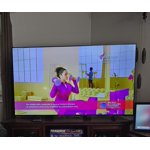
Love the picture, very bright and vibrant. Sports are especially nice to watch on this TV. Sound quality is much better then our old TV. I high recommend it.

Review from Samsung US
Helpful?519VMKO7QPOP17358505999
Aug 5, 2026
Reviewer name: Janet
5 out of 5 stars
5 out of 5 stars review

65” tv

We have owned several Samsung products, and needed to upgrade our last TV. This was a great choice for us. We enjoy the quality of this tv. Took awhile to figure out the remote but we love it ♥️

Review from Samsung US
Helpful?519VMKO7QPOP17358505999
Aug 6, 2026
Reviewer name: Chris
2 out of 5 stars
2 out of 5 stars review

MY Last

The internet connection is slow and lags. No other TV in the house has that problem. The user interface leaves a lot to be desired. The remote not well thought out. This will be my last Samsung TV

Review from Samsung US
Helpful?519VMKO7QPOP17358505999
reply from Samsung Advisor

Hi Chris, Thank you for sharing your experience. Buffering during streaming is typically related to internet speed or signal strength. This can happen when your connection isn’t able to deliver data quickly enough for smooth playback. We recommend the following steps to help improve streaming performance: 1. Use a 5GHz Wi-Fi connection, if available 2. Try a wired LAN connection for more stability 3. Reposition your router to minimize obstacles between it and the TV 4. Make sure your TV is running the latest firmware (Settings > Support > Software Update) 5. Run Device Care to optimize performance: Home > left directional key > Settings > Support > Device Care > Start Device Care If buffering continues, you may want to contact your internet service provider to check your current speed or explore upgrade options. If we can assist further, please call us at 1-800-SAMSUNG (8AM – 9PM EST Mon – Fri, 8AM – 6PM Sat – Sun), or reach us via text anytime. You can also visit ‘Support’ on our website for: • Live Chat • Manuals, Software, & Warranty Info ~ Samsung Advisor

Aug 5, 2026
Reviewer name: Cecile
5 out of 5 stars
5 out of 5 stars review

55 4k smart TV

[This review was collected as part of a promotion.] Happy with my TV brightness , the clearness make you feel you're there live too. Sound is very good.

Review from Samsung US
Helpful?519VMKO7QPOP17358505999
Aug 5, 2026
Reviewer name: Fed up dad
3 out of 5 stars
3 out of 5 stars review

For the price I expect better quality

Bluetooth won't stay connected to the sound bar. Wish it had a fiber optic connection for the sound bar. Picture is ok but not as good as some other brands. Waiting to see if this will be lasts longer than my previous one.

Review from Samsung US
Helpful?519VMKO7QPOP17358505999
reply from Samsung Advisor

Hi Fed up dad, We appreciate your feedback on the U7900F TV. If the image doesn’t quite match your preferences, there are several adjustments you can make to better suit your viewing environment and content type. First, please ensure your TV is running the latest firmware, as updates may include important picture quality enhancements. Go to: Home > Settings > Support > Software Update > Update Now To explore picture mode options, navigate to: Home > Settings > All Settings > Picture > Picture Mode. Options include: • Standard – Ideal for general viewing • Dynamic – Brighter and more vibrant for well-lit spaces • Eco – Optimized for energy efficiency • Movie – Best for viewing in low light • Filmmaker Mode – Preserves the content creator’s intent and disables motion smoothing for supported content You can further customize your image by going to: Settings > All Settings > Picture > Expert Settings, where you can adjust Brightness, Contrast, Color Tone, Sharpness, Contrast Enhancer and more. If you’d like help finding the best picture settings for your preferences, please don’t hesitate to contact Samsung Support at 1-800-SAMSUNG (8AM – 9PM EST Mon – Fri, 8AM – 6PM Sat – Sun). You can also LiveChat with an agent or explore additional resources on our website by clicking the ‘Support’ link. ~ Samsung Advisor

Aug 5, 2026
Reviewer name: Jackie
5 out of 5 stars
5 out of 5 stars review

My TV

I love the picture and the extra channels that come with a Samsung TV. The volume is really low. I have to turn the volume to 75 or higher to hear until commerces come on.

Review from Samsung US
Helpful?519VMKO7QPOP17358505999
Aug 18, 2026
Reviewer name: Codebreaker
5 out of 5 stars
5 out of 5 stars review

TV review

I love the overall quality of the tv the brightness was real good in the contrast was great.The responsiveness of the remote was uniformity and upscaling

Review from Samsung US
Helpful?519VMKO7QPOP17358505999
Jul 28, 2026
Reviewer name: Doralb73
5 out of 5 stars
5 out of 5 stars review

Awesome TV

[This review was collected as part of a promotion.] This TV is like watching on a movie screen. Sound is very good. The remote is too touchy and hard to use for volume. The picture quality is the best, sharp.

Review from Samsung US
Helpful?519VMKO7QPOP17358505999
Aug 20, 2026
Reviewer name: Bill
4 out of 5 stars
4 out of 5 stars review

Good Value

The product is fine; good clear display and no real problems. I wish the screen were more user friendly, more like Amazon fire TV, where you can add your favorite apps to your home screen.

Review from Samsung US
Helpful?519VMKO7QPOP17358505999
Aug 20, 2026
Reviewer name: KNix
4 out of 5 stars
4 out of 5 stars review

Not perfect

Issues with gray/black pixels. We will replace this tv as soon as we're able. Also, we have to do 2 extra steps to get off the Samsung screen and onto our Roku/YoutubeTV screen.

Review from Samsung US
Helpful?519VMKO7QPOP17358505999