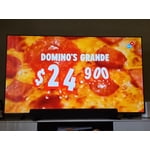
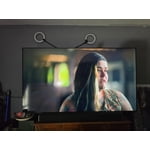
Customer reviews for SAMSUNG 70" Class U7900F Series 4K Crystal UHD Smart TV forMember photos


+1248 images
Exceeds Modern Expectations in Features
[This review was collected as part of a promotion.] The Samsung Crystal UHD 50-inch 4K Smart TV delivered a very good viewing experience overall. The design was sleek and modern with thin bezels that looked clean in almost any room setup, and the 4K picture quality was sharp with vibrant colors that made movies like Hobbit look impressive. Brightness levels were strong enough for daytime viewing, while darker scenes still maintained decent detail and contrast. The smart features were also convenient and easy to use. I especially liked the ability to use Bluetooth connectivity, smartphone remote functions, and private audio through headphones connected to my phone. Replacement remotes were inexpensive and easy to find, which made having multiple remotes around the house convenient. From a Security and software standpoint, the interface felt stable and straightforward, and I never had major issues with apps, connectivity, or navigation while the TV was functioning properly. For several years it performed exactly as expected and was genuinely enjoyable to use daily. The only thing worth mentioning is long-term durability. My particular unit eventually developed issues over time before finally failing completely, so while the features and picture quality were excellent throughout ownership, it may not be the kind of television built for multi-generation longevity, although that seems fairly common with most modern electronics today. Still, during the years it worked properly, it delivered a premium-looking image, useful smart features, and an overall user-friendly experience that made it easy to enjoy every day. This TV actually replaced another Samsung that eventually failed as well, and despite that, I would still gladly purchase another Samsung in the future when my current replacement eventually reaches the end of its lifespan in a few years.
Hi AlwaysUpgradingMagoo, Thank you for your feedback on the U7900F TV and for being a loyal Samsung customer. If there’s anything we can assist with, please don’t hesitate to call us at 1-800-SAMSUNG (8AM – 9PM EST Mon – Fri, 8AM – 6PM Sat – Sun), or reach us via text anytime. You can also visit ‘Support’ on our website for: • Live Chat • Manuals, Software, & Warranty Info ~Samsung Advisor
retains high quality picture. Updated normally
[This review was collected as part of a promotion.] Firstly, graphics have always been great. But pretty much everything else has been a rapid decline. There was a recent update that helped it alot though, so that's a good thing. Still turns off randomly (not due to updates) though. But im a Samsung only kind of man, so I'll deal with it until I can get my AU8000 repaired that was under warranty but they refused to do the simple fix.
Hi VampyreMan, We’re sorry to hear your U7900F TV is turning off on its own. Please try the following troubleshooting steps which may help resolve the issue: 1. Unplug the TV from the wall outlet or surge protector for at least 30 seconds. 2. Inspect the power cord for any visible damage. If damaged, the cord may need to be replaced. 3. Plug the TV directly into a wall outlet, bypassing any power strip or surge protector for now. 4. If the TV remains on long enough, try updating the TV’s software: Home > left directional key > Settings > Support > Software Update > Update Now. Note: If your TV powers off during the update, it could result in damage, so only proceed if the TV is stable. Next, check the TV’s Power and Energy Saving settings to ensure no timers or auto-off features are enabled: • Sleep Timer: Settings > All Settings > General & Privacy > Power and Energy Saving > Sleep Timer • Auto Power Off and Off Timer: Settings > All Settings > General & Privacy > Power and Energy Saving > Auto Power Off/Off Timer Also, if you have devices connected via HDMI, check if Anynet+ (HDMI-CEC) is enabled, as this can allow external devices to control the TV and may cause it to turn off: Settings > All Settings > General & Privacy > External Device Manager > Anynet+ (HDMI-CEC) = Off If your TV continues to power off unexpectedly, please call us at 1-800-SAMSUNG, 8AM – 9PM EST Mon – Fri, 8AM – 6PM Sat – Sun. Our LiveChat agents are also available through the ‘Support’ link on our website. ~ Samsung Advisor
Best TV ever
[This review was collected as part of a promotion.] Just got my hands on this Samsung TV and I’m seriously impressed. The picture quality is on another level — super sharp 4K resolution with vibrant colors and deep blacks that make everything look more realistic. Whether you’re watching movies, sports, or gaming, the motion is incredibly smooth and clear.
Not a fan.
[This review was collected as part of a promotion.] This is a cheap tv. It's very slow and not bright even when adjusting the color. I don't care for the setup line. I LOVE SAMSUNG. My family phones and other tvs are all samsung BUT this tv disappointed me so much. The pro is the samsung channels. I do like that it has its own tv channels .
Hi Shirls, We’re sorry to hear you’re not fully satisfied with the picture quality on your Samsung U7900F TV. If the image appears too dark, we suggest disabling certain energy-saving features, which can automatically adjust brightness and affect how the screen looks. Go to: Settings > All Settings > General & Privacy > Power and Energy Saving, then turn off Brightness Optimization, Energy Saving Solution, Motion Lighting, and/or Contrast Enhancer. You can also adjust the Picture Mode to better suit your environment: Settings > All Settings > Picture > Picture Mode • Standard – Default mode for general viewing • Dynamic – Brighter and clearer, ideal for well-lit rooms • Movie – Best for dark room viewing • Eco – Energy-saving mode • Filmmaker Mode – Preserves content as intended by creators To fine-tune brightness, go to: Home > left directional key > Settings > All Settings > Picture > Expert Settings, then adjust the Brightness level (0–50) to your preference. Lastly, please make sure your TV is running the latest firmware: Home > Home > left directional key > Settings > Support > Software Update > Update Now We hope these tips help improve your viewing experience. If you need further support, feel free to contact us at 1-800-SAMSUNG, 8AM – 9PM EST Mon – Fri, 8AM – 6PM Sat – Sun. LiveChat is also available via the ‘Support’ link on our website. ~ Samsung Advisor
My Samsung TV
[This review was collected as part of a promotion.] I recently purchased the Samsung 50" Crystal UHD U7900F, and I have to say—this TV exceeded my expectations in just about every way. First, the picture quality is outstanding. The 4K resolution is crisp and vibrant, with colors that really pop without looking over-processed. Whether I’m watching movies, sports, or streaming shows, everything looks clean, sharp, and immersive. Samsung’s Crystal Processor does a great job upscaling lower-resolution content, making even older shows look noticeably better. � Best Buy The design is sleek and modern, with a slim profile that fits perfectly in my space. It doesn’t feel bulky at all, and it adds a nice, clean aesthetic to the room. I also really appreciate the smart features. The built-in Tizen OS makes it easy to access all my favorite apps—Netflix, YouTube, Prime Video, and more—without needing extra devices. Navigation is smooth, and everything loads quickly. � Samsung Another big plus is the value for the price. This TV delivers a premium viewing experience without the premium price tag. It’s perfect for anyone who wants excellent performance without stepping into OLED or QLED price ranges. If I had to mention one minor drawback, it would be that the refresh rate is standard (60Hz), so it’s not ideal for hardcore gamers—but for everyday viewing, it’s more than enough.
5 Months later
[This review was collected as part of a promotion.] Having issues with quality of picture. Seem to lose edges of screen on video shot at night. When TV goes into Directors mode for picture quality, whites turn brown like old sepia photos. Navigating the menu for Samsung programs is not user friendly. Too many clicks. Seems like the cache needs to be emptied often compared to my last TV.
Hi TV viewer, We appreciate your feedback on the picture quality of Samsung’s U7900F TV. For the best performance, please ensure the latest firmware version is installed: Home > left directional key > Settings > Support > Software Update You can also improve responsiveness by running the built-in Device Care tool, which checks system memory, clears cached data, and closes background apps: Home > left directional key > Settings > Support > Device Care > Start Device Care If the image doesn’t quite match your preferences, there are several adjustments you can make to better suit your viewing environment and content type. First, please ensure your TV is running the latest firmware, as updates may include important picture quality enhancements. Go to: Home > Left directional button > Settings > Support > Software Update > Update Now To explore picture mode options, navigate to: Home > Left directional button > Settings > All Settings > Picture > Picture Mode. Options include: • Standard – Ideal for general viewing • Dynamic – Brighter and more vibrant for well-lit spaces • Eco – Optimized for energy efficiency • Movie – Best for viewing in low light • Filmmaker Mode – Preserves the content creator’s intent and disables motion smoothing for supported content You can further customize your image by going to: Settings > All Settings > Picture > Expert Settings, where you can adjust Brightness, Contrast, Color Tone, Sharpness, Contrast Enhancer and more. I hope these suggestions help. If you have any other questions, feel free to call us at 1-800-SAMSUNG between 8AM – 9PM EST Mon – Fri, 8AM – 6PM Sat – Sun. You can also reach our LiveChat team by selecting the ‘Support’ link on our website. ~ Samsung Advisor
Excellent television for the price
[This review was collected as part of a promotion.] Excellent television for the price. The picture quality is sharp, the colors are vibrant, and the overall performance is impressive for a 75” UHD. The brand feels solid and reliable, and setup was quick and easy. For the cost, you really can’t beat the value — great size, great clarity, and a great experience overall.
Poor research on my part
[This review was collected as part of a promotion.] I should have purchased something else because the remote is beyond clunky and the home screen is so cluttered with unusable apps, I just don't get it. Picture and resolution are fine. Sound does not match the lip movement on most channels especially older movies but on my tablet sound is not a problem. Just look at the remote, 50% of it is blank from the YouTube button down to Samsung logo... nothing. There's no fast forward or backwards, you piggy back 3 or 4 functions on a button, and if there are online directions, how would I know about them. Sorry to be critical but you asked. I don't expect you to post this because it is what you want customers to know. I'm stuck with it, though.
Hi Robo, We greatly appreciate your feedback. Please know it will be shared with our internal teams. If you're experiencing lip sync issues: • For external speakers (like a soundbar or receiver), try adjusting: Settings > Sound > Expert Settings > Digital Output Audio Delay. Also set Digital Audio Output Format to Pass-Through to reduce processing delays. • If you're using the TV’s internal speakers, a software update may help improve sync: Settings > Support > Software Update > Update Now If the delay continues across all sources, feel free to reach out to Samsung Support at 1-800-SAMSUNG, available daily from 8AM – 9PM EST Mon – Fri, 8AM – 6PM Sat – Sun. You can also visit the Samsung website and click on ‘Support’ for: • Live Chat • Manuals, Software, & Warranty Info ~ Samsung Advisor
Good picture but hard to connect
[This review was collected as part of a promotion.] The picture is good but connectivity via HDMI very limited. Since the only digital audio output is via the single HDMI eARC that leaves only one HDMI connection for other devices like Cable/Satellite receiver, video player, VCR, streaming device, etc. Also, if you switch devices in the same HDMI port the TV tends to get confused.
Hi Mart, We appreciate your feedback on the U7900F. If there’s anything we can assist with, please don’t hesitate to call us at 1-800-SAMSUNG (8AM – 9PM EST Mon – Fri, 8AM – 6PM Sat – Sun), or reach us via text anytime. You can also visit ‘Support’ on our website for: • Live Chat • Manuals, Software, & Warranty Info ~Samsung Advisor
Superb TV samsung at its finest
[This review was collected as part of a promotion.] This samsung TV blew me away when I powered it on for the first time, I was so impressed with the picture, the clarity, and the stunning visuals.... It's like you are looking through a window frame in real life when watching this TV.... I never used to watch any tv. Now that I have this I watch TV all the time!! The TV is just fantastic it also has a great sound system especially for how thin this TV is you would think the speakers just couldn't possibly be this good but they are. I recommend this unit 100%