Skip to Main Content
Sam's Club
Sam's Club
All Departments
All Services
Customer reviews for SAMSUNG 70" Class U7900F Series 4K Crystal UHD Smart TV for
SAMSUNG 70" Class U7900F Series 4K Crystal UHD Smart TV
4.5 out of 5 stars
stars
4,092 ratings4,085 reviews
  1. 5 stars73% (3,000)
  2. 4 stars15% (617)
  3. 3 stars6% (252)
  4. 2 stars2% (100)
  5. 1 star3% (123)

Member photos

  • +1586 images
Sort by |
Showing 4,061-4,070 of 4,085 reviews
Aug 26, 2025
Reviewer name: Whitefox
5 out of 5 stars
5 out of 5 stars review

This product has great features

[This review was collected as part of a promotion.] I use my product for streaming and gaming, it brings life to my room when watching or playing

Review from Samsung US
Helpful?519VMKO7QPOP17358505999
Jul 31, 2025
Reviewer name: Deacon
5 out of 5 stars
5 out of 5 stars review

TV features

[This review was collected as part of a promotion.] Bought TV to upgrade to watch Netflix and Prime. TV easy to use and has great picture quality.

Review from Samsung US
Helpful?519VMKO7QPOP17358505999
Aug 21, 2025
Reviewer name: DeeAnn
4 out of 5 stars
4 out of 5 stars review

Good features

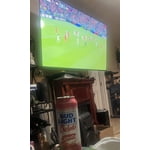
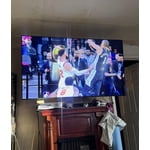
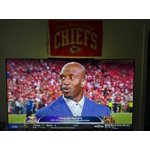
[This review was collected as part of a promotion.] We watch Sports,News,Movies,Home Shopping on television.Picture is clear.

Review from Samsung US
Helpful?519VMKO7QPOP17358505999
Aug 23, 2025
Reviewer name: Crisnri7
5 out of 5 stars
5 out of 5 stars review

Samsung 55 inch tv

[This review was collected as part of a promotion.] We use the TV to stream tv,watch TV on Hulu Netflix,Disney +,Permont + and more.

Review from Samsung US
Helpful?519VMKO7QPOP17358505999
Jun 21, 2025
Reviewer name: Lamaracucha
5 out of 5 stars
5 out of 5 stars review

This product is excellent

[This review was collected as part of a promotion.] I used my Samsung TV to watch live TV and movies. It is an excellent tv.

Review from Samsung US
Helpful?519VMKO7QPOP17358505999
Jul 30, 2025
Reviewer name: Samsungfav
5 out of 5 stars
5 out of 5 stars review

Great quality for price

[This review was collected as part of a promotion.] Tv is great quality for the price paid. Easy to use for app streaming.

Review from Samsung US
Helpful?519VMKO7QPOP17358505999
Aug 20, 2025
Reviewer name: Ginger
5 out of 5 stars
5 out of 5 stars review

the tv is great

[This review was collected as part of a promotion.] the only thing it would have been nice to have a better user manual

Review from Samsung US
Helpful?519VMKO7QPOP17358505999
Aug 22, 2025
Reviewer name: Girlsmom
5 out of 5 stars
5 out of 5 stars review

This product is great
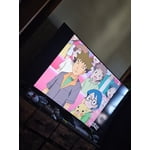
[This review was collected as part of a promotion.] My tv for movies and streaming and the pictures is great

Review from Samsung US
Helpful?519VMKO7QPOP17358505999
Aug 22, 2025
Reviewer name: Hahajenn
5 out of 5 stars
5 out of 5 stars review

New tv samsung

[This review was collected as part of a promotion.] Used to replace old Samsung tv. I love it the picture is amazing

Review from Samsung US
Helpful?519VMKO7QPOP17358505999
Jul 5, 2025
Reviewer name: GumpNJ
4 out of 5 stars
4 out of 5 stars review

Great picture menu a bit truicky

[This review was collected as part of a promotion.] I love the TV, but haven’t figured out how to setup defaults to go to cable automatically etc…

Review from Samsung US
Helpful?519VMKO7QPOP17358505999
reply from Samsung Advisor

Hi GumpNJ, Thank you for your review. While your U7900 TV may currently default to Samsung TV Plus when powered on, you can customize what your TV does at startup by adjusting the Start Screen Options. To do this, navigate to: Settings > All Settings > Advanced Features > Start Screen Option and choose from the following: 1. Start with Smart Hub Home – Automatically launches Smart Hub when the TV is turned on. You can enable or disable this option based on your preference. 2. Autorun Multi View Casting – If you cast YouTube content from your mobile device, the TV will automatically display the content using Multi View. 3. Autorun Multi View Mirroring – When you screen mirror your mobile device, Multi View will automatically open to show your device’s screen. If you need help adjusting these settings or have any other questions, please contact Samsung Support at 1-800-SAMSUNG, 8AM – 12AM EST, 7 days a week. LiveChat agents are also available by clicking on the ‘Support’ link on our website. ~ Samsung Advisor