Skip to Main Content
Sam's Club
Sam's Club
All Departments
All Services
Customer reviews for SAMSUNG 70" Class U7900F Series 4K Crystal UHD Smart TV for
SAMSUNG 70" Class U7900F Series 4K Crystal UHD Smart TV
4.5 out of 5 stars
stars
4,037 ratings4,030 reviews
  1. 5 stars73% (2,955)
  2. 4 stars15% (610)
  3. 3 stars6% (249)
  4. 2 stars2% (100)
  5. 1 star3% (123)

Member photos

  • +1558 images
Sort by |
Showing 2,801-2,810 of 4,030 reviews
Jun 20, 2026
Reviewer name: BSBG
5 out of 5 stars
5 out of 5 stars review

Great Picturr

[This review was collected as part of a promotion.] Excellent picture, perfect size, remote does allow pause or rewind.

Review from Samsung US
Helpful?519VMKO7QPOP17358505999
Jun 10, 2026
Reviewer name: Rainbowswirl
5 out of 5 stars
5 out of 5 stars review

Great features!

[This review was collected as part of a promotion.] Product had perfect picture and wonderful sound 10 out of 10 recommend

Review from Samsung US
Helpful?519VMKO7QPOP17358505999
Jun 21, 2026
Reviewer name: Jimmbad
5 out of 5 stars
5 out of 5 stars review

Great tv

[This review was collected as part of a promotion.] Best tv ever but highly recommend anyone looking forward to many years of great TV

Review from Samsung US
Helpful?519VMKO7QPOP17358505999
Jul 5, 2026
Reviewer name: Pete
5 out of 5 stars
5 out of 5 stars review

Great experience
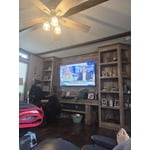
[This review was collected as part of a promotion.] Best product i ever had great experience in television

Review from Samsung US
Helpful?519VMKO7QPOP17358505999
Jun 20, 2026
Reviewer name: Luv this brand
5 out of 5 stars
5 out of 5 stars review

Great picture

[This review was collected as part of a promotion.] Bright clear picture. Love the Samsung plus feature!! Reliable and trusted brand

Review from Samsung US
Helpful?519VMKO7QPOP17358505999
Jun 20, 2026
Reviewer name: DJ TNT
5 out of 5 stars
5 out of 5 stars review

Great features

[This review was collected as part of a promotion.] This is a great TV I would recommend this TV to family members

Review from Samsung US
Helpful?519VMKO7QPOP17358505999
Jun 20, 2026
Reviewer name: Angus1968
5 out of 5 stars
5 out of 5 stars review

All over a great TV I love it

[This review was collected as part of a promotion.] I love the TV is great the picture quality is phenomenal thank for a great product

Review from Samsung US
Helpful?519VMKO7QPOP17358505999
Jul 20, 2026
Reviewer name: Russ
4 out of 5 stars
4 out of 5 stars review

Running

[This review was collected as part of a promotion.] Great pic and color love it it's awesome and probably the best ever owned

Review from Samsung US
Helpful?519VMKO7QPOP17358505999
Jul 5, 2026
Reviewer name: Chris
5 out of 5 stars
5 out of 5 stars review

Awesome Upgrade!

[This review was collected as part of a promotion.] I love it. What an upgrade from what I had before. Keep making quality products!

Review from Samsung US
Helpful?519VMKO7QPOP17358505999
Jun 21, 2026
Reviewer name: Cheryl
2 out of 5 stars
2 out of 5 stars review

Download Apps

[This review was collected as part of a promotion.] I Don't like that I have to go on my laptop to download apps, very inconvenient.

Review from Samsung US
Helpful?519VMKO7QPOP17358505999
reply from Samsung Advisor

Hi Cheryl, Thank you for your feedback. Please know you can download apps from your TV via the built-in app store. Here's how: Searching for & Installing Apps 1. From the Home screen, press up on the remote’s directional pad. 2. Navigate to and select Search. 3. Using the search bar, enter the content or app you’d like to find. 4. Navigate to and select the app you’d like to install, then select Install. Note: Previously installed apps can be accessed on the Settings screen. Adding & Managing Apps on Home Screen 1. Go to App Settings (these can be found at the bottom of the Apps screen) and select the app you want to move. The following options will be available: a. Add to Home: Move the app to your desired location on the Home screen. b. Delete: Delete app. c. Lock/Unlock: Lock the app with a PIN so only you can use it. When the app is selected again, you will be prompted to enter the PIN to unlock it. d. Reinstall: Reinstall the app. e. View Details: View the app’s information and details. If you need more help with app management, please don’t hesitate to reach Samsung Support at 1-800-SAMSUNG (8AM – 9PM EST Mon – Fri, 8AM – 6PM Sat – Sun), or reach us via text anytime. You can also visit ‘Support’ on our website for: You can also chat with one of our agents by clicking the ‘Support’ link on our website for: • Live Chat • Manuals, Software, & Warranty Info ~ Samsung Advisor