Skip to Main Content
Sam's Club
Sam's Club
All Departments
All Services
Customer reviews for SAMSUNG 70" Class U7900F Series 4K Crystal UHD Smart TV for
SAMSUNG 70" Class U7900F Series 4K Crystal UHD Smart TV
4.5 out of 5 stars
stars
4,092 ratings4,085 reviews
  1. 5 stars73% (3,000)
  2. 4 stars15% (617)
  3. 3 stars6% (252)
  4. 2 stars2% (100)
  5. 1 star3% (123)

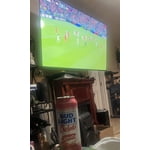
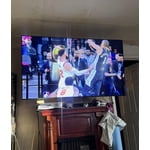
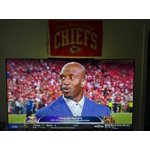
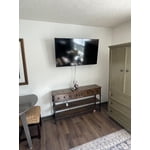
Member photos

  • +1586 images
Sort by |
Showing 2,681-2,690 of 4,085 reviews
Dec 28, 2025
Reviewer name: MT
4 out of 5 stars
4 out of 5 stars review

Verified Purchase

Love the TV except one thing!

It seems the sound is not with the motion!

Helpful?519VMKO7QPOP17358505999
Dec 11, 2025
Reviewer name: Lisa O
5 out of 5 stars
5 out of 5 stars review

Verified Purchase

Great TV, Great price

Great product at a cheap price. Has everything you need.

Helpful?519VMKO7QPOP17358505999
Dec 10, 2025
Reviewer name: Toons P
5 out of 5 stars
5 out of 5 stars review

Verified Purchase

Samsung TV

Samsung that says it all. Great tv great price

Helpful?519VMKO7QPOP17358505999
Jun 6, 2026
Reviewer name: Cortego
5 out of 5 stars
5 out of 5 stars review

Great TV

[This review was collected as part of a promotion.] Great features. Catch a lot of channels. Color is awesome.

Review from Samsung US
Helpful?519VMKO7QPOP17358505999
Jun 5, 2026
Reviewer name: Bagist72
4 out of 5 stars
4 out of 5 stars review

Fantastic Picture
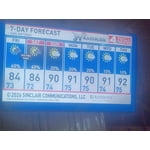
[This review was collected as part of a promotion.] The picture/graphics are fantastic. I'm still getting used to the Samsung OS

Review from Samsung US
Helpful?519VMKO7QPOP17358505999
Jun 7, 2026
Reviewer name: Phoenix
5 out of 5 stars
5 out of 5 stars review

Great quality

[This review was collected as part of a promotion.] Great quality with great contrast. I love smoothness from the 60hz panel.

Review from Samsung US
Helpful?519VMKO7QPOP17358505999
Jun 7, 2026
Reviewer name: Bugs
5 out of 5 stars
5 out of 5 stars review

good value

[This review was collected as part of a promotion.] Easy setup good picture quality remote user friendly

Review from Samsung US
Helpful?519VMKO7QPOP17358505999
Jun 7, 2026
Reviewer name: Hate this TV
1 out of 5 stars
1 out of 5 stars review

Not enough ports

[This review was collected as part of a promotion.] Hate this tv. Can't attach my tv antenna to view local stations and local news

Review from Samsung US
Helpful?519VMKO7QPOP17358505999
reply from Samsung Advisor

Hi Hate this TV, We're sorry you are experiencing issues connection your antenna to the U7900FD TV. Please know you can connect your antenna via HDMI or AUX cable. Then please try the following troubleshooting steps to resolve the issue: 1. Confirm external device setup: Make sure the external device (such as a cable box, game console, or Blu-ray player) is securely connected and powered on. On your TV, go to: Home > left directional key > Connected Devices > Sources, and confirm the correct input is selected. 2. Reconnect and test cables: Remove and firmly reconnect all HDMI or AV cables between your TV and the external device. Try using a different cable if possible. 3. Power cycle your equipment: Unplug the power cords to your TV and the connected devices. Wait 30 seconds, then plug them back in and power on each device. 4. Run a Picture or Sound Test: These tests help determine if the issue lies with the TV or the connected device. Go to: Home > left directional key > Settings > Support > Device Care > Self Diagnosis > Picture Test or Sound Test. 5. Use HDMI Troubleshooting: Home > left directional key > Connected Devices > Connection Guide > Video Device > HDMI Troubleshooting. This tool checks HDMI connections and helps identify potential issues. 6. Check signal strength (for antenna users). If you're using an antenna, go to: Settings > Support > Device Care > Self Diagnosis > Broadcast Signal. Here you can view signal strength and adjust the antenna position if needed for better reception. 7. Run Auto Program (if not using a cable box). If your TV is connected directly to a wall cable outlet or antenna, try running Auto Program to scan for available channels: Settings > All Settings > Broadcasting > Auto Program 8. Check network status (for streaming sources): Settings > All Settings > Connection > Network > Network Status, and make sure your TV is properly connected to the internet if you're using streaming services or apps. If you still see the “No Signal” message after trying the above, please call Samsung Support at 1-800-SAMSUNG ((8AM – 9PM EST Mon – Fri, 8AM – 6PM Sat – Sun)). Our LiveChat agents are also available through the Support link on our website. ~Samsung Advisor

Jun 27, 2026
Reviewer name: huey
5 out of 5 stars
5 out of 5 stars review

the screen is awesome i lkle that you can play gam

[This review was collected as part of a promotion.] I like the way it operates This is something that everyone should have one

Review from Samsung US
Helpful?519VMKO7QPOP17358505999
Jun 15, 2026
Reviewer name: Tiff09
5 out of 5 stars
5 out of 5 stars review

Samsung lover

[This review was collected as part of a promotion.] Brightness, great picture, good sound, aesthetics.

Review from Samsung US
Helpful?519VMKO7QPOP17358505999