Skip to Main Content
Sam's Club
Sam's Club
All Departments
All Services
Customer reviews for SAMSUNG 70" Class U7900F Series 4K Crystal UHD Smart TV for
SAMSUNG 70" Class U7900F Series 4K Crystal UHD Smart TV
4.5 out of 5 stars
stars
4,092 ratings4,085 reviews
  1. 5 stars73% (3,000)
  2. 4 stars15% (617)
  3. 3 stars6% (252)
  4. 2 stars2% (100)
  5. 1 star3% (123)

Member photos

  • +1586 images
Sort by |
Showing 2,661-2,670 of 4,085 reviews
Dec 8, 2025
Reviewer name: Samsungdiehard
5 out of 5 stars
5 out of 5 stars review

BEST TV ON THE MARKET!

[This review was collected as part of a promotion.] My family absolutely love the tv it has so many different features, you can do pretty much anything on them. it is very user friendly which is great for my 7 year old daughter! And myself! You can connect your phone which I love! If you are looking for a new TV go with any Samsung you won't be disappointed every TV in my home is Samsung and all the remotes work for any of the TVs so dont worry if tou misplaced one just go grab one from another room in the house!

Review from Samsung US
Helpful?519VMKO7QPOP17358505999
Nov 21, 2025
Reviewer name: Dmau86
2 out of 5 stars
2 out of 5 stars review

Great picture poor connectivity

[This review was collected as part of a promotion.] I've had the t v for a while now.And my first samsung, I have had several other TV brands and thus far this one has the poorest wifi connection. It drops out frequently while the others are working fine. Another drawback to this television is that you must have a samsung account logged in to even make the TV usable. On the plus side when the TV works the picture quality is good. I've move this TV to my bedroom now and placed the Vizio in the main living area now simply because of reliability of the connection.

Review from Samsung US
Helpful?519VMKO7QPOP17358505999
reply from Samsung Advisor

Hi Dmau86, Thank you for sharing your experience. Buffering during streaming is typically related to internet speed or signal strength. This can happen when your connection isn’t able to deliver data quickly enough for smooth playback. We recommend the following steps to help improve streaming performance: 1. Use a 5GHz Wi-Fi connection, if available 2. Try a wired LAN connection for more stability 3. Reposition your router to minimize obstacles between it and the TV 4. Make sure your TV is running the latest firmware (Settings > Support > Software Update) 5. Run Device Care to optimize performance: Home > left directional key > Settings > Support > Device Care > Start Device Care If buffering continues, you may want to contact your internet service provider to check your current speed or explore upgrade options. If we can assist further, please call us at 1-800-SAMSUNG, available daily from 8AM - 12AM EST. You can also visit the Samsung website and click on ‘Support’ for: • Live Chat • Manuals, Software, & Warranty Info ~ Samsung Advisor

Jan 20, 2026
Reviewer name: Exfed
5 out of 5 stars
5 out of 5 stars review

Far cry from the 21 inch TV of my childhood.

While the TV has great color and sound it does see to have a mind of its own. The remote takes some getting use to. Just when I think I have it figured out something changes. I am a fan of Samsung though and I will keep working with it. This is my third Samsung TV and probably not my last. My children have my older TVs and they are still going strong. I just like to keep up with technology. I am 81 years old.

Review from Samsung US
Helpful?519VMKO7QPOP17358505999
Oct 22, 2025
Reviewer name: 3417norb
5 out of 5 stars
5 out of 5 stars review

58" Crystal UHD

[This review was collected as part of a promotion.] The 58" Crystal has a very clear picture, this is a high quality TV for the price, we were very impressed with the quality of the picture also the sound is magnificent, we are considering to replace another TV with another 58 Crystal UHD

Review from Samsung US
Helpful?519VMKO7QPOP17358505999
Nov 29, 2025
Reviewer name: LoveIt
5 out of 5 stars
5 out of 5 stars review

All-In-One Masterpiece

[This review was collected as part of a promotion.] Thoughts of my Samsung Neo QLED TV make me smile. Samsung 'came through' for me. It's sophisticated, simple, and eloquent. It is a composite of dynamic features that provides quality, sound, and ease of use. Navigation is effortless, with all my favorite apps and more. The viewing experience is phenomenal and incomparably provides the best Live TV experience. Samsung brilliantly mastered every feature and is a 10+.

Review from Samsung US
Helpful?519VMKO7QPOP17358505999
Nov 6, 2025
Reviewer name: Monique
5 out of 5 stars
5 out of 5 stars review

The quality is GREAT!
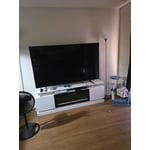
[This review was collected as part of a promotion.] I absolutely love my TV!! The features, the quality, and also the sound. You can connect you phone to the TV to str4am things off you Samsung phone. I love the size of it also great for movie nights with the family.

Review from Samsung US
Helpful?519VMKO7QPOP17358505999
Jan 15, 2026
Reviewer name: Pablo
1 out of 5 stars
1 out of 5 stars review

Not so great.

This product is not what I expected.Expectation is very low,color is not what it was advertised to be.The TV has a skipping problem while surfing for apps. My Vizio 65 inch that is 6 year old p3rfroms better in color etc .I will say that Samsung tech service is great, anytime I call the go of their was to assist. Product I. Question is the 65 in U7900F series

Review from Samsung US
Helpful?519VMKO7QPOP17358505999
reply from Samsung Advisor

Hi Pablo, Thank you for sharing your experience. Buffering during streaming is typically related to internet speed or signal strength. This can happen when your connection isn’t able to deliver data quickly enough for smooth playback. We recommend the following steps to help improve streaming performance: 1. Use a 5GHz Wi-Fi connection, if available 2. Try a wired LAN connection for more stability 3. Reposition your router to minimize obstacles between it and the TV 4. Make sure your TV is running the latest firmware (Settings > Support > Software Update) 5. Run Device Care to optimize performance: Home > left directional key > Settings > Support > Device Care > Start Device Care If buffering continues, you may want to contact your internet service provider to check your current speed or explore upgrade options. To explore picture mode options, navigate to: Home > Left directional button > Settings > All Settings > Picture > Picture Mode. Options include: • Standard – Ideal for general viewing • Dynamic – Brighter and more vibrant for well-lit spaces • Eco – Optimized for energy efficiency • Movie – Best for viewing in low light • Filmmaker Mode – Preserves the content creator’s intent and disables motion smoothing for supported content You can further customize your image by going to: Settings > All Settings > Picture > Expert Settings, where you can adjust Brightness, Contrast, Color Tone, Sharpness, Contrast Enhancer and more. If you’d like help fine-tuning your display or exploring these settings, please call Samsung Customer Support at 1-800-SAMSUNG, available 8AM – 12AM EST, 7 days a week, or visit the ‘Support’ section on our website to LiveChat with an agent. ~Samsung Advisor

Oct 17, 2025
Reviewer name: Staezy67
5 out of 5 stars
5 out of 5 stars review

I'm switching all of my T.V's to Samsung .

[This review was collected as part of a promotion.] I've enjoyed the quality that the Samsung T.V's have given me. The ease of setup and operation is second to no other tv I have used. I'm switching both my houses and my mother's house's to Samsung. The Samsung streaming on the tv is easy for my elderly mother to use.

Review from Samsung US
Helpful?519VMKO7QPOP17358505999
Oct 24, 2025
Reviewer name: Samsung4L
5 out of 5 stars
5 out of 5 stars review

Perfectly priced Tv!

[This review was collected as part of a promotion.] For a TV at this price you would expect a low budget low spec TV. That's not what you are getting. You are getting a 4k 75 inch tv with a snappy operating system and great picture quality! Amazing deal on an amazing TV!

Review from Samsung US
Helpful?519VMKO7QPOP17358505999
Dec 12, 2025
Reviewer name: MATTHEW
1 out of 5 stars
1 out of 5 stars review

Worst product support I've ever dealt with

Purchased this TV in November as part of their doorbuster sale, brought it home unpacked it and everything was good EXCEPT there was a black "botch" or "cloud" on the right hand side of the screen. Thought maybe it just need to run for a bit but the spot never went away, now comes the reason I'm giving it 1 star, Samsung support is non-existant. I've called them 4 times now and each time I run through all their steps, the people on the phone are super friendly, they assign a case and then within a few days that support case is cancelled for no reason, I never even receive a call about scheduling. The first case was cancelled because the agent said the tv was not in a home...which is pretty judgemental of my house I think. I mean it's not a mansion but it's a nice home. I have no idea why they cancelled the second time because they never tell you WHY they cancel, however I got all the way to the part where they asked for a picture of the receipt from Sams club via text and then cancelled the next day ( sent them 2 pictures of the receipt), the third time I called I provided all the info again...got a case and a few days later it was cancelled by agent again. At this point I have no choice but to return the TV to Sams but since these are currently "sold out" I'll be geting a refund and probably buying a LG or something else. Too bad the TV itself seems great. This whole interaction has put me in the "not buying samsung anymore" category.

Helpful?519VMKO7QPOP17358505999
reply from Samsung

Hi MATTHEW,<br /><br />We&#39;re very sorry to hear about your experience. We hope you’ll consider Samsung again in the future. If you do, we’re always here to help with setup and support. Reach us at 1-800-SAMSUNG (8AM – 12AM EST, 7 days a week), or visit our website to chat live and access manuals or software.<br /><br />~ Samsung Advisor