Skip to Main Content
Sam's Club
Sam's Club
All Departments
All Services
Customer reviews for SAMSUNG 70" Class U7900F Series 4K Crystal UHD Smart TV for
SAMSUNG 70" Class U7900F Series 4K Crystal UHD Smart TV
4.6 out of 5 stars
stars
3,150 ratings3,143 reviews
  1. 5 stars75% (2,348)
  2. 4 stars15% (472)
  3. 3 stars6% (176)
  4. 2 stars2% (64)
  5. 1 star3% (90)

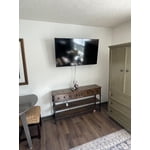
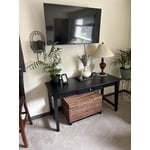
Member photos

  • +1269 images
Sort by |
Showing 2,521-2,530 of 3,143 reviews
Jun 20, 2026
Techdoc
3 out of 5 stars review

Behind the updates

It is a beautiful TV but slows down with OS updates and too many apps.

Review from Samsung US
Helpful?519VMKO7QPOP17358505999
reply from Samsung Advisor

Hi Techdoc, We appreciate your feedback on the response time, and for optimal performance, we ask that you please ensure you've got the latest firmware version installed on your U7900F TV. You can check this by going to Home > Menu > Settings > Support > Software Update. You may also want to further optimize performance with the self-diagnostic tool, which checks memory, frees up unused cached memory, and closes background apps. Go to: Home > Menu > Settings > Support > Device Care > Start Device Care. If you need further assistance, we would be happy to help! Please feel free to contact Samsung Support at 1-800-SAMSUNG, (8AM – 9PM EST Mon – Fri, 8AM – 6 PM Sat – Sun), or reach us via text 24/7. You can also visit ‘Support’ on our website for: • Live Chat • Manuals, Software, & Warranty Info ~ Samsung Advisor

Jun 22, 2026
Jremmy
2 out of 5 stars review

Good size, good value, bad quality.

Nice size screen, good value, terrible display. Banding visible during viewing on bright scenes.

Review from Samsung US
Helpful?519VMKO7QPOP17358505999
reply from Samsung Advisor

Hi Jremmy, Thank you for sharing your thoughts on the picture quality of Samsung’s U7900F TV. If the image doesn’t look quite right to you, there are several adjustments that can help optimize performance for your space and preferences. First, make sure your TV is up to date. Firmware updates often include picture quality enhancements. To check for the latest version, go to: Home > Left directional button > Settings > Support > Software Update > Update Now Next, explore available Picture Modes under: Settings > All Settings > Picture > Picture Mode Each mode is tailored to a different viewing style: • Standard – Balanced settings for everyday use • Dynamic – Brighter and sharper for brightly lit rooms • Movie – Softer tones ideal for low-light viewing • Eco – Reduces power consumption by adjusting brightness • Filmmaker Mode – Preserves the creator’s original color, contrast, and motion settings You can also customize the image further under: Settings > All Settings > Picture > Expert Settings, where you’ll find detailed controls for Brightness & Contrast, Color & Tint, Sharpness, and more. If you’d like help fine-tuning your display or exploring these settings, please call Samsung Customer Support at 1-800-SAMSUNG (8AM – 9PM EST Mon – Fri, 8AM – 6PM Sat – Sun), or visit the ‘Support’ section on our website to LiveChat with an agent. ~ Samsung Advisor

Jun 22, 2026
AjLit
4 out of 5 stars review

It's a good tv.

The tv is well built and one of the better tvs I've owned.

Review from Samsung US
Helpful?519VMKO7QPOP17358505999
Jun 20, 2026
Irwin
5 out of 5 stars review

Would buy again

Great picture quality! At a great price! And way better than our previous smart TV.

Review from Samsung US
Helpful?519VMKO7QPOP17358505999
Jun 22, 2026
Ksniederer
5 out of 5 stars review

Great picture and features

Just like the features this tv has and the picture is great

Review from Samsung US
Helpful?519VMKO7QPOP17358505999
Jun 20, 2026
Kmac
3 out of 5 stars review

Tv keeps pausing

Love the picture but it keeps pausing which drives me nuts

Review from Samsung US
Helpful?519VMKO7QPOP17358505999
reply from Samsung Advisor

Hi Kmac, We appreciate your feedback regarding your U7900F TV’s performance. If you're experiencing freezing or lag in general response time, please try the following steps: 1. Check for firmware updates – Keeping your TV up to date can resolve many performance issues: Home > left directional key > Settings > Support > Software Update > Update Now 2. Run Device Care – This tool checks system memory, frees up cached data, and closes background apps that could be slowing things down: Home > left directional key > Settings > Support > Device Care > Start Device Care 3. Cold boot your TV – With the TV powered on, press and hold the Power button on your remote for 5+ seconds until the TV restarts. This helps refresh the system. If you're still noticing performance snags after these steps, please contact Samsung Support at 1-800-SAMSUNG (8AM – 9PM EST Mon – Fri, 8AM – 6PM Sat – Sun). You can also connect with a LiveChat agent via the ‘Support’ link on our website. ~ Samsung Advisor

Jun 22, 2026
Cajunquick
5 out of 5 stars review

Great tv

Greay color. Brightness is great in my sunny living room. Easy setup

Review from Samsung US
Helpful?519VMKO7QPOP17358505999
Jun 20, 2026
Luv this brand
5 out of 5 stars review

Great picture

Bright clear picture. Love the Samsung plus feature!! Reliable and trusted brand

Review from Samsung US
Helpful?519VMKO7QPOP17358505999
Jun 22, 2026
Garner 85
5 out of 5 stars review

Garner

Everything is good with TV the color, resolution, anesthetic and streaming is great

Review from Samsung US
Helpful?519VMKO7QPOP17358505999
Jun 22, 2026
Paddy
3 out of 5 stars review

Fine product

Pretty decent only problem is all the updates they just come up a lot

Review from Samsung US
Helpful?519VMKO7QPOP17358505999
reply from Samsung Advisor

Hi Paddy, Thanks for sharing your thoughts. If there's anything we can do to improve your experience, please reach Samsung Support at 1-800-SAMSUNG (8AM – 9PM EST Mon – Fri, 8AM – 6PM Sat – Sun) or through LiveChat on our website under ‘Support.’ ~ Samsung Advisor