Skip to Main Content
Sam's Club
Sam's Club
All Departments
All Services
Customer reviews for SAMSUNG 70" Class U7900F Series 4K Crystal UHD Smart TV for
SAMSUNG 70" Class U7900F Series 4K Crystal UHD Smart TV
4.6 out of 5 stars
stars
3,210 ratings3,203 reviews
  1. 5 stars74% (2,389)
  2. 4 stars15% (487)
  3. 3 stars6% (178)
  4. 2 stars2% (65)
  5. 1 star3% (91)

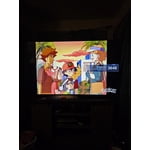
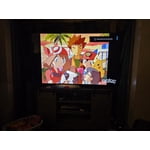
Member photos

  • +1278 images
Sort by |
Showing 2,281-2,290 of 3,203 reviews
May 14, 2026
Midnight
5 out of 5 stars review

Great TV for the cost.

[This review was collected as part of a promotion.] Great TV, super clear images and vibrant colors. Been very dependable.

Review from Samsung US
Helpful?519VMKO7QPOP17358505999
May 20, 2026
John Y
5 out of 5 stars review

Great features

[This review was collected as part of a promotion.] Excellent resolution and brightness. Really happy with this purchase. Nice features.

Review from Samsung US
Helpful?519VMKO7QPOP17358505999
Apr 6, 2026
Kwadwo
5 out of 5 stars review

Good picture

[This review was collected as part of a promotion.] Very good picture and brilliant sound.i will in like Samsung tv

Review from Samsung US
Helpful?519VMKO7QPOP17358505999
Apr 20, 2026
Gutz
5 out of 5 stars review

Expendables

[This review was collected as part of a promotion.] I love it very nice it the best products ever I recommend to everyone

Review from Samsung US
Helpful?519VMKO7QPOP17358505999
May 5, 2026
loanbehold
4 out of 5 stars review

great product

[This review was collected as part of a promotion.] Great product! Works fine and doesn't have any issues

Review from Samsung US
Helpful?519VMKO7QPOP17358505999
May 20, 2026
Cream
5 out of 5 stars review

Loveeeeeeee it

[This review was collected as part of a promotion.] I love my tv the best gift I ever got myself now I want a bigger one

Review from Samsung US
Helpful?519VMKO7QPOP17358505999
Apr 8, 2026
Jehutyjw23
5 out of 5 stars review

TV

[This review was collected as part of a promotion.] Great TV for the price. Love how fast everything connected. Also great picture as well

Review from Samsung US
Helpful?519VMKO7QPOP17358505999
Apr 6, 2026
Bonbon
3 out of 5 stars review

Product

[This review was collected as part of a promotion.] There is a green line down the right side of the screen.

Review from Samsung US
Helpful?519VMKO7QPOP17358505999
reply from Samsung Advisor

Hi Bonbon, Thank you for sharing your experience with Samsung’s U7900F. If your TV is displaying lines on the screen, we recommend the following steps to help isolate the issue: 1. Check all input cable connections for any external devices (e.g., HDMI, streaming boxes, Blu-ray players) 2. Switch channels or inputs to see if the issue appears across all sources 3. Run a Picture Test to check for panel-related issues: Settings > Support > Device Care > Self Diagnosis > Picture Test 4. Perform a cold boot by holding the power button on your remote for about 10 seconds 5. Ensure your TV has the latest software installed: Settings > Support > Software Update If the issue continues after these steps, the TV may require service. For further assistance, please contact Samsung Support at 1-800-SAMSUNG, 8AM – 9PM EST Mon – Fri, 8AM – 6PM Sat – Sun. LiveChat and additional support resources are also available through the Support link on our website. ~ Samsung Advisor

May 20, 2026
Anonymous
5 out of 5 stars review

Great value

[This review was collected as part of a promotion.] Great looking picture at a very reasonable price. Very satisfied.

Review from Samsung US
Helpful?519VMKO7QPOP17358505999
May 20, 2026
Chyyna
1 out of 5 stars review

My TV is not working properly I cannot get apps

[This review was collected as part of a promotion.] My Tv is not working and I can't get into any of my apps

Review from Samsung US
Helpful?519VMKO7QPOP17358505999
reply from Samsung Advisor

Hi Chyyna, Thank you for reaching out to us. If your U7900F TV’s Smart Hub is freezing, lagging, or not loading properly: 1. Reset Smart Hub – Home > left directional key > Settings > Support > Device Care > Self Diagnosis > Reset Smart Hub (This will sign you out of apps and reset Smart Hub to factory default.) 2. Update firmware – Home > left directional key > Settings > Support > Software Update > Update Now 3. Run Device Care – Home > left directional key > Settings > Support > Device Care > Start Device Care If the issue persists, contact Samsung Support at 1-800-SAMSUNG, 8AM – 9PM EST Mon – Fri, 8AM – 6PM Sat – Sun seven days a week. You can also connect with a LiveChat agent by clicking the ‘Support’ link on our website. ~ Samsung Advisor