Skip to Main Content
Sam's Club
Sam's Club
Customer reviews for SAMSUNG 70" Class U7900F Series 4K Crystal UHD Smart TV for
SAMSUNG 70" Class U7900F Series 4K Crystal UHD Smart TV
4.6 out of 5 stars
stars2,252 ratings2,245 reviews
  1. 5 stars76% (1,714)
  2. 4 stars15% (328)
  3. 3 stars5% (115)
  4. 2 stars2% (40)
  5. 1 star2% (55)

Member photos

  • +873 images
Sort by |
Showing 2,231-2,240 of 2,245 reviews
Aug 21, 2025
DeeAnn
4 out of 5 stars review

Good features

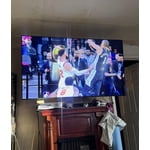
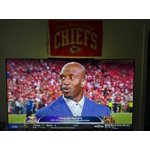
[This review was collected as part of a promotion.] We watch Sports,News,Movies,Home Shopping on television.Picture is clear.

Review from Samsung US
Helpful?519VMKO7QPOP17358505999
Oct 2, 2025
Kcutta47
5 out of 5 stars review

I love this tv not the tv but all of samsung produ

[This review was collected as part of a promotion.] I have a full Samsung ecosystem tv,phone watch ect team Samsung 4 life!

Review from Samsung US
Helpful?519VMKO7QPOP17358505999
Aug 18, 2025
Imranch
4 out of 5 stars review

Sounds quilty is not gud but over all love it

[This review was collected as part of a promotion.] Over all tv quality is gud but the sound is to low please work HDMi port to

Review from Samsung US
Helpful?519VMKO7QPOP17358505999
Sep 26, 2025
Family
5 out of 5 stars review

Love the tv

[This review was collected as part of a promotion.] Its the best tv I've ever owned its amazing gor gaming and streaming

Review from Samsung US
Helpful?519VMKO7QPOP17358505999
Jul 5, 2025
GumpNJ
4 out of 5 stars review

Great picture menu a bit truicky

[This review was collected as part of a promotion.] I love the TV, but haven’t figured out how to setup defaults to go to cable automatically etc…

Review from Samsung US
Helpful?519VMKO7QPOP17358505999
reply from Samsung Advisor

Hi GumpNJ, Thank you for your review. While your U7900 TV may currently default to Samsung TV Plus when powered on, you can customize what your TV does at startup by adjusting the Start Screen Options. To do this, navigate to: Settings > All Settings > Advanced Features > Start Screen Option and choose from the following: 1. Start with Smart Hub Home – Automatically launches Smart Hub when the TV is turned on. You can enable or disable this option based on your preference. 2. Autorun Multi View Casting – If you cast YouTube content from your mobile device, the TV will automatically display the content using Multi View. 3. Autorun Multi View Mirroring – When you screen mirror your mobile device, Multi View will automatically open to show your device’s screen. If you need help adjusting these settings or have any other questions, please contact Samsung Support at 1-800-SAMSUNG, 8AM – 12AM EST, 7 days a week. LiveChat agents are also available by clicking on the ‘Support’ link on our website. ~ Samsung Advisor

Jul 30, 2025
Pozolero69
5 out of 5 stars review

Great TV for a small room.

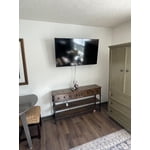
[This review was collected as part of a promotion.] This TV is perfect for a small bedroom. Suitable for video games or for media streaming.

Review from Samsung US
Helpful?519VMKO7QPOP17358505999
Oct 7, 2025
Oodybaby3
4 out of 5 stars review

Its a good tv

[This review was collected as part of a promotion.] Great picture I love tv best tv I watch it everyday 😀

Review from Samsung US
Helpful?519VMKO7QPOP17358505999
Oct 7, 2025
Happy24
5 out of 5 stars review

Amazing!!!

[This review was collected as part of a promotion.] The picture is amazing! Its crystal clear and not bulky at all!

Review from Samsung US
Helpful?519VMKO7QPOP17358505999
Oct 4, 2025
Tomd13
5 out of 5 stars review

The clearest Picture and connect with everything

[This review was collected as part of a promotion.] Gaming, tv, music and connect to tablet or Smartphone without trouble.

Review from Samsung US
Helpful?519VMKO7QPOP17358505999
Jun 21, 2025
Dmbm47
4 out of 5 stars review

Remote control too small. Also not user friendly.

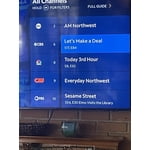
[This review was collected as part of a promotion.] Watch live TV and streaming. Difficult to navigate between programs. Settings menu not clear.

Review from Samsung US
Helpful?519VMKO7QPOP17358505999