Skip to Main Content
Sam's Club
Sam's Club
All Departments
All Services
Customer reviews for SAMSUNG 70" Class U7900F Series 4K Crystal UHD Smart TV for
SAMSUNG 70" Class U7900F Series 4K Crystal UHD Smart TV
4.5 out of 5 stars
stars
4,037 ratings4,030 reviews
  1. 5 stars73% (2,955)
  2. 4 stars15% (610)
  3. 3 stars6% (249)
  4. 2 stars2% (100)
  5. 1 star3% (123)

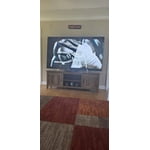
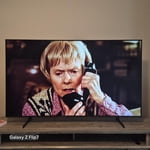
Member photos

  • +1558 images
Sort by |
Showing 1,961-1,970 of 4,030 reviews
Aug 5, 2026
Reviewer name: Kitkat
5 out of 5 stars
5 out of 5 stars review

Love the features and the picture

[This review was collected as part of a promotion.] Picture is nice and crisp and easy to use the features

Review from Samsung US
Helpful?519VMKO7QPOP17358505999
Jul 27, 2026
Reviewer name: Bless One
5 out of 5 stars
5 out of 5 stars review

Love it!

[This review was collected as part of a promotion.] Great TV, love the Crystal HD and the fact that I can watch all my social media on here.

Review from Samsung US
Helpful?519VMKO7QPOP17358505999
Aug 13, 2026
Reviewer name: Coco
5 out of 5 stars
5 out of 5 stars review

My Samsung TV

[This review was collected as part of a promotion.] I Luv my new Samsung TV! The color and contrast, it's a beautiful view.

Review from Samsung US
Helpful?519VMKO7QPOP17358505999
Aug 21, 2026
Reviewer name: Terri
5 out of 5 stars
5 out of 5 stars review

Nice TV

[This review was collected as part of a promotion.] Nice picture and intuitive operation making the transition to a new.TV easy and stress free.

Review from Samsung US
Helpful?519VMKO7QPOP17358505999
Aug 20, 2026
Reviewer name: noMGMplusAPP
3 out of 5 stars
3 out of 5 stars review

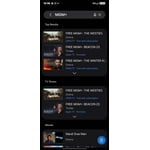
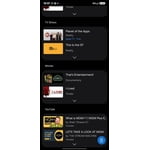
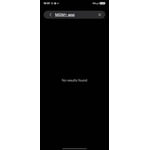
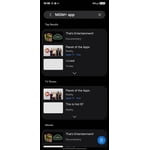
Hard to add apps

[This review was collected as part of a promotion.] Hard to add apps to tv & doesn't have a lot of normal/standard smart tv apps. Picture is amazing.

  • +1 image
Review from Samsung US
Helpful?519VMKO7QPOP17358505999
reply from Samsung Specialist

Thank you for your review. If there’s anything we can assist with, please don’t hesitate to call us at 1-800-SAMSUNG (8AM – 9PM EST Mon – Fri, 8AM – 6PM Sat – Sun), or reach us via text anytime. You can also visit ‘Support’ on our website for: • Live Chat • Manuals, Software, & Warranty Info ~ Samsung Specialist

Jul 27, 2026
Reviewer name: Amberm
5 out of 5 stars
5 out of 5 stars review

Great features
[This review was collected as part of a promotion.] Perfect size, easy to use and navigate. Great picture.

Review from Samsung US
Helpful?519VMKO7QPOP17358505999
Feb 6, 2026
Reviewer name: Thankful Nat
3 out of 5 stars
3 out of 5 stars review

The price was the best thing!

[This review was collected as part of a promotion.] Loved the price and though my previous Samsung TV picture was brighter, this one is still good!

Review from Samsung US
Helpful?519VMKO7QPOP17358505999
reply from Samsung Advisor

Hi Thankful Nat, It's great to hear you are enjoying your new Samsung TV. If the image appears too dark, we suggest disabling certain energy-saving features, which can automatically adjust brightness and affect how the screen looks. Go to: Settings > All Settings > General & Privacy > Power and Energy Saving, then turn off Brightness Optimization, Energy Saving Solution, Motion Lighting, and/or Contrast Enhancer. You can also adjust the Picture Mode to better suit your environment: Settings > All Settings > Picture > Picture Mode • Standard – Default mode for general viewing • Dynamic – Brighter and clearer, ideal for well-lit rooms • Movie – Best for dark room viewing • Eco – Energy-saving mode • Filmmaker Mode – Preserves content as intended by creators To fine-tune brightness, go to: Home > left directional key > Settings > All Settings > Picture > Expert Settings, then adjust the Brightness level (0–50) to your preference. Lastly, please make sure your TV is running the latest firmware: Home > Home > left directional key > Settings > Support > Software Update > Update Now We hope these tips help improve your viewing experience. If you need further support, feel free to contact us at 1-800-SAMSUNG, 8AM – 12AM EST, 7 days a week. LiveChat is also available via the ‘Support’ link on our website. ~ Samsung Advisor

Aug 10, 2026
Reviewer name: Work4Me
4 out of 5 stars
4 out of 5 stars review

Great features if they were correctly

[This review was collected as part of a promotion.] It doesn't change channels like it should. Doesn't work with my Roku like it should.

Review from Samsung US
Helpful?519VMKO7QPOP17358505999
Aug 5, 2026
Reviewer name: Steve
5 out of 5 stars
5 out of 5 stars review

Good Buy

[This review was collected as part of a promotion.] Good, solid TV for the price. Excellent picture quality and no issues so far. Very pleased

Review from Samsung US
Helpful?519VMKO7QPOP17358505999
Aug 5, 2026
Reviewer name: Rishab
4 out of 5 stars
4 out of 5 stars review

Easy to use

[This review was collected as part of a promotion.] Hangs while switching from app to app and also video flickers alot white using Netflix.

Review from Samsung US
Helpful?519VMKO7QPOP17358505999