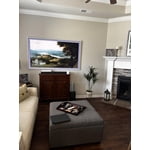
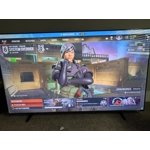
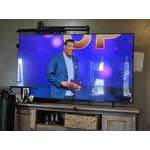
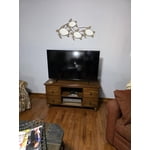
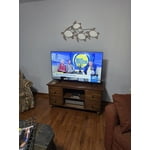
Customer reviews for SAMSUNG 70" Class U7900F Series 4K Crystal UHD Smart TV forMember photos


+683 images
Best picture!
[This review was collected as part of a promotion.] Snappy speed through all the apps. Great picture samsung tv plus app is the best for free shows! If you have a samsung smart phone the "smart view" option is amazing for those times you may not have internet at your home, but your phone still does, just cast it to the tv and your in business 😀 . Pairing a samsung smart tv with a smart phone is key to have the best experience.
Worth for price
[This review was collected as part of a promotion.] I recently purchased a Samsung TV 65, and I must say, it has exceeded my expectations. The picture quality is exceptional, and the sound is crystal clear. The user interface is intuitive and easy to navigate, making it a pleasure to use. The design is sleek and modern, adding a touch of sophistication to my living space. Overall, I highly recommend this TV to anyone looking for a reliable and high-quality television experience.
Great
[This review was collected as part of a promotion.] Love this tv its fast working TV it's up to date HD it's thin I got a mountain on the wall and pushed out a little bit not too big of a remote if it's right on my wall perfectly thin TV not too thick around the edges is good the picture is excellent quality is good
he's a TV
[This review was collected as part of a promotion.] an interesting TV can you say color black levels off axis response but the one thing I do not like is the mandatory requirement to sign into a Samsung account before you can even get your TV set up I want my TV to turn on go to the main screen do my updates if I choose as a customer to create a Samsung account to use my TV that it should be my choice not your choice to make it for me and the ties it operating system is no fun to use
Hi ribstpb, Thank you for sharing your concerns. Samsung’s privacy policies are designed to protect your personal information and ensure it’s handled responsibly. We always request your consent before collecting any data, and we are committed to managing that information with the utmost care and transparency in accordance with our privacy guidelines. If you have any questions about privacy settings or need assistance using your TV, we’re here to help. Please contact Samsung Support at 1-800-SAMSUNG, 8AM – 12AM EST, 7 days a week. LiveChat and additional support resources are also available through the Support link on our website. ~ Samsung Advisor
This Is The Life...
[This review was collected as part of a promotion.] It's like your @ the movies the picture is so very clear very sharp I can lay in bed alllllll day an just look @ tv by the way the sound is like a surround sound it just bounced right off the wall it's amazing I have a movie theater right here in my living room how cool 😎 is that no need to leave my couch all I need is popcorn.
Decent TV
[This review was collected as part of a promotion.] The image quality is decent but not anything special you would expect from a top tier company and the remote is ridiculous. The buttons are small and so close together so if you're not looking at what button you're pushing, you'll almost always push the wrong one
Hi Coty84, We appreciate your feedback on the picture quality of Samsung’s U7900F TV. If the image doesn’t quite match your preferences, there are several adjustments you can make to better suit your viewing environment and content type. First, please ensure your TV is running the latest firmware, as updates may include important picture quality enhancements. Go to: Home > Left directional button > Settings > Support > Software Update > Update Now To explore picture mode options, navigate to: Home > Left directional button > Settings > All Settings > Picture > Picture Mode. Options include: • Standard – Ideal for general viewing • Dynamic – Brighter and more vibrant for well-lit spaces • Eco – Optimized for energy efficiency • Movie – Best for viewing in low light • Filmmaker Mode – Preserves the content creator’s intent and disables motion smoothing for supported content You can further customize your image by going to: Settings > All Settings > Picture > Expert Settings, where you can adjust Brightness, Contrast, Color Tone, Sharpness, Contrast Enhancer and more. If you’d like help finding the best picture settings for your preferences, please don’t hesitate to contact Samsung Support at 1-800-SAMSUNG, available 8AM – 9PM EST Mon – Fri, 8AM – 6PM Sat – Sun. You can also LiveChat with an agent or explore additional resources on our website by clicking the ‘Support’ link. ~ Samsung Advisor
The perfect screen
[This review was collected as part of a promotion.] The tv works amazing. It works in conjunction with all my samsung products. I love how if I leave the tv on, I can turn it off with my phone from anywhere in the world! The tv has good adjustability features for picture. Its not the top on the line samsung tv but its 75" and im also not competing in tournaments with a screen over 32 inches. Lastly, it works well with my strdh590 stereo surround system which was my selling point actually
Tizen OS Needs Work
[This review was collected as part of a promotion.] It's a TV. Gets the job done. Three stars are because the Tizen operating system is glitchy with respect to our home network. It seems overly sensitive whereas other brand TVs aren't. We have to reset the network often for no reason.
Hi Fussygirl, Thank you for reaching out to us. Please ensure your TV is running the latest Firmware, version 1132.0. Go to Settings> Support> Software Update. If this firmware version is not yet available on your TV, you can download the update on a USB drive and manually update your TV: 1. On Samsung's website (upper right corner), go to: Support > Manual & Software > Find your TV model, and click on the Firmware – Upgrade File. 2. When the file has finished downloading, locate it and then unzip it. There is normally one folder inside but there may be multiple files. 3. Copy or move all of the files that were included in the zip file to a USB flash drive, but do not place them inside any other folders. If you place the software folders inside a folder on the USB flash drive, the TV or monitor will not find them. 4. Connect the USB drive containing the software upgrade into a USB port on your device. 5. Using your device's remote, navigate to and select Settings, then select All Settings, and then select Support. Select Software Update, select Update Now, and then select Yes if prompted. Your device will search the USB drive for update files. Follow the on-screen instructions to install the updated software. Updates usually take a few minutes; please do not turn off the TV until the update is complete. When the update is finished, it will restart automatically. If you need additional support, Samsung is here to help. Please call us -800-SAMSUNG, available daily 8AM – 9PM EST Mon – Fri, 8AM – 6PM Sat – Sun. You can also chat with a LiveChat agent by clicking the ‘Support’ link on our website. ~ Samsung Advisor
Great TV
[This review was collected as part of a promotion.] Love the resolution of the TV. The color, brightness and picture quality are great. Aestetically it fits in my home. I love that it connects to my other Samsung products so when I get notifications about my other appliances I get notifications on my TV through the Smart Things app. That also give me peace of mind for security that it's protecting from any malicious software. Movies are even better with the movie mode feature. Samsung TV has a great selection of live channels. I haven't tried playing games yet but there is a huge selection. All my streaming apps are easy to find and set up. I use a Samsung sound bar system and it connects easily through Bluetooth. All-in-all anyone that isn't needing a top the line TV with all yhe latest bells and whistles this is a great choice. I would definitely buy it again.
Great Home Screen
[This review was collected as part of a promotion.] I love the new Samsung home screen and all of its available features. However the remote seems a bit basic and not very user friendly. Learning its functionality on a new device is a bit challenging, outside of basic functions of volume abd channel changing abd screen settings, the streaming options and special features take a bit to figure out. As for color and brightness the color is great, but brightness could be a bit better. As to resolution I feel it is adequate for this model and I have no complaints. Finally for security I have not tested all its features but it seems ok for the moment