Skip to Main Content
Sams Club
Sams Club
Customer reviews for SAMSUNG 70" Class U7900F Series 4K Crystal UHD Smart TV for
SAMSUNG 70" Class U7900F Series 4K Crystal UHD Smart TV
4.6 out of 5 stars
stars1,829 ratings1,822 reviews
  1. 5 stars77% (1,407)
  2. 4 stars14% (264)
  3. 3 stars5% (87)
  4. 2 stars2% (31)
  5. 1 star2% (40)

Member photos

  • +693 images
Sort by |
Showing 1,771-1,780 of 1,822 reviews
Jan 16, 2026
Steve
3 out of 5 stars review

TV review

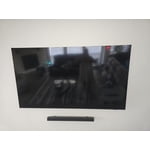
Mounting screw holes for wall mount too close together and not enough HDMI access plug ins.

Review from Samsung US
Helpful?519VMKO7QPOP17358505999
reply from Samsung Specialist

Hi Steve, We're sorry to hear of this. It seems you may need spacers to help increase the gap with the wall mount you're using. So we can better assist with this, please reach out to us at 1-800-SAMSUNG, 8AM – 12AM EST daily, or LiveChat with a representative at the ‘Support’ link on our website. ~ Samsung Specialist

Jan 5, 2026
Linda
5 out of 5 stars review

My Samsung tv

This is a very interesting tv. It can play music and display a fire place

Review from Samsung US
Helpful?519VMKO7QPOP17358505999
Jan 5, 2026
kpkp
1 out of 5 stars review

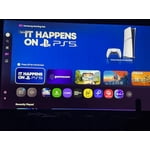
Bad interface

we stopped using it because nobody can figure out the interface.

Review from Samsung US
Helpful?519VMKO7QPOP17358505999
reply from Samsung Specialist

kpkp, Thank you for sharing your feedback with us. To help you get the most from your TV, you can download the full e-Manual and more by visiting Samsung’s website, then navigating to: Support > Manual & Software > TVs & Home Theater. From there, you can search for and select your U7900F TV model to view or download the available guides. The e-Manual & User Guide are also conveniently built into your TV: Settings > Support > Tips and User Guides. Your TV includes Learn Menu Screen, an accessibility feature that provides audio guidance for on-screen menus. When enabled, your TV will announce the name and function of each menu item as you scroll, without making any changes. This feature is particularly helpful for users who are visually impaired or new to Smart TV menus. To enable, go to: Settings > All Settings > General & Privacy > Accessibility > Learn Menu Screen. To exit, press the Return key twice. If you’d like more assistance with this feature, please reach Samsung Support at 1-800-SAMSUNG, available 8AM – 12AM EST, 7 days a week. LiveChat agents are also available through the ‘Support’ link on our website. ~ Samsung Specialist

Jan 5, 2026
Stay home
5 out of 5 stars review

Great features

Overall the TV is very nice was easy to setup and use. One thing it could use is sound bar hookups.

Review from Samsung US
Helpful?519VMKO7QPOP17358505999
Jul 30, 2025
Qm5nyc
5 out of 5 stars review

This TV is great!

[This review was collected as part of a promotion.] This tv is easy to use and set up with the app i already had.

Review from Samsung US
Helpful?519VMKO7QPOP17358505999
Sep 20, 2025
Juliomez
3 out of 5 stars review

Easy to use

[This review was collected as part of a promotion.] The tv its nice but speed rate not there blurry on fast action movies,

Review from Samsung US
Helpful?519VMKO7QPOP17358505999
reply from Samsung Advisor

Hi Juliomez, Thank you for your feedback on the Samsung U7900 TV and your experience when watching fast-motion content. If the picture appears blurry or unnatural during high-speed scenes, there are several settings you can adjust to improve motion clarity. Go to: Home > left directional key > Settings > All Settings > Picture > Expert Settings, and review these key settings: Picture Clarity Settings • Off: Disables all motion enhancement • Auto: Automatically adjusts motion clarity based on content • Custom: Enables manual control of: o Judder Reduction: Smooths motion in film-based content o LED Clear Motion: Increases sharpness during fast movement o Noise Reduction: Helps reduce distortion in lower-quality sources Additional Picture Controls • Brightness – Adjust overall image brightness • Contrast – Controls the difference between light and dark areas • Sharpness – Enhances the definition of object edges • Color – Adjusts color intensity for more natural or vivid tones We hope these settings help improve your viewing experience, especially with fast-moving content. If you'd like further assistance, feel free to reach out to Samsung Support at 1-800-SAMSUNG, 8AM – 12AM EST, 7 days a week. LiveChat is also available via the ‘Support’ link on our website. ~ Samsung Advisor

Jul 21, 2025
Eljay2
5 out of 5 stars review

Excellent product

[This review was collected as part of a promotion.] This tv is for our cabin…. it has a beautiful picture and great reception

Review from Samsung US
Helpful?519VMKO7QPOP17358505999
Sep 11, 2025
BBAudi
5 out of 5 stars review

Samsung TV

[This review was collected as part of a promotion.] I love this TV, it works amazing the best TV I have ever bought.

Review from Samsung US
Helpful?519VMKO7QPOP17358505999
Aug 30, 2025
Tiddle
5 out of 5 stars review

This product has great features & picture quality

[This review was collected as part of a promotion.] I love watching movies, playing music concerts, watching TV sitcoms and shows

Review from Samsung US
Helpful?519VMKO7QPOP17358505999
Jul 18, 2025
Jaabirdd
5 out of 5 stars review

Great picture affordable

[This review was collected as part of a promotion.] I stream and game on my tv. It has great quality and was very affordable

Review from Samsung US
Helpful?519VMKO7QPOP17358505999