Skip to Main Content
Sams Club
Sams Club
Customer reviews for SAMSUNG 70" Class U7900F Series 4K Crystal UHD Smart TV for
SAMSUNG 70" Class U7900F Series 4K Crystal UHD Smart TV
4.6 out of 5 stars
stars1,715 ratings1,708 reviews
  1. 5 stars78% (1,333)
  2. 4 stars14% (248)
  3. 3 stars4% (74)
  4. 2 stars1% (24)
  5. 1 star2% (36)

Member photos

  • +683 images
Sort by |
Showing 1,651-1,660 of 1,708 reviews
Dec 29, 2025
HomeTV
5 out of 5 stars review

Wonderful TV

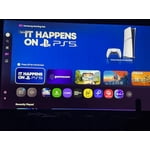
[This review was collected as part of a promotion.] This TV has really amazing graphics works wonderfully with the p.S five also has really really good wi.Fi, and I like it really great t v

Review from Samsung US
Helpful?519VMKO7QPOP17358505999
Jan 5, 2026
kpkp
1 out of 5 stars review

Bad interface

we stopped using it because nobody can figure out the interface.

Review from Samsung US
Helpful?519VMKO7QPOP17358505999
reply from Samsung Specialist

kpkp, Thank you for sharing your feedback with us. To help you get the most from your TV, you can download the full e-Manual and more by visiting Samsung’s website, then navigating to: Support > Manual & Software > TVs & Home Theater. From there, you can search for and select your U7900F TV model to view or download the available guides. The e-Manual & User Guide are also conveniently built into your TV: Settings > Support > Tips and User Guides. Your TV includes Learn Menu Screen, an accessibility feature that provides audio guidance for on-screen menus. When enabled, your TV will announce the name and function of each menu item as you scroll, without making any changes. This feature is particularly helpful for users who are visually impaired or new to Smart TV menus. To enable, go to: Settings > All Settings > General & Privacy > Accessibility > Learn Menu Screen. To exit, press the Return key twice. If you’d like more assistance with this feature, please reach Samsung Support at 1-800-SAMSUNG, available 8AM – 12AM EST, 7 days a week. LiveChat agents are also available through the ‘Support’ link on our website. ~ Samsung Specialist

Dec 3, 2025
Abners acount
5 out of 5 stars review

Great tv

Great TV for the money works great love it i would buy it if it was me

Review from Samsung US
Helpful?519VMKO7QPOP17358505999
Jan 20, 2026
ElBakano
5 out of 5 stars review

Picture perfect

Cristal clear great TV Samsung, bestvTV ever had in years

Review from Samsung US
Helpful?519VMKO7QPOP17358505999
Nov 23, 2025
Monic
5 out of 5 stars review

I love you Samsung. The only brand I buy!!!

Helpful?519VMKO7QPOP17358505999
Jan 5, 2026
Linda
5 out of 5 stars review

My Samsung tv

This is a very interesting tv. It can play music and display a fire place

Review from Samsung US
Helpful?519VMKO7QPOP17358505999
Dec 22, 2025
keyman
5 out of 5 stars review

love it

love mine just upgraded from a Vizo bought a 43” and now a 58” love both of them

Review from Samsung US
Helpful?519VMKO7QPOP17358505999
Jan 20, 2026
FatCakes
4 out of 5 stars review

Maybe ours is haunted?

The tv will randomly turn on without any prompting. Otherwise, it's been a solid tv!

Review from Samsung US
Helpful?519VMKO7QPOP17358505999
reply from Samsung Advisor

Hi FakeCakes, Thanks for sharing your experience. If your TV is powering on by itself, there are a few settings and external triggers to review: 1. Power On with Mobile – Your TV may be connected to the SmartThings app or other networked devices. To stop wake signals, turn this feature off: Settings > All Settings > Connection > Network > Expert Settings > Power On with Mobile = Off 2. Check for Active Timers – Go to Settings > All Settings > General & Privacy > System Manager > Time > Timer Settings, then disable any On Timers or Sleep Timers 3. Anynet+ (HDMI-CEC) – If your TV is connected to external HDMI devices, one of them may be triggering power-on behavior. To disable this feature: Settings > All Settings > General & Privacy > External Device Manager > Anynet+ (HDMI-CEC) = Off 4. Software Update – Make sure your TV is up to date: Settings > Support > Software Update > Update Now If you’ve ruled out all the above and your TV still powers on unexpectedly, try unplugging it for 30 seconds. Should the issue continue, please call Samsung Support at 1-800-SAMSUNG, 8AM – 12AM EST, 7 days a week. LiveChat agents are also available by clicking the ‘Support’ link on our website. ~ Samsung Advisor

Jan 5, 2026
Stay home
5 out of 5 stars review

Great features

Overall the TV is very nice was easy to setup and use. One thing it could use is sound bar hookups.

Review from Samsung US
Helpful?519VMKO7QPOP17358505999
Jan 21, 2026
Extraordinary
5 out of 5 stars review

Special Features

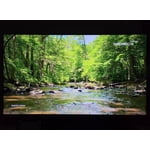
The meditation screen is on point especially a long day of work

Review from Samsung US
Helpful?519VMKO7QPOP17358505999