Skip to Main Content
Sam's Club
Sam's Club
All Departments
All Services
Customer reviews for SAMSUNG 70" Class U7900F Series 4K Crystal UHD Smart TV for
SAMSUNG 70" Class U7900F Series 4K Crystal UHD Smart TV
4.5 out of 5 stars
stars
3,907 ratings3,900 reviews
  1. 5 stars73% (2,864)
  2. 4 stars15% (593)
  3. 3 stars6% (241)
  4. 2 stars2% (91)
  5. 1 star3% (118)

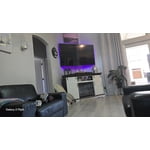
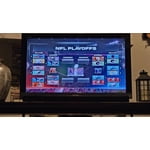
Member photos

  • +1528 images
Sort by |
Showing 1,341-1,350 of 3,900 reviews
Jun 5, 2026
Reviewer name: barnie72
5 out of 5 stars
5 out of 5 stars review

great features

[This review was collected as part of a promotion.] I love it it was easy to set up and start the programming i wanted. It has a really easy set up to begin setting the tv up

Review from Samsung US
Helpful?519VMKO7QPOP17358505999
Jun 1, 2026
Reviewer name: Redd42
5 out of 5 stars
5 out of 5 stars review

Great value

[This review was collected as part of a promotion.] I love the display and screen size. Watching movies or football games feels amazing. The screen is bright and the speakers sound good.

  • +1 image
Review from Samsung US
Helpful?519VMKO7QPOP17358505999
Jun 1, 2026
Reviewer name: Agranny
5 out of 5 stars
5 out of 5 stars review

Great tv

[This review was collected as part of a promotion.] This tv has a bright picture with vibrant color and resolution. It has parental controls and works well for our family.

Review from Samsung US
Helpful?519VMKO7QPOP17358505999
Jun 5, 2026
Reviewer name: Pegb
3 out of 5 stars
3 out of 5 stars review

Remote SUCKS! Getting it to do its job is horrible

[This review was collected as part of a promotion.] The settings are difficult to manipulate. The remote Sucks! Getting the tv to pause takes an act of congress! I dont care for the roku set up at all.

Review from Samsung US
Helpful?519VMKO7QPOP17358505999
reply from Samsung Advisor

Hi Pegb, Thank you for your feedback. If your remote isn’t responding, here are a few quick steps to help determine if it’s working correctly: 1. Check the batteries: Remove the back cover of your remote and replace the batteries with a fresh set, ensuring they are inserted in the correct direction. 2. Test for infrared signal: Point the front of the remote at your smartphone camera. While holding down any button, you should see a flashing light through the camera screen. (For iPhone users, the front-facing camera works best.) If you see the light, your remote is working and may need to be re-paired with your TV. 3. Point the remote correctly: Try pointing the remote directly at the TV from about 5-6 feet away. This can help ensure a clearer signal between the remote and the TV. If you still need assistance, please contact Samsung Support at 1-800-SAMSUNG (8AM – 9PM EST Mon – Fri, 8AM – 6PM Sat – Sun), or visit the ‘Support’ link on our website to start a LiveChat session. ~ Samsung Advisor

Jul 5, 2026
Reviewer name: oops
3 out of 5 stars
3 out of 5 stars review

bad features

[This review was collected as part of a promotion.] Night parts in movies are too dark and cannot be viewed on the tv . How can I make it so I can see all of the movie

Review from Samsung US
Helpful?519VMKO7QPOP17358505999
reply from Samsung Specialist

Thank you for your review. If there’s anything we can assist with, please don’t hesitate to call us at 1-800-SAMSUNG (8AM – 9PM EST Mon – Fri, 8AM – 6PM Sat – Sun), or reach us via text anytime. You can also visit ‘Support’ on our website for: • Live Chat • Manuals, Software, & Warranty Info ~ Samsung Specialist

Jul 20, 2026
Reviewer name: Tyler
2 out of 5 stars
2 out of 5 stars review

Clicking noise coming from the back
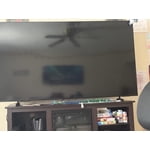
[This review was collected as part of a promotion.] Clicking noise is coming from the back of the tv. Not sure what I need to do to get a new one but this happen the day I brought it home.

Review from Samsung US
Helpful?519VMKO7QPOP17358505999
reply from Samsung Advisor

Hi Tyler, Thanks for sharing your experience with your U7900 TV. Unusual sounds can come from different sources, so first check whether it’s from the TV speakers, an external device (like a soundbar), or the back of the TV. • For external audio, ensure cables are connected to the correct output • If using antenna or cable, check signal strength: Settings > Support > Device Care > Self Diagnosis > Broadcast Signal • Popping sounds from the back may be due to thermal expansion - this is normal and not a malfunction • Run a Sound Test to troubleshoot: Settings > Support > Device Care > Self Diagnosis > Sound Test If the issue continues, please contact Samsung Support at 1-800-SAMSUNG (8AM – 9PM EST Mon – Fri, 8AM – 6PM Sat – Sun). LiveChat and additional support resources are also available through the Support link on our website. ~ Samsung Advisor

Jul 20, 2026
Reviewer name: Dvarnell
4 out of 5 stars
4 out of 5 stars review

Great features
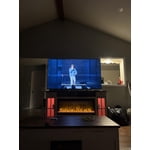
[This review was collected as part of a promotion.] I love the size, contrast and all the different apps and the AI you can use on the tv. Plus the smart things app helps so much.

Review from Samsung US
Helpful?519VMKO7QPOP17358505999
Jun 22, 2026
Reviewer name: Thcruzv
5 out of 5 stars
5 out of 5 stars review

The best

[This review was collected as part of a promotion.] Definitely the best TV I've ever had, for everything whether it's film, video games, documentaries or series, this TV is the best.

Review from Samsung US
Helpful?519VMKO7QPOP17358505999
Jun 28, 2026
Reviewer name: Everything samsung
4 out of 5 stars
4 out of 5 stars review

Nice TV.

[This review was collected as part of a promotion.] I love the Samsung TV Plus this model does not have a very clear picture for the money it's a really good TV

Review from Samsung US
Helpful?519VMKO7QPOP17358505999
Jun 5, 2026
Reviewer name: Lynn
5 out of 5 stars
5 out of 5 stars review

excellent television programming
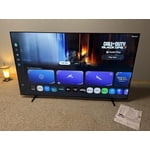
[This review was collected as part of a promotion.] I have just switched from spectrum to To this program in this TV and it is fantastic I can watch whatever I want when I watch it. See it clearly and feel like I'm right in the picture.

Review from Samsung US
Helpful?519VMKO7QPOP17358505999