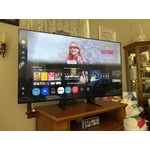
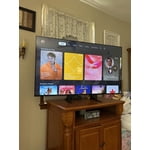
Skip to Main Content
Sam's Club
Sam's Club
All Departments
All Services
Customer reviews for SAMSUNG 70" Class U7900F Series 4K Crystal UHD Smart TV for
SAMSUNG 70" Class U7900F Series 4K Crystal UHD Smart TV
4.5 out of 5 stars
stars
3,907 ratings3,900 reviews
  1. 5 stars73% (2,864)
  2. 4 stars15% (593)
  3. 3 stars6% (241)
  4. 2 stars2% (91)
  5. 1 star3% (118)

Member photos

  • +1528 images
Sort by |
Showing 1,281-1,290 of 3,900 reviews
Sep 5, 2026
Reviewer name: Kate
4 out of 5 stars
4 out of 5 stars review

Nice TV overall
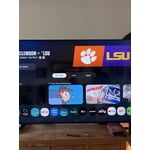
TV is great but the remote is a little difficult to maneuver not a great remote for older people but the tv has a good picture

Review from Samsung US
Helpful?519VMKO7QPOP17358505999
May 24, 2026
Reviewer name: Big D
3 out of 5 stars
3 out of 5 stars review

Samsung 70”

[This review was collected as part of a promotion.] Issues with switching to apps and finding apps is not a user friendly process. Resolution and color is not as I expected a bit dull.

Review from Samsung US
Helpful?519VMKO7QPOP17358505999
reply from Samsung Advisor

Hi Big D, Thank you for your feedback on the Samsung U7900FD TV. If the picture appears unclear, dull, or lacks definition, there are several settings you can adjust to improve clarity and overall image quality. Go to: Settings > All Settings > Picture > Expert Settings, and review these key settings: Picture Clarity Settings: While originally intended for motion handling, these can also impact overall clarity • Off: Disables motion enhancements • Auto: Automatically adjusts based on content • Custom: Lets you fine-tune: o Judder Reduction – Helps smooth out uneven motion o LED Clear Motion – Boosts sharpness in fast-moving content o Noise Reduction – Reduces distortion and enhances detail in lower-resolution sources Core Picture Settings • Brightness – Controls overall screen brightness • Contrast – Enhances the difference between bright and dark areas • Sharpness – Adjusts edge definition; closer to 20 increases detail • Color – Enhances depth and intensity of colors And don’t forget to check for the latest firmware, which may improve performance: Settings > Support > Software Update > Update Now These adjustments can make a noticeable difference in overall clarity. If you need further help tailoring the settings to your preferences or environment, please contact Samsung Support at 1-800-SAMSUNG (8AM – 9PM EST Mon – Fri, 8AM – 6PM Sat – Sun). LiveChat is also available via the ‘Support’ link on our website. ~Samsung Advisor

May 3, 2026
Reviewer name: Bean13
3 out of 5 stars
3 out of 5 stars review

Id's & memory hold

[This review was collected as part of a promotion.] This TV is great, limited on the capabilities and the memory does not work well have to constantly put in password

Review from Samsung US
Helpful?519VMKO7QPOP17358505999
reply from Samsung Advisor

Hi Bean13, Thank you for reaching out to us. Please ensure your TV is running the latest Firmware, version 1132.0. Go to Settings> Support> Software Update. If this firmware version is not yet available on your TV, you can download the update on a USB drive and manually update your TV: 1. On Samsung's website (upper right corner), go to: Support > Manual & Software > Find your TV model, and click on the Firmware – Upgrade File. 2. When the file has finished downloading, locate it and then unzip it. There is normally one folder inside but there may be multiple files. 3. Copy or move all of the files that were included in the zip file to a USB flash drive, but do not place them inside any other folders. If you place the software folders inside a folder on the USB flash drive, the TV or monitor will not find them. 4. Connect the USB drive containing the software upgrade into a USB port on your device. 5. Using your device's remote, navigate to and select Settings, then select All Settings, and then select Support. Select Software Update, select Update Now, and then select Yes if prompted. Your device will search the USB drive for update files. Follow the on-screen instructions to install the updated software. Updates usually take a few minutes; please do not turn off the TV until the update is complete. When the update is finished, it will restart automatically. If you need additional support, Samsung is here to help. Please call us at 1-800-SAMSUNG, available 8AM – 9PM EST Mon – Fri, 8AM – 6PM Sat – Sun. You can also chat with a LiveChat agent by clicking the ‘Support’ link on our website. ~Samsung Advisor

May 8, 2026
Reviewer name: Danielle
4 out of 5 stars
4 out of 5 stars review

Love the tv

[This review was collected as part of a promotion.] The only two downsides is that there is only one usb port and not enough memory. Otherwise we love the tv.

Review from Samsung US
Helpful?519VMKO7QPOP17358505999
May 15, 2026
Reviewer name: jjmeeks4
5 out of 5 stars
5 out of 5 stars review

Easy to Mount

[This review was collected as part of a promotion.] Sleek, Lightweight Design: Despite its massive footprint, the "MetalStream" chassis is remarkably thin and lightweight, making wall-mounting a straightforward process.

Review from Samsung US
Helpful?519VMKO7QPOP17358505999
Jun 7, 2026
Reviewer name: Dre1
5 out of 5 stars
5 out of 5 stars review

Love it!

[This review was collected as part of a promotion.] I owned previously samsung TV's,but this one is more responsive and more vibrant than the one in the past..Samsung color are second to none and this one set the standard..

Review from Samsung US
Helpful?519VMKO7QPOP17358505999
Jun 28, 2026
Reviewer name: samsung4ever
5 out of 5 stars
5 out of 5 stars review

Great colors

[This review was collected as part of a promotion.] great tv and sound system, one of the best things about this tv is definitely how colorful everything is and also how simple it is to install. i love it

Review from Samsung US
Helpful?519VMKO7QPOP17358505999
Jun 6, 2026
Reviewer name: Anonymous
5 out of 5 stars
5 out of 5 stars review

Confort and guarantee
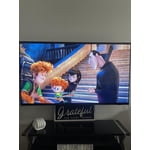
[This review was collected as part of a promotion.] I’m a huge Samsung fan; their TVs are a sure bet for quality, and now I’m enjoying mine with my family.

Review from Samsung US
Helpful?519VMKO7QPOP17358505999
Jun 14, 2026
Reviewer name: Sandy
5 out of 5 stars
5 out of 5 stars review

Samsung TV

[This review was collected as part of a promotion.] Love this TV. I would highly recommend to anyone. Have had the TV for sometime now and have no negative comments. Samsung is the way to go. Very reliable and beautiful picture.

Review from Samsung US
Helpful?519VMKO7QPOP17358505999
Jun 7, 2026
Reviewer name: dominaleilani
5 out of 5 stars
5 out of 5 stars review

Love Samsung TV's

[This review was collected as part of a promotion.] We have always had Samsung TV's. Functionality is easy to navigate. Clear and vibrant picture. We will continue to buy Samsung TV's.

Review from Samsung US
Helpful?519VMKO7QPOP17358505999