Skip to Main Content
Sam's Club
Sam's Club
All Departments
All Services
Customer reviews for SAMSUNG 70" Class U7900F Series 4K Crystal UHD Smart TV for
SAMSUNG 70" Class U7900F Series 4K Crystal UHD Smart TV
4.6 out of 5 stars
stars
3,210 ratings3,203 reviews
  1. 5 stars74% (2,389)
  2. 4 stars15% (487)
  3. 3 stars6% (178)
  4. 2 stars2% (65)
  5. 1 star3% (91)

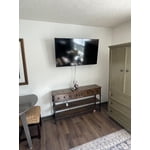
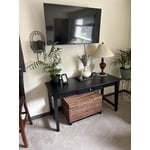
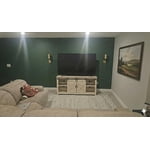
Member photos

  • +1278 images
Sort by |
Showing 991-1,000 of 3,203 reviews
Feb 17, 2026
Ladysteph210
5 out of 5 stars review

Love Samsung.

[This review was collected as part of a promotion.] as all Samsung products are that I currently own, this one is above par. song knows exactly what they're doing when they're creating any electronic device the freedom to customize every Samsung item as well is the most amazing thing.

Review from Samsung US
Helpful?519VMKO7QPOP17358505999
Dec 24, 2025
Biggersound71
5 out of 5 stars review

Love the features

[This review was collected as part of a promotion.] I'd like to remember it.I wish there were more audio features.Available more options as far as like external speakers.You can adjust them more precisely.Good picture, good color quality, especially for a four hundred dollar tv or I want a bigger one already

Review from Samsung US
Helpful?519VMKO7QPOP17358505999
Mar 23, 2026
Cary2Peg
5 out of 5 stars review

Great features

[This review was collected as part of a promotion.] The aesthetics of this tv are premium. It has fantastic color and the resolution makes everything look like you're right there! I've tried cutting the cord in favor of streaming and i couldn't be happier with this TV. I'm also quite pleased at the security this unit enables. Definitely a winner for samsung!

Review from Samsung US
Helpful?519VMKO7QPOP17358505999
Mar 20, 2026
Unhappy viewer
2 out of 5 stars review

Spend more, buy better

[This review was collected as part of a promotion.] One of the first things you notice once you get the TV setup is the remote. The lack of number buttons and no microphone. This makes it a hassle to change channels. When you use the channel up/down button it takes you to the Samsung plus app even when you're watching antenna TV. Syncing the audio to the video is impossible for any length of time. When you get it synced for one channel, it's off on other channels. The two ten watt speakers are extremely under powered. You have to have the TV volume at half or better to hear most channels, and it won't go high enough to hear others. Samsung plus has a nasty habit of locking up, freezing, for several seconds at a time and usually in the most inopertune moments. This means you miss important scenes or happenings in the program you're watching. No microphone! The remote would be easier to tolerate if you could at least command the TV by voice. The menu seems clunky and not very well laid out or labeled. Pluses include that the TV starts quickly and has vibrant color.

Review from Samsung US
Helpful?519VMKO7QPOP17358505999
reply from Samsung Advisor

Hi Unhappy viewer, We appreciate your feedback and have a few recommendations. First, please know that sudden changes in volume can often be related to audio settings or content differences between sources or apps. Please try the following adjustments to help stabilize your TV's audio: 1. Enable Auto Volume. Go to: Settings > All Settings > Sound > Expert Settings > Auto Volume. This feature helps maintain a consistent volume level when switching channels or apps. 2. Change Sound Mode. Try a different sound mode to see if one offers a more stable output: Settings > All Settings > Sound > Sound Mode (We recommend Standard or Amplify for more even performance.) 3. Check External Devices. If you're using a soundbar, receiver, or other audio device, check that its volume leveling or dynamic range settings aren’t interfering with the TV’s audio. 4. Update Firmware. Ensure your TV is running the latest software, as updates may include audio improvements: Settings > Support > Software Update > Update Now Finally, Samsung remotes are designed to offer convenient control, but we understand if you’d prefer to use a universal remote. If you have any questions or need help, please do not hesitate to reach out to us at 1-800-SAMSUNG, available daily from 8AM - 12AM EST. You can also visit the Samsung website and click on ‘Support’ for: • Live Chat • Manuals, Software, & Warranty Info ~ Samsung Advisor

Feb 17, 2026
Samsung
4 out of 5 stars review

Samsung TV

[This review was collected as part of a promotion.] I love this TV that was given to me for a Christmas present this past Christmas in 2025. But it started to have a black screen after about 6 or 7 months and it's still doing it. I love everything about Samsung and I only buy the Samsung brand

Review from Samsung US
Helpful?519VMKO7QPOP17358505999
Mar 23, 2026
Bullrae
5 out of 5 stars review

Easy to use and great product features!

[This review was collected as part of a promotion.] This This TV has done great for our family! it has many features which are easy to use. The picture quality and frame speed is outstanding. I would definitely recommend to anyone else especially if you have a family and watch multiple shows or movies and video games look fabulouson screen.

Review from Samsung US
Helpful?519VMKO7QPOP17358505999
Dec 5, 2025
ANTreu90
3 out of 5 stars review

Picture Skips

[This review was collected as part of a promotion.] Just bought the tv a couple weeks ago, and sometimes while watching tv, the picture skips, repeatedly sometimes. It'll look like a person is going forward and backwards multiple times. Very annoying.

Review from Samsung US
Helpful?519VMKO7QPOP17358505999
reply from Samsung Advisor

Hi ANTreu90, Thank you for sharing your experience. Buffering during streaming is typically related to internet speed or signal strength. This can happen when your connection isn’t able to deliver data quickly enough for smooth playback. We recommend the following steps to help improve streaming performance: 1. Use a 5GHz Wi-Fi connection, if available 2. Try a wired LAN connection for more stability 3. Reposition your router to minimize obstacles between it and the TV 4. Make sure your TV is running the latest firmware (Settings > Support > Software Update) 5. Run Device Care to optimize performance: Home > left directional key > Settings > Support > Device Care > Start Device Care If buffering continues, you may want to contact your internet service provider to check your current speed or explore upgrade options. If we can assist further, please call us at 1-800-SAMSUNG, available daily from 8AM - 12AM EST. You can also chat with a LiveChat agent by clicking the ‘Support’ link on our website for: • Live Chat • Manuals, Software, & Warranty Info • Creating a Service ticket ~ Samsung Advisor

Feb 15, 2026
Living
5 out of 5 stars review

Great features

[This review was collected as part of a promotion.] It's inconvenient to only allow 1 person to control the TV on their phone. It would be nice to allow multiple people to have the TV on their phones. Other than that the TV is great. We are able to download stremio onto the TV directly, no more need for a external box. I am changing it all our TV's to Samsung crystal

Review from Samsung US
Helpful?519VMKO7QPOP17358505999
Mar 23, 2026
Llama
4 out of 5 stars review

I love my new tv

[This review was collected as part of a promotion.] ​"I recently upgraded to the 75-inch U7900FD and honestly, the size alone is a game-changer. For a 'Crystal UHD' (not the super expensive OLEDs), the picture is surprisingly sharp and the colors really pop, especially when watching 4K content. The setup was quick, and the Tizen smart interface is easy to navigate. ​The Pros: Huge 75" display for a great price, sleek 'MetalStream' design, and decent upscaling for older shows. The Cons: It only has 2 HDMI ports, so if you have a soundbar and multiple consoles, you'll need a hub. Also, the remote is a bit basic (no voice control). Overall: 4.5/5. If you want a theater feel without spending thousands, this is the one."

Review from Samsung US
Helpful?519VMKO7QPOP17358505999
Mar 18, 2026
KRJ14
5 out of 5 stars review

The BEST TV

[This review was collected as part of a promotion.] Really happy with this 65” Samsung Crystal UHD TV. The picture is super clear and bright, and everything looks great in 4K—even older shows look better than I expected. It was easy to set up, and the apps run smooth without any lag. The design is nice and slim, so it looks great in the room too. Sound is decent, but adding a soundbar definitely helps. Overall, great value for the price—no complaints!

Review from Samsung US
Helpful?519VMKO7QPOP17358505999