Skip to Main Content
Sam's Club
Sam's Club
All Departments
All Services
Customer reviews for SAMSUNG 55” Class S85FD Series OLED Smart TV for
SAMSUNG 55” Class S85FD Series OLED Smart TV
4.7 out of 5 stars
stars
167 ratings167 reviews
  1. 5 stars80% (134)
  2. 4 stars15% (25)
  3. 3 stars4% (7)
  4. 2 stars0% (0)
  5. 1 star1% (1)

Member photos

  • +23 images
Sort by |
Showing 81-90 of 167 reviews
Oct 14, 2025
Oldgramma
5 out of 5 stars review

55 Inch Samsung TV

[This review was collected as part of a promotion.] I am really enjoying my new television. It is such an upgrade from my last tv. It comes on immediately and the picture is beautiful. I have no problems streaming movies from prime or watch the NFL in multi view. I can use my blue ray dvd players without even having to change the inputs because the tv does it for me. The clarity of the picture is phenomenal and I can watch it from all over the room, I don't need to be sitting directly in front of it. I am still learning how to use the remote and the Samsung plus movies that are included. Overall, I am pleased with my purchase.

Review from Samsung US
Helpful?39MDZ3L1XV0V17353418576
Aug 22, 2025
Alex1320
3 out of 5 stars review

This TV is a bad, complicated product.
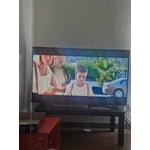
[This review was collected as part of a promotion.] This is a bad product, comThis TV is a poor, complicated product. The price I paid for it isn't worth the quality of the product. Furthermore, the TV control isn't intuitive at all; it's difficult to understand. I don't even know how to get the most out of this TV because everything in it is complicated to use.plicate to used.

Review from Samsung US
Helpful?39MDZ3L1XV0V17353418576
reply from Samsung Specialist

Alex1320, We appreciate your input on the picture quality of Samsung’s S85FD TV. If the image isn’t meeting your expectations, there are several adjustments you can make to improve your viewing experience. First, please ensure your TV is running the latest firmware, as updates may include important picture quality enhancements. Go to: Home > Left directional button > Settings > Support > Software Update > Update Now Then, select a Picture Mode that best fits your environment: Home > Home > left directional key > Settings > All Settings > Picture > Picture Mode 1. Standard – Default mode for general viewing 2. Dynamic – Brighter and clearer in well-lit rooms 3. Eco – Optimized for energy saving 4. Movie – Best for watching in dark environments 5. Filmmaker Mode – Preserves content exactly as intended by creators You can also enhance your experience by enabling AI Mode, which automatically adjusts picture and sound based on your surroundings and usage patterns: Settings > All Settings > Advanced Features > AI Mode Settings > AI Mode To help you get the most from your TV, you can download the full e-Manual and more by visiting Samsung’s website then navigating to: Support > Manual & Software > TVs & Home Theater. From there, you can search for and select your TV model to view or download the available guides. The e-Manual and Remote Control Guide are also conveniently built into your TV: Settings > Support > Tips and User Guides If you need additional help, please contact Samsung Support at 1-800-SAMSUNG, 8AM – 12AM EST, 7 days a week. LiveChat agents are also available through the ‘Support’ link on our website. ~ Samsung Specialist

Aug 17, 2025
LOVEmyTV
5 out of 5 stars review

This product has amazing futures
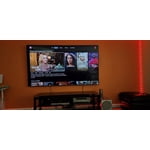
[This review was collected as part of a promotion.] This TV has completely changed the way we watch and play at home. The live streaming runs flawlessly, with no lag, making it perfect for gaming sessions where every second matters. The picture quality is sharp, vibrant, and smooth, so whether I’m streaming or gaming, it feels like everything is happening right in front of me. The sound fills the room beautifully, adding that cinematic touch without needing extra speakers. The size of the screen is just right—big enough to impress without overwhelming the space. Everyone who visits my house immediately notices it and asks about it because it really stands out. My family loves movie nights even more now, since the picture and sound make it feel like we’re at the theater. Gaming feels immersive, movies feel larger than life, and streaming is effortless. This TV simply makes everything better and it honestly feels like a glimpse into how awesome the future of home entertainment can be.

Review from Samsung US
Helpful?39MDZ3L1XV0V17353418576
Aug 20, 2025
Whatsupdoc21
5 out of 5 stars review

Spectacular picture you ha pre to experience to be

[This review was collected as part of a promotion.] Currently we are using the new TV for streaming watching only. Just finished watching the 3rd season of “Reacher” on Prime Video and the characters and action scenes were so vivid that everything seemed to have a 3D quality to them. A hipuge difference from our previous LCD set. We are exploring more of the features and enjoying what we have found so far!

Review from Samsung US
Helpful?39MDZ3L1XV0V17353418576
Oct 13, 2025
Macdaddyo
4 out of 5 stars review

Outstanding TV, remote control not so much

[This review was collected as part of a promotion.] Extremely happy with our new Samsung TV. Picture is amazing and see full blacks for the first time was a revelation. The only issue I have is with the design of the remote control. It is overly sensitive to the even slightest touch, which can cause you to go to places that you never meant to. If there were an alternate model available, I would gladly look at one, because my frustration with the remote is real and I have to deal with it every day. So TV, its options, the picture, etc. get 5 stars, but the substandard remote control brings my review down to 4 stars. C’mon Samsung, you can address the problems with the remote control and make one that is more user friendly and intuitive. Do that and you will get that fifth star from me!

Review from Samsung US
Helpful?39MDZ3L1XV0V17353418576
Nov 5, 2025
TLloyd
5 out of 5 stars review

GreT picture
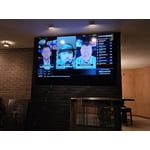
[This review was collected as part of a promotion.] Picture is huge and has wonderful color, while matching well with Samsung soundbar. Movienight and watching sports at a whole nother lecel. I have my own personal movie theather in the living room.

Review from Samsung US
Helpful?39MDZ3L1XV0V17353418576
Nov 3, 2025
SeamlessViewer
5 out of 5 stars review

Exceptional Picture Quality and User Control

[This review was collected as part of a promotion.] The picture quality on this OLED TV is truly exceptional. Colors are incredibly vibrant and accurate, while the deep, perfect blacks create stunning contrast, making every scene, whether bright or dark, remarkably detailed. The anti-glare screen technology is also highly effective, allowing for great viewing even during daytime without reflections washing out the image. The television handies all types of content, including fast action and gaming with incredible clarity and smooth motion processing. Furthermore, the Magic Remote is a significant highlight of the experience. Its compact, intuitive design makes navigation through the smart platform seamless and enjoyable. It feels comfortable in the hand and provides quick, easy access to all necessary functions without unnecessary complexity. Setup and daily use have been entirely trouble-free, offering flawless performance from the moment it was powered on. I have not experienced a single issue or drawback with the television's functionality, making this an outstanding, top-tier product that delivers a truly premium viewing experience.

Review from Samsung US
Helpful?39MDZ3L1XV0V17353418576
Jul 5, 2026
CeCi
4 out of 5 stars review

overall pretty good tv

excellent tv Brightness-excellent Contrast-good responsiveness-just ok uniformity-good

Review from Samsung US
Helpful?39MDZ3L1XV0V17353418576
Apr 25, 2026
Btcp
3 out of 5 stars review

Almost great

[This review was collected as part of a promotion.] Product is ok. Blacks are not as well defined as i would like for an oled

Review from Samsung US
Helpful?39MDZ3L1XV0V17353418576
reply from Samsung Specialist

Btcp, We appreciate your input on the picture quality. If the image isn’t meeting your expectations, there are several adjustments you can make to improve your viewing experience. First, please ensure your TV is running the latest firmware, as updates may include important picture quality enhancements. Go to: Home > Left directional button > Settings > Support > Software Update > Update Now Then, select a Picture Mode that best fits your environment: Home > Home > left directional key > Settings > All Settings > Picture > Picture Mode 1. Standard – Default mode for general viewing 2. Dynamic – Brighter and clearer in well-lit rooms 3. Eco – Optimized for energy saving 4. Movie – Best for watching in dark environments 5. Filmmaker Mode – Preserves content exactly as intended by creators You can also enhance your experience by enabling AI Mode, which automatically adjusts picture and sound based on your surroundings and usage patterns: Settings > All Settings > Advanced Features > AI Mode Settings > AI Mode If these adjustments don’t improve your picture quality, feel free to contact Samsung Customer Support at 1-800-SAMSUNG (8AM – 9PM EST Mon – Fri, 8AM – 6PM Sat – Sun). You can also LiveChat with an agent or find helpful guides by visiting the ‘Support’ section of our website. ~ Samsung Specialist

Apr 29, 2026
beyondmeatballs
5 out of 5 stars review

love it

[This review was collected as part of a promotion.] Love it, it's great it is nice and bright loud and overall a great purchase

Review from Samsung US
Helpful?39MDZ3L1XV0V17353418576