Skip to Main Content
Sam's Club
Sam's Club
All Departments
All Services
Customer reviews for SAMSUNG 55” Class QN80FD Series Neo QLED Smart TV for
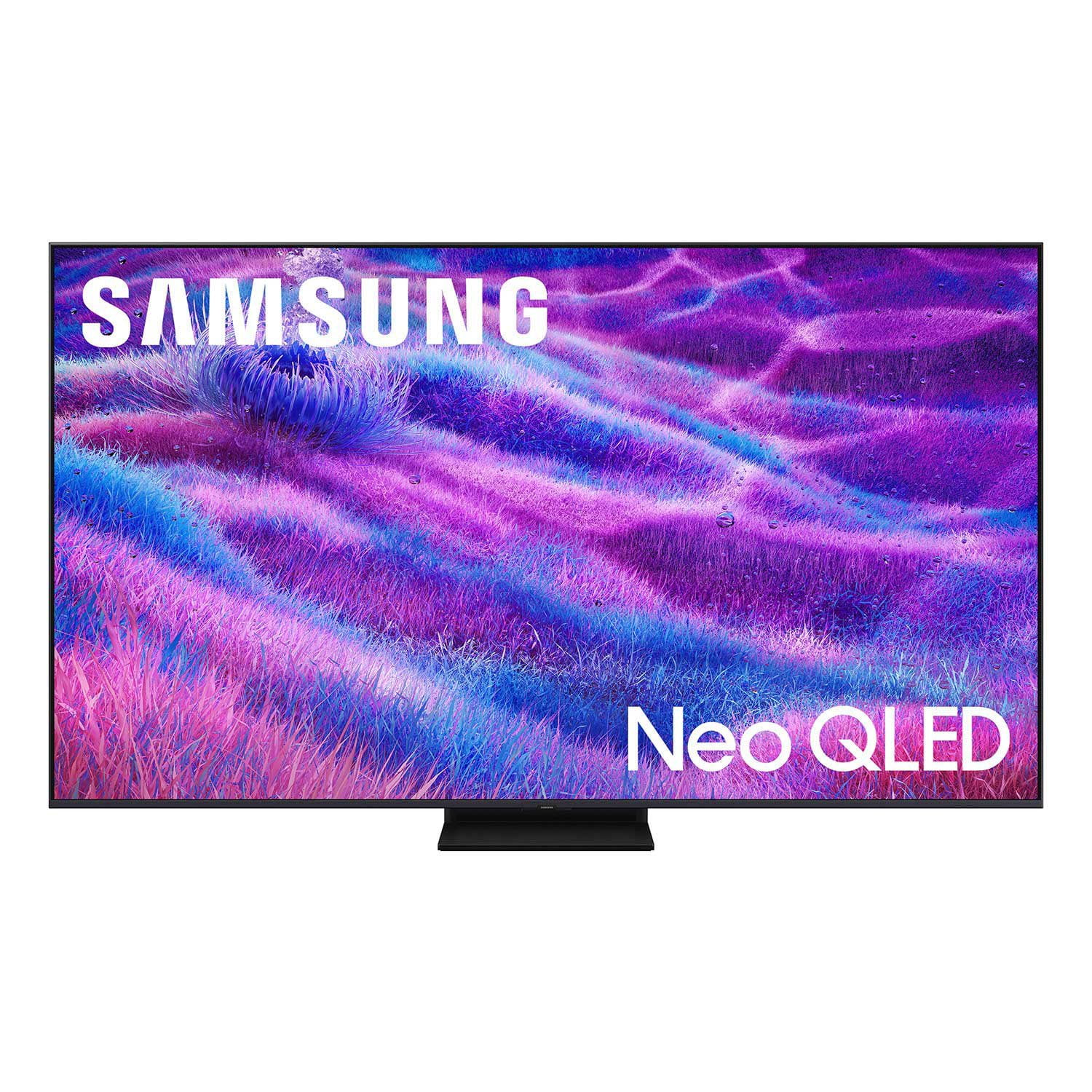
SAMSUNG 55” Class QN80FD Series Neo QLED Smart TV
4.7 out of 5 stars
stars
580 ratings580 reviews
  1. 5 stars80% (464)
  2. 4 stars13% (74)
  3. 3 stars4% (24)
  4. 2 stars1% (7)
  5. 1 star2% (11)

Member photos

  • +220 images
Sort by |
Showing 151-160 of 580 reviews
Mar 23, 2026
Dobyone
5 out of 5 stars
5 out of 5 stars review

Excellent picture

[This review was collected as part of a promotion.] This is my 2nd Samsung TV. The picture is excellent with vibrant colors and deep blacks. The picture is very bright and the clarity is truly amazing. I compared this TV to both the LG and the Sony. Both were more expensive but the Samsung looked every bit as good. This TV gets a tremendous amount of use and is part of a relatively sophisticated Home Theater system. It is a great compliment to the theater. I would buy another one in a heartbeat if I needed it.

Review from Samsung US
Helpful?63DO25UI0SP317310171928
Feb 17, 2026
OleTBW
4 out of 5 stars
4 out of 5 stars review

Great but sound has major issues.

[This review was collected as part of a promotion.] TV has a lot of great options but there are some pretty significant downfalls to be aware of. HDMI audio via E arc is useless. Constantly jitters on and off sound. Optical is your only option. Menus and settings are easy enough. Remote is very nice and USB c is awesome. Brightness is fantastic in a brightly lit room

Review from Samsung US
Helpful?63DO25UI0SP317310171928
Oct 12, 2025
Shopaholic2022
5 out of 5 stars
5 out of 5 stars review

The graphics are superb

[This review was collected as part of a promotion.] I use the TV for streaming. Actually I have a home office and it's in my office. I look forward to to lunch and my breaks. The colors and pictures is so real I feel I could walk right through the screen.

Review from Samsung US
Helpful?63DO25UI0SP317310171928
Dec 5, 2025
Dewsweeper985
2 out of 5 stars
2 out of 5 stars review

Just an OK TV

[This review was collected as part of a promotion.] picture is ok, but audio is a real problem. No way to modulate the bass. Any programming with a lot of bass makes the TV virtually unwatchable. This TV has been a complete waste of money, for me.

Review from Samsung US
Helpful?63DO25UI0SP317310171928
reply from Samsung Specialist

Dewsweeper985, Thank you for choosing Samsung’s QN80F TV and for sharing your feedback on the sound quality. To ensure you're getting the latest sound performance improvements, we recommend checking for any available firmware updates: Home > left directional key > Settings > Support > Software Update If the sound still doesn’t meet your expectations after updating, there are several settings that can be customized to better suit your preferences: • Sound Mode & Expert Settings: Choose from preset Sound Modes or manually adjust bass, treble, and balance to better suit your preferences. Go to: Home > left directional key > Settings > All Settings > Sound > Sound Mode or Expert Settings • AI Mode: Enable AI Mode to let your TV intelligently optimize sound based on your environment and content. This includes features like: o Adaptive Sound: Analyzes room acoustics and content in real time o Adaptive Volume: Maintains a consistent volume level over time o Active Voice Amplifier: Enhances dialogue when ambient noise is detected • Auto Volume: Helps stabilize volume when switching channels or input sources: Settings > Sound > Expert Settings > Auto Volume > On If you're looking to enhance your overall audio experience, consider adding a Samsung S- or Q-Series Soundbar (such as the HW-xxx). These models feature Q-Symphony, which allows the TV and soundbar speakers to work together for an immersive, 3D audio experience. For help with sound adjustments or choosing a soundbar to complement your setup, please contact us at 1-800-SAMSUNG, 8 AM – 12 AM EST, 7 days a week. Or visit us on the Samsung website and click on the ‘Support’ link for: • LiveChat • Manuals, Software, & Warranty Info ~ Samsung Specialist

Feb 18, 2026
Terra
5 out of 5 stars
5 out of 5 stars review

A Great Experience

[This review was collected as part of a promotion.] Once this TV was setup I was completely blown away the set up was easy and simple while playing games and watching movies was an experience I definitely recommend it and anything from its line to friends and family.

Review from Samsung US
Helpful?63DO25UI0SP317310171928
Feb 24, 2026
Sujatha
5 out of 5 stars
5 out of 5 stars review

Great Features & Amazing Quality

[This review was collected as part of a promotion.] We really like this Samsung TV! The picture quality is outstanding — very bright, sharp, and vibrant. Colors look natural, and the contrast makes movies and shows feel more realistic. The sound quality is also good, and the smart features are easy to use. Setup was quick, and the design looks sleek in our living room. Overall, it's a great TV for watching movies, sports, and streaming. Highly recommended!

Review from Samsung US
Helpful?63DO25UI0SP317310171928
Feb 4, 2026
Konsept
5 out of 5 stars
5 out of 5 stars review

Great resolution!

[This review was collected as part of a promotion.] The 75" Class Neo QLED 4K QN80FD provides an exceptional viewing experience with its impressive 4K resolution and remarkable brightness. The contrast is deep and well-defined, making every scene look realistic. I am particularly impressed by the smooth refresh rate during action sequences and the stunning vibrancy of the colors.

Review from Samsung US
Helpful?63DO25UI0SP317310171928
Mar 5, 2026
PaulG1982
2 out of 5 stars
2 out of 5 stars review

Brightness and color not good. Don't buy this.

[This review was collected as part of a promotion.] Just bought this TV and rather unhappy with the brightness and the color of this TV. I have tried calibrating and it comes out to yellow/red which works for movies, but is terrible for television shows. Using Dynamic, standard, eco, and the AI either on or off just creates a very bright picture that is way too white!

Review from Samsung US
Helpful?63DO25UI0SP317310171928
reply from Samsung Specialist

PaulG1982, We’re sorry to hear you’re not fully satisfied with the picture quality on your Samsung TV. If the image appears too dark, we suggest disabling certain energy-saving features, which can automatically adjust brightness and affect how the screen looks. Go to: Settings > All Settings > General & Privacy > Power and Energy Saving, then turn off Brightness Optimization, Energy Saving Solution, Motion Lighting, and/or Contrast Enhancer. You can also adjust the Picture Mode to better suit your environment: Settings > All Settings > Picture > Picture Mode • Standard – Default mode for general viewing • Dynamic – Brighter and clearer, ideal for well-lit rooms • Movie – Best for dark room viewing • Eco – Energy-saving mode • Filmmaker Mode – Preserves content as intended by creators To fine-tune brightness, go to: Home > left directional key > Settings > All Settings > Picture > Expert Settings, then adjust the Brightness level (0–50) to your preference. Lastly, please make sure your TV is running the latest firmware: Home > Home > left directional key > Settings > Support > Software Update > Update Now We hope these tips help improve your viewing experience. If you need further support, feel free to contact us at 1-800-SAMSUNG, 8AM – 12AM EST, 7 days a week. LiveChat is also available via the ‘Support’ link on our website. ~ Samsung Specialist

Mar 23, 2026
Lucky
5 out of 5 stars
5 out of 5 stars review

Great picture and sounds quality

[This review was collected as part of a promotion.] 1. Great for Gaming Supports 4K up to 144Hz + VRR + HDMI 2.1 (all ports) RTINGS.com Very low input lag → smooth PS5 / Xbox gameplay FreeSync Premium Pro support Uses Mini-LED (Neo QLED) → better contrast than normal LED Colors look vibrant and natural � TechRadar AI upscaling works well for HD → 4K content Good for Netflix, YouTube, sports

Review from Samsung US
Helpful?63DO25UI0SP317310171928
Mar 23, 2026
Braceletqueen
4 out of 5 stars
4 out of 5 stars review

Picture quality not comparable our last Samsung

[This review was collected as part of a promotion.] We have had Samsung TVs for years and this is the first one that I have had so much trouble adjusting the picture. With the Samsung TVs we've had in the past, I might have to make a minor adjustment at first but then would not have to touch it again. There are too many different options in settings. Example: if you select one particular option, then certain other options are not available. The picture just looks too bright. I have tried adjusting the contrast, brightness, etc. and no matter what I do, it's still not right. When I'm standing in the kitchen, the screen almost looks completely faded out/white but as I come around in front of the TV, it gets better. That was not the case with our other Samsung TVs, they have always looked good from any angle. In addition, the picture is not consistent from one day to the next on the same program, sometimes it looks good and other times it does not. We have the most updated version of our cable box so that is not the issue. Overall, the picture quality does not compare to our previous Samsung.

Review from Samsung US
Helpful?63DO25UI0SP317310171928