Skip to Main Content
Sam's Club
Sam's Club
All Departments
All Services
Customer reviews for SAMSUNG 85" Class U7900F Series 4K Crystal UHD Smart TV for
SAMSUNG 85" Class U7900F Series 4K Crystal UHD Smart TV
4.5 out of 5 stars
stars
3,515 ratings3,504 reviews
  1. 5 stars74% (2,593)
  2. 4 stars15% (535)
  3. 3 stars6% (205)
  4. 2 stars2% (85)
  5. 1 star3% (97)

Member photos

  • +1389 images
Sort by |
Showing 2,211-2,220 of 3,504 reviews
Oct 15, 2025
Reviewer name: LKnox865
1 out of 5 stars
1 out of 5 stars review

TV Stopped Working after 2 Months

[This review was collected as part of a promotion.] This was the worst purchase I have ever made. The wifi drops from the TV when watching and has been faulty even after repairs. Story: Around 2 months after purchasing this TV it stopped working properly. After a week of deliberating with Samsung, they sent a repair man out. I then had to request another repairman to actually fix the problem. Fast forward a month and the issue persisted again. Could not be more displeased with the product.

Review from Samsung US
Helpful?6Y0PENN834MD17304274076
reply from Samsung Brand Ambassador

LKnox865, We appreciate you taking the time to let us know about your experience with your TV. So that we can better troubleshoot this issue and provide steps towards a solution, please contact Samsung Support at 1-800-SAMSUNG, 8AM - 12AM EST, 7 days a week. Or visit us on the Samsung website and click on the ‘Support’ link for: •  LiveChat •  Manuals, Software, & Warranty Info ~ Samsung Pro

Nov 28, 2025
Reviewer name: musiker
5 out of 5 stars
5 out of 5 stars review

Great value!

Excellent tv at a real value price. Loaded with lots of great content, nice resolution and very thin design. The only little thing I would improve is switching inputs (apple tv to playstation to built in apps etc), which can seem a bit cumbersome. But overall this huge screen with amazing display and free games and content is a winner!

Review from Samsung US
Helpful?6Y0PENN834MD17304274076
Dec 20, 2025
Reviewer name: SamsungLove
5 out of 5 stars
5 out of 5 stars review

Love This TV

[This review was collected as part of a promotion.] As a consumer, I have had a long standing love for Samsung products. Every phone and television for the past 10 years or so, has been a Samsung product. The quality offered never ceases to amaze me. The picture clarity, crisp clear sound, and software support are fantastic.

Review from Samsung US
Helpful?6Y0PENN834MD17304274076
Jan 4, 2026
Reviewer name: Anonymous
1 out of 5 stars
1 out of 5 stars review

It's a BLUR

Don't buy this TV if you watch sports. Everything has tracers and not clear during a game. The 60 refresh rate is wholly Insufficient. Idk how you can make a tv that literally doesn't show a clear picture. I understand the price Point but as consumer I am counting on th tv to show a clear picture, not the best but clear. This tv does NOT do that. I have a 65” TCL with the same 60 refresh rate and NEVER has this problem. If I could do it over I would spend whatever is needed to get at least a 120 refresh rate

Review from Samsung US
Helpful?6Y0PENN834MD17304274076
reply from Samsung Specialist

Hi, Thank you for your feedback on the Samsung U7900F TV and your experience when watching fast-motion content. If the picture appears blurry or unnatural during high-speed scenes, there are several settings you can adjust to improve motion clarity. Go to: Home > left directional key > Settings > All Settings > Picture > Expert Settings, and review these key settings: Picture Clarity Settings • Off: Disables all motion enhancement • Auto: Automatically adjusts motion clarity based on content • Custom: Enables manual control of: o Judder Reduction: Smooths motion in film-based content o LED Clear Motion: Increases sharpness during fast movement o Noise Reduction: Helps reduce distortion in lower-quality sources Additional Picture Controls • Brightness – Adjust overall image brightness • Contrast – Controls the difference between light and dark areas • Sharpness – Enhances the definition of object edges • Color – Adjusts color intensity for more natural or vivid tones We hope these settings help improve your viewing experience, especially with fast-moving content. If you'd like further assistance, feel free to reach out to Samsung Support at 1-800-SAMSUNG, 8AM – 12AM EST, 7 days a week. LiveChat is also available via the ‘Support’ link on our website. ~ Samsung Specialist

Dec 26, 2025
Reviewer name: Mike
4 out of 5 stars
4 out of 5 stars review

Good and Great but.........

The 85" Crystal UHD U7900F 4K Smart TV 2025 is good but with the following problems, first, the remote control, it is very hard and sometimes you have to come very closer to the TV for the volume to work. The remote is a problem. Sometimes the remote jumps faster than you press it, I do not know why. Secondly, the TV has no good volume. The highest volume of 100 does not go beyond my sitting room. You need to connect it to a kind of extra speakers for it to sound as loud as you want it sound

Review from Samsung US
Helpful?6Y0PENN834MD17304274076
Dec 20, 2025
Reviewer name: REDROX59
5 out of 5 stars
5 out of 5 stars review

Excellent TV that transforms everyday viewing

[This review was collected as part of a promotion.] This TV elevates my entertainment experience at home. It has stunning picture quality with vibrant colors and has cystal clear images with a cinematic feel. Sound is good and dialogue is clear and understandable. Setup was quick and stress free. It has an intuitive interface which is very clear and easy to navigate especially with Apps. I appreciate how lightweight the TV is and how easy it was to insert the stands on the TV base. I was impressed with how stable and solid the TV is on the stand. The TV is authentically pleasing, sleek and modern that fits well in my living space. Overall, this TV is great and would recommend it anyone looking for reliable good quality TV .

Review from Samsung US
Helpful?6Y0PENN834MD17304274076
Oct 14, 2025
Reviewer name: Shop2pay
5 out of 5 stars
5 out of 5 stars review

Excellent smart tv

[This review was collected as part of a promotion.] No problem here I had to get used to the remote but other than that sharp picture and sound ... I bought me also 55 Samsung TV too .. and Iove it ... I will continue to do Business with Samsung TV .. thanks again .. my next upgrade will be a 65 or 75 tv ..

Review from Samsung US
Helpful?6Y0PENN834MD17304274076
Nov 20, 2025
Reviewer name: Loyal2Samsung
5 out of 5 stars
5 out of 5 stars review

Amazing Quality!!
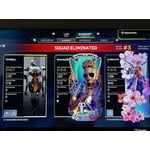
[This review was collected as part of a promotion.] This tv has been such a reward from the automatic screen quality transitions to amplify results whether movie, gaming, etc. To the ease of access and different points of accessibility. The speakers are great as well!!!!

Review from Samsung US
Helpful?6Y0PENN834MD17304274076
Dec 5, 2025
Reviewer name: Louie2025
5 out of 5 stars
5 out of 5 stars review

Satisfied customer

[This review was collected as part of a promotion.] We love the bright and sharp screen. Our only complaint is that we can't connect a DVD player to the tv. We have Roku plugged in so there's no where to plug in a DVD player. Any suggestions would be appreciated!!

Review from Samsung US
Helpful?6Y0PENN834MD17304274076
Nov 14, 2025
Reviewer name: SaltyPants
3 out of 5 stars
3 out of 5 stars review

Great picture, great sound, bad controls.

[This review was collected as part of a promotion.] I honestly despise how this TV works at times. The picture and sound is amazing, but it relentlessly turns Game Mode on when it has been switched to off. This destroys picture quality and changes settings I dont want changed. I absolutely hate the Game Mode and wish there was a way to fully remove it.

Review from Samsung US
Helpful?6Y0PENN834MD17304274076
reply from Samsung Specialist

SaltyPants, Thanks for your review. To improve your experience, please ensure your TV is running the latest firmware. You can check this by going to: Home > left directional key > Settings > Support > Software Update To further optimize performance, try running Device Care, which checks memory, clears unused cached data, and closes background apps: Home > left directional key > Settings > Support > Device Care > Start Device Care If issues continue, please reach Samsung Support at 1-800-SAMSUNG, available 8AM – 12AM EST, 7 days a week. LiveChat is also available via the ‘Support’ link on our website. ~ Samsung Specialist