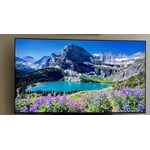
Customer reviews for SAMSUNG 70” Class U8000F Series 4K Crystal UHD Smart TV forMember photos


+329 images
I love this TV
[This review was collected as part of a promotion.] I bought this tv so I could watch Samsung TV Plus. I love hunting, fishing and the outdoors. Thanks Samsung for stepping up and adding all these channels to their line up. I am a customer that is extremely happy with my purchase.
Amazing TV For The Price!!
[This review was collected as part of a promotion.] This TV unit has an impressive picture display and some very useful features for an impressively low price compared to other brands offerings of this size. Being a smart TV, it obviously connects to the internet with ease, has a very large number of apps available to download for streaming all of the most popular services along with several I've never even heard of before, is capable of controlling my connected Samsung soundbar from the single remote control, and the display quality has well surpassed my expectations of what I expected for the price point of this product. It has several connection options for peripheral devices. And my favorite feature, which I wasn't even aware was available when I made the purchase, is the built in Samsung SmartThings Hub to connect a wide variety of smart home devices without the need of any additional hardware! I've been able to connect my Matter compatible smart light bulbs which allows control even when I'm not home, my Samsung Smart Tag, and can easily stream content from my S23 Ultra, S25 Ultra, or Tab 9 FE tablet by simply selecting Smart View in the Settings app of whichever device I want to stream from. I highly recommend this TV to anyone looking for a nice sized screen with an amazing picture quality and all of the best features Samsung has to offer in their smart TV products.
Awesome Viewing Once Again
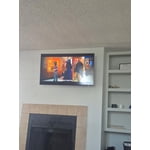
[This review was collected as part of a promotion.] This Samsung TV is the first “Smart” TV we have ever owned and the first new TV we have purchased in over 12 years. We love the fact that it has an awesome view, is very lightweight and thin, making it easy to mount above our fireplace. Oh, and in conjunction with our WiFi, it haas thousands of free channels!
🌟🌟🌟🌟🌟
[This review was collected as part of a promotion.] Absolutely stunning picture quality! The 2025 Samsung Crystal UHD brings colors to life and makes every show feel cinematic. Easy setup, sleek design, and crystal-clear visuals—couldn’t be happier with this upgrade!
Great low Price large screen
[This review was collected as part of a promotion.] The pictures are clear, bright and awesome. It was easy to unbox and set up. The Turning on and setting up the tv was also very easy. It guides you along the way to make the remote from my cable box work on the tv. There are so many preinstalled tv apps
Picture is great, but . . .
I love the picture and the price on this TV, but overall, it has several faults. The "smart" menu system on this TV SUCKS, and the remote is worthless. This is the sixth Samsung TV that I've owned, but it may be my last. The remote that comes with the TV is worthless. I've already replaced the remote that came with the TV through customer service, because it was dead on arrival. No problem, except it took over two weeks for the replacement to arrive. The replacement works most of the time, but I've found that one of the old non-smart remotes I have from a previous Samsung TV works much better than the new smart one. I also downloaded the Samsung TV app for my phone, and I've found it works better than either remote. The second major problem I have is the menu system on the TV. I have the TV hooked up to an antenna in my office, and it takes about six clicks and several minutes, yes, minutes, to navigate to the over-the-air channel I want when I initially turn the TV on in the morning. This is ridiculous. It usually takes at least three attempts through the menu to get the channel to play on the TV. The last problem is in trying to add apps. I've added the Xfinity Stream app three times, but it does not appear on the list of possible "channels" to navigate to. There are at least ten different choices of "channels", two or possibly three that I will use, but Xfinity does not appear. It does appear in the APP section if I search for it. Overall, the TV works great. I'll be replacing our main large screen TV in the Family Room in the near future, but I'm really not sure if I'll get another Samsung or change to a different brand. My son purchased a 65 inch LG that has a menu system that is efficient and works and the picture is amazing. Of course it was about $500 more than this TV. But price should not have anything to do with functionality.
OrygunDuck, Thank you for sharing your feedback with us. To help you get the most from your TV, you can download the full e-Manual and more by visiting Samsung’s website, then navigating to: Support > Manual & Software > TVs & Home Theater. From there, you can search for and select your U8000FD TV model to view or download the available guides. The e-Manual & User Guide are also conveniently built into your TV: Settings > Support > Tips and User Guides. Your TV includes Learn Menu Screen, an accessibility feature that provides audio guidance for on-screen menus. When enabled, your TV will announce the name and function of each menu item as you scroll, without making any changes. This feature is particularly helpful for users who are visually impaired or new to Smart TV menus. To enable, go to: Settings > All Settings > General & Privacy > Accessibility > Learn Menu Screen. To exit, press the Return key twice. If you're experiencing freezing or lag in general response time, please try the following steps: 1. Check for firmware updates – Keeping your TV up to date can resolve many performance issues: Home > left directional key > Settings > Support > Software Update > Update Now 2. Run Device Care – This tool checks system memory, frees up cached data, and closes background apps that could be slowing things down: Home > left directional key > Settings > Support > Device Care > Start Device Care 3. Cold boot your TV – With the TV powered on, press and hold the Power button on your remote for 5+ seconds until the TV restarts. This helps refresh the system. If you’d like more assistance, please reach Samsung Support at 1-800-SAMSUNG, available 8AM – 12AM EST, 7 days a week. LiveChat agents are also available through the ‘Support’ link on our website. ~ Samsung Specialist
Very happy with this tv.
[This review was collected as part of a promotion.] I use this tv as my main entertainment hub with high end surround sound. I love this TV, it's almost immediate when you hit the remote. It's so responsive. The only complaint I have is the remote if it could have led back lights like a Directv stream remote so you can see the buttons at night. That's the only complaint I have. It's a great product and I am happy with it so far.
UX could use some TLC
[This review was collected as part of a promotion.] The image quality is fine and I've not experienced an issue with viewing shows. Challenge is that the TV runs slowly often. It seems to have trouble loading apps, navigation the interface and sometimes just being responsive to the remote. Not really sure why this is the case but it's hugely disruptive to our experience.
Hi Littlegretz, We appreciate your feedback regarding your U8000F TV’s performance. If you're experiencing slow apps, freezing, or lag in general response time, try the following steps: 1. Check for firmware updates – Keeping your TV up to date can resolve many performance issues: Home > left directional key > Settings > Support > Software Update > Update Now 2. Run Device Care – This tool checks system memory, frees up cached data, and closes background apps that could be slowing things down: Home > left directional key > Settings > Support > Device Care > Start Device Care 3. Cold boot your TV – With the TV powered on, press and hold the Power button on your remote for 5+ seconds until the TV restarts. This helps refresh the system. If you're still noticing performance issues after these steps, please contact Samsung Support at 1-800-SAMSUNG, 8AM – 12AM EST, 7 days a week. You can also connect with a LiveChat agent via the ‘Support’ link on our website. ~ Samsung Advisor
Love my new TV
[This review was collected as part of a promotion.] TV works nicely and has great picture quality. Had an initial issue with streaming but was resolved as an internet connection issue and works well now. Using Onn soundbar with it and getting great quality sound effects at low volumes. Samsung Tv Plus is added value with lots of content shows / movies.
Best TV I have
[This review was collected as part of a promotion.] I love that it’s larger than any TV I’ve had before and I especially love how crisp and clear and dimensional. The images are! I also think the sound is really good on it. This is especially important because I watch a lot of French language shows on MHZ channel and sometimes I need to read the subtitles and I always need to hear the words clearly!