Skip to Main Content
Sams Club
Sams Club
Customer reviews for SAMSUNG 70” Class U8000F Series 4K Crystal UHD Smart TV for
SAMSUNG 70” Class U8000F Series 4K Crystal UHD Smart TV
4.7 out of 5 stars
stars1,065 ratings1,059 reviews
  1. 5 stars78% (836)
  2. 4 stars14% (152)
  3. 3 stars4% (38)
  4. 2 stars2% (20)
  5. 1 star2% (19)

Member photos

  • +329 images
Sort by |
Showing 321-330 of 1,059 reviews
Mar 23, 2026
CouchPotato114
5 out of 5 stars review

Always works well

[This review was collected as part of a promotion.] Picture is great. remote is so simple my old parents can use it, no lag with the refresh rate. Just love it.

Review from Samsung US
Helpful?340LGBQNMBLF16007967994
Mar 23, 2026
Gigi7172
5 out of 5 stars review

Beautiful!

[This review was collected as part of a promotion.] The picture is amazing! I've always been a huge Samsung fan, love the TV's, phones, and washers and drivers!

Review from Samsung US
Helpful?340LGBQNMBLF16007967994
Apr 1, 2026
Anonymous
5 out of 5 stars review

Great device

[This review was collected as part of a promotion.] This is a massive TV we use on regular basis to have executive meetings virtually and presentations. I am very happy with the performance.

Review from Samsung US
Helpful?340LGBQNMBLF16007967994
Apr 9, 2026
Big Nate
3 out of 5 stars review

Ok tv

[This review was collected as part of a promotion.] The brightness is not as good as it should be, and the blacks are not very crisp. Dark scenes and movies are very muddled.

Review from Samsung US
Helpful?340LGBQNMBLF16007967994
reply from Samsung Advisor

Hi Big Nate, We’re sorry to hear you’re not fully satisfied with the picture quality on your Samsung U8000F TV. If the image appears too dark, we suggest disabling certain energy-saving features, which can automatically adjust brightness and affect how the screen looks. Go to: Settings > All Settings > General & Privacy > Power and Energy Saving, then turn off Brightness Optimization, Energy Saving Solution, Motion Lighting, and/or Contrast Enhancer. You can also adjust the Picture Mode to better suit your environment: Settings > All Settings > Picture > Picture Mode • Standard – Default mode for general viewing • Dynamic – Brighter and clearer, ideal for well-lit rooms • Movie – Best for dark room viewing • Eco – Energy-saving mode • Filmmaker Mode – Preserves content as intended by creators To fine-tune brightness, go to: Home > left directional key > Settings > All Settings > Picture > Expert Settings, then adjust the Brightness level (0–50) to your preference. Lastly, please make sure your TV is running the latest firmware: Home > Home > left directional key > Settings > Support > Software Update > Update Now We hope these tips help improve your viewing experience. If you need further support, feel free to contact us at 1-800-SAMSUNG, 8AM – 9PM EST Mon – Fri, 8AM – 6PM Sat – Sun. LiveChat is also available via the ‘Support’ link on our website. ~Samsung Advisor

Mar 24, 2026
Oswaldo2040
5 out of 5 stars review

Good pixels graphics, good quality, good features.

[This review was collected as part of a promotion.] It's one of Greatest tv models of Samsung and it's good pixel graphics too. The Samsung model U800F has good brightness to watch soccer games and enjoy this new Samsung that I bought in the store.

Review from Samsung US
Helpful?340LGBQNMBLF16007967994
Mar 23, 2026
Venus
5 out of 5 stars review

Great features with sound quality
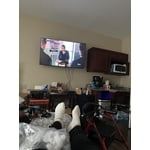
[This review was collected as part of a promotion.] The brightness and contrast is just perfect, Refresh and resolution is also great and the view is just good for the eyes

Review from Samsung US
Helpful?340LGBQNMBLF16007967994
Mar 23, 2026
Ratscat
5 out of 5 stars review

Excellent picture quality

[This review was collected as part of a promotion.] Great product I would recommend it to anyone seeking a great television for sport and movie viewing

Review from Samsung US
Helpful?340LGBQNMBLF16007967994
Mar 23, 2026
Kacy2k
5 out of 5 stars review

Great TV

[This review was collected as part of a promotion.] We have really enjoyed our tv. The clarity is crazy how much it makes you feel like you are on the set with some movies and tv shows.

Review from Samsung US
Helpful?340LGBQNMBLF16007967994
Mar 23, 2026
Mike H
3 out of 5 stars review

Great contrast

[This review was collected as part of a promotion.] I would like to complain about the one problem which is there are numerous bright spots on my screen seven or eight white and color about the size of a quarter and it's annoying

Review from Samsung US
Helpful?340LGBQNMBLF16007967994
reply from Samsung Advisor

Hi Mike H, Thank you for your feedback regarding the screen abnormalities you're seeing on your TV. To help determine if the issue is related to the panel itself, we recommend starting with a Picture Test, which displays a high-definition image you can examine for flaws: Settings > Support > Device Care > Self Diagnosis > Picture Test If the issue appears during the test and across all sources (built-in apps, HDMI devices, etc.), it may indicate a panel-related concern. You can also try displaying solid-color test videos (red, green, blue, black, white) from a USB drive or YouTube. This can help you identify whether any pixels are stuck or not functioning properly. In some cases, unplugging the TV for a few minutes and rebooting it can help resolve stuck pixels caused by temporary display behavior. If the problem persists after these steps, the TV may require service. To set up a service appointment, please contact Samsung Support at 1-800-SAMSUNG, 8AM – 12AM EST, 7 days a week. LiveChat and additional support resources are also available through the Support link on our website. ~ Samsung Advisor

Mar 23, 2026
Ted D
5 out of 5 stars review

Great price for a 4k TV.

[This review was collected as part of a promotion.] Great price for a 4k smart tv. Picture is good as well as the OS. Pairs well with my other Samsung devices.

Review from Samsung US
Helpful?340LGBQNMBLF16007967994