Skip to Main Content
Sams Club
Sams Club
Customer reviews for SAMSUNG 70” Class U8000F Series 4K Crystal UHD Smart TV for
SAMSUNG 70” Class U8000F Series 4K Crystal UHD Smart TV
4.7 out of 5 stars
stars1,070 ratings1,064 reviews
  1. 5 stars79% (841)
  2. 4 stars14% (152)
  3. 3 stars4% (38)
  4. 2 stars2% (20)
  5. 1 star2% (19)

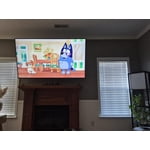
Member photos

  • +329 images
Sort by |
Showing 201-210 of 1,064 reviews
Feb 8, 2026
Ewachlom
5 out of 5 stars review

Love it!

[This review was collected as part of a promotion.] I love this TV. Best one I've ever had. I'd recommend it to anyone.

Review from Samsung US
Helpful?340LGBQNMBLF16007967994
Feb 17, 2026
Doomstyker
3 out of 5 stars review

Was good when it worked

[This review was collected as part of a promotion.] Was good when it worked i moved and all these lines appeared my other tv was fine.

Review from Samsung US
Helpful?340LGBQNMBLF16007967994
reply from Samsung Advisor

Hi Doomstyker, Thank you for sharing your experience with Samsung’s U8000F. If your TV is displaying lines on the screen, we recommend the following steps to help isolate the issue: 1. Check all input cable connections for any external devices (e.g., HDMI, streaming boxes, Blu-ray players) 2. Switch channels or inputs to see if the issue appears across all sources 3. Run a Picture Test to check for panel-related issues: Settings > Support > Device Care > Self Diagnosis > Picture Test 4. Perform a cold boot by holding the power button on your remote for about 10 seconds 5. Ensure your TV has the latest software installed: Settings > Support > Software Update It is also possible that the TV was damaged during transit, if care was not taken. For further assistance, please contact Samsung Support at 1-800-SAMSUNG, 8AM – 12AM EST, 7 days a week. LiveChat and additional support resources are also available through the Support link on our website. ~ Samsung Advisor

Feb 17, 2026
Gumball
5 out of 5 stars review

Amazing TV I really enjoy playing my ps4 on it

[This review was collected as part of a promotion.] It is a good TV over all and I did not regret buying it

Review from Samsung US
Helpful?340LGBQNMBLF16007967994
Feb 17, 2026
Anonymous
5 out of 5 stars review

Excellent color processing

[This review was collected as part of a promotion.] The screen quality ans picture quality is really appealing

Review from Samsung US
Helpful?340LGBQNMBLF16007967994
Feb 17, 2026
CVA1964
5 out of 5 stars review

Samsung 75 inch tv is awesome

[This review was collected as part of a promotion.] the resolution viewing area and brightness of our 75-in TV is awesome

Review from Samsung US
Helpful?340LGBQNMBLF16007967994
Feb 28, 2026
RRamos
4 out of 5 stars review

Great Quality/Price

[This review was collected as part of a promotion.] Great brightness and resolution, best fo the price in my opinion once u have tried other brands

Review from Samsung US
Helpful?340LGBQNMBLF16007967994
Feb 27, 2026
Business Man
3 out of 5 stars review

Good visual TV, Not So Good Audio

[This review was collected as part of a promotion.] The audio is the TV could be improved. Not a fan of it but the TV visuals are brilliant.

Review from Samsung US
Helpful?340LGBQNMBLF16007967994
reply from Samsung Advisor

Hi Business Man, Thank you for purchasing Samsung’s U8000F TV and for sharing your feedback regarding low volume. To start, we recommend making sure your TV is running the latest firmware, as updates can include improvements to sound performance: Home > left directional key > Settings > Support > Software Update If volume levels still seem too low, you can improve sound performance by adjusting a few key settings: Sound Mode: Navigate to: Settings > All Settings > Sound > Sound Mode Auto Volume: This feature helps maintain consistent volume levels across content and input sources. Turn it on under: Settings > All Settings > Sound > Expert Settings > Auto Volume = On You can also explore Expert Settings to fine-tune sound output with adjustments for Balance, Equalizer, and more. For personalized support with these settings or selecting a soundbar to complement your setup, contact Samsung Support at 1-800-SAMSUNG (8AM – 12AM EST, 7 days a week) or use LiveChat via the ‘Support’ link on our website. ~ Samsung Advisor

Feb 17, 2026
Galosimbala
5 out of 5 stars review

Good definition

[This review was collected as part of a promotion.] It has a big screen with bright colors and so real, better than other brands.

Review from Samsung US
Helpful?340LGBQNMBLF16007967994
Mar 5, 2026
Paul
1 out of 5 stars review

Not as clear as advertised.

[This review was collected as part of a promotion.] Not as clear as advertised. Very grainy. Is it even 4K? Two after I bought it went on sale. SMH

Review from Samsung US
Helpful?340LGBQNMBLF16007967994
reply from Samsung Advisor

Hi Paul, Thank you for your feedback on the Samsung U8000F TV. If the picture appears unclear, dull, or lacks definition, there are several settings you can adjust to improve clarity and overall image quality. Go to: Settings > All Settings > Picture > Expert Settings, and review these key settings: Picture Clarity Settings: While originally intended for motion handling, these can also impact overall clarity • Off: Disables motion enhancements • Auto: Automatically adjusts based on content • Custom: Lets you fine-tune: o Judder Reduction – Helps smooth out uneven motion o LED Clear Motion – Boosts sharpness in fast-moving content o Noise Reduction – Reduces distortion and enhances detail in lower-resolution sources Core Picture Settings • Brightness – Controls overall screen brightness • Contrast – Enhances the difference between bright and dark areas • Sharpness – Adjusts edge definition; closer to 20 increases detail • Color – Enhances depth and intensity of colors And don’t forget to check for the latest firmware, which may improve performance: Settings > Support > Software Update > Update Now These adjustments can make a noticeable difference in overall clarity. If you need further help tailoring the settings to your preferences or environment, please contact Samsung Support at 1-800-SAMSUNG, 8AM – 12AM EST, 7 days a week. LiveChat is also available via the ‘Support’ link on our website. ~ Samsung Advisor

Feb 27, 2026
Nico98
5 out of 5 stars review

Great features easy to use

[This review was collected as part of a promotion.] I like the samsung tv because it is easy to use and a whole bunch of features.Thank you so much

Review from Samsung US
Helpful?340LGBQNMBLF16007967994