Skip to Main Content
Sam's Club
Sam's Club
All Departments
All Services
Customer reviews for SAMSUNG 70” Class U8000F Series 4K Crystal UHD Smart TV for
SAMSUNG 70” Class U8000F Series 4K Crystal UHD Smart TV
4.5 out of 5 stars
stars
3,194 ratings3,188 reviews
  1. 5 stars71% (2,275)
  2. 4 stars16% (502)
  3. 3 stars7% (208)
  4. 2 stars3% (96)
  5. 1 star4% (113)

Member photos

  • +976 images
Sort by |
Showing 1,171-1,180 of 3,188 reviews
Jul 5, 2026
Reviewer name: Devilman
5 out of 5 stars
5 out of 5 stars review

Love it

[This review was collected as part of a promotion.] I absolutely love my new Samsung TV picture is awesome. Game hub is great. And the whole family loves tv plus

Review from Samsung US
Helpful?340LGBQNMBLF16007967994
Jul 5, 2026
Reviewer name: DebB
3 out of 5 stars
3 out of 5 stars review

General

[This review was collected as part of a promotion.] I have trouble with the channels. I didn’t realize I would not have local stations. It’s confusing to watch anything and I feel it’s very limited. The picture is fine.

Review from Samsung US
Helpful?340LGBQNMBLF16007967994
Jun 22, 2026
Reviewer name: Dougit05
3 out of 5 stars
3 out of 5 stars review

Budget friendly

[This review was collected as part of a promotion.] Nice tv on a budget. Slim design, good volume, only issue is sun light and glare. Over all nice tv.

Review from Samsung US
Helpful?340LGBQNMBLF16007967994
reply from Samsung Advisor

Hi Dougit05, Thanks for sharing your thoughts. If there's anything we can do to improve your experience, please reach Samsung Support at 1-800-SAMSUNG (8AM – 9PM EST Mon – Fri, 8AM – 6PM Sat – Sun) or through LiveChat on our website under ‘Support.’ ~ Samsung Advisor

Jun 5, 2026
Reviewer name: Artsydo
3 out of 5 stars
3 out of 5 stars review

No Rich Color or Depth

[This review was collected as part of a promotion.] I wish I had bought a better quality Samsung TV. The price is what convinced me to buy, but now that I’ve watched them, I realize the quality is just not there in every category.

Review from Samsung US
Helpful?340LGBQNMBLF16007967994
reply from Samsung Advisor

Hi Artsydo, Thank you for your feedback on the U8000F TV. Please know your opinion is important to us and will be shared with our internal teams. If you have any questions or need help, call 1-800-SAMSUNG (8AM – 9PM EST Mon – Fri, 8AM – 6PM Sat – Sun), or reach us via text 24/7. You can also visit ‘Support’ on our website for: • Live Chat • Manuals, Software, & Warranty Info ~ Samsung Advisor

Jul 23, 2026
Reviewer name: Bebs
5 out of 5 stars
5 out of 5 stars review

Great viewing

[This review was collected as part of a promotion.] Love the size good contrast n sound system Highly recommended n I think I got it with a good offer too

Review from Samsung US
Helpful?340LGBQNMBLF16007967994
Jun 22, 2026
Reviewer name: Esdrrfer
3 out of 5 stars
3 out of 5 stars review

No way

[This review was collected as part of a promotion.] Well I should have gotten a oled tv instead colors are brighter than this one,I don't like it and plan on taking it to the pawn shop,guess I can live without a tv for a while.

Review from Samsung US
Helpful?340LGBQNMBLF16007967994
reply from Samsung Advisor

Hi Esdrrfer, We’re sorry to hear you’re not fully satisfied with the picture quality on your Samsung U8000F TV. If the image appears too dark, we suggest disabling certain energy-saving features, which can automatically adjust brightness and affect how the screen looks. Go to: Settings > All Settings > General & Privacy > Power and Energy Saving, then turn off Brightness Optimization, Energy Saving Solution, Motion Lighting, and/or Contrast Enhancer. You can also adjust the Picture Mode to better suit your environment: Settings > All Settings > Picture > Picture Mode • Standard – Default mode for general viewing • Dynamic – Brighter and clearer, ideal for well-lit rooms • Movie – Best for dark room viewing • Eco – Energy-saving mode • Filmmaker Mode – Preserves content as intended by creators To fine-tune brightness, go to: Home > left directional key > Settings > All Settings > Picture > Expert Settings, then adjust the Brightness level (0–50) to your preference. Lastly, please make sure your TV is running the latest firmware: Home > Home > left directional key > Settings > Support > Software Update > Update Now We hope these tips help improve your viewing experience. If you need further support, feel free to contact us at 1-800-SAMSUNG (8AM – 9PM EST Mon – Fri, 8AM – 6PM Sat – Sun). LiveChat is also available via the ‘Support’ link on our website. ~ Samsung Advisor

Jul 20, 2026
Reviewer name: Lindykins
5 out of 5 stars
5 out of 5 stars review

Great features
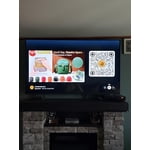
[This review was collected as part of a promotion.] This is a fine product in many ways. It is easy to use with great picture quality and sound. The remote control is simple for people like me who find most technology difficult.

Review from Samsung US
Helpful?340LGBQNMBLF16007967994
Jul 1, 2026
Reviewer name: Bbps
4 out of 5 stars
4 out of 5 stars review

Ezey two use

[This review was collected as part of a promotion.] easy to use green is bright the dim lighting the dim Lighting in poor light conditions refresh is easy responsiveness is pretty fast

Review from Samsung US
Helpful?340LGBQNMBLF16007967994
Jul 9, 2026
Reviewer name: Martin
5 out of 5 stars
5 out of 5 stars review

Great color

[This review was collected as part of a promotion.] The TV is very nice and clean. The colors on the TV are great. You can definitely tell it’s worth the price. I will definitely be getting the newer version when it comes out.

Review from Samsung US
Helpful?340LGBQNMBLF16007967994
Jun 20, 2026
Reviewer name: Bill
5 out of 5 stars
5 out of 5 stars review

Easy Setup!

[This review was collected as part of a promotion.] TV was easy to unpack through setup. Selling point was the audio output because we use a receiver for surround sound. This is our third Samsung and they all have been great.

Review from Samsung US
Helpful?340LGBQNMBLF16007967994