Skip to Main Content
Sam's Club
Sam's Club
All Departments
All Services
Customer reviews for SAMSUNG 70” Class U8000F Series 4K Crystal UHD Smart TV for
SAMSUNG 70” Class U8000F Series 4K Crystal UHD Smart TV
4.5 out of 5 stars
stars
3,194 ratings3,188 reviews
  1. 5 stars71% (2,275)
  2. 4 stars16% (502)
  3. 3 stars7% (208)
  4. 2 stars3% (96)
  5. 1 star4% (113)

Member photos

  • +976 images
Sort by |
Showing 1,111-1,120 of 3,188 reviews
Jun 1, 2026
Reviewer name: CarlosA
5 out of 5 stars
5 out of 5 stars review

Great Features works with Alexa, Airplay Google
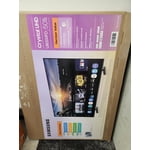
[This review was collected as part of a promotion.] This is a great product that works with all of my applications and my Samsung phones. It easy to program the options for my personal preferences.

Review from Samsung US
Helpful?340LGBQNMBLF16007967994
Jul 22, 2026
Reviewer name: Sammil
4 out of 5 stars
4 out of 5 stars review

GOOD VALUE ACROSS THE BOARD!

[This review was collected as part of a promotion.] Best Tv for the price can't match the worth of the Benefits with Samsung TV Plus app!! Keep bringing the best of innovation. NICE FEELING with remote! Picture is great!!

Review from Samsung US
Helpful?340LGBQNMBLF16007967994
Jul 9, 2026
Reviewer name: Agnes
5 out of 5 stars
5 out of 5 stars review

Back to the Movies!

[This review was collected as part of a promotion.] Super clear screen and the benefit of watching Samsung movies for free! Easy instructions and remote use. Color and contrast near cinema-like! Bright screen; great responsiveness when scrolling.

Review from Samsung US
Helpful?340LGBQNMBLF16007967994
Jul 20, 2026
Reviewer name: Many
5 out of 5 stars
5 out of 5 stars review

Great color, picture is so vibrant & free tv shows

[This review was collected as part of a promotion.] Love Samsung TVs they are the only one I will buy as they have beautiful color are so clear and give me 100s of free tv channels without any subscriptions, we watch lots of shows free that we like.

Review from Samsung US
Helpful?340LGBQNMBLF16007967994
Jul 6, 2026
Reviewer name: Rosecrest
5 out of 5 stars
5 out of 5 stars review

Great screen resolution and ease of use.

[This review was collected as part of a promotion.] Compact and light weight with a variety of input connectors. TV responds quickly to actions on remote control.

Review from Samsung US
Helpful?340LGBQNMBLF16007967994
Jul 6, 2026
Reviewer name: Willy
5 out of 5 stars
5 out of 5 stars review

Great pictures
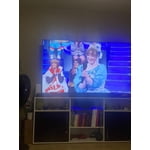
[This review was collected as part of a promotion.] Awesome smart tv for the fraction of the price. , great color, brightness , contrast, upscaling and uniformity . W bit slow on powering on, maybe my enthernet mbps ha ha ha.

Review from Samsung US
Helpful?340LGBQNMBLF16007967994
Jun 23, 2026
Reviewer name: Mere
1 out of 5 stars
1 out of 5 stars review

Can’t install anything

[This review was collected as part of a promotion.] I can’t install anything like YouTube I had this tv for my daughter for 3 months and I can’t install anything. ATP I ready to send it back

Review from Samsung US
Helpful?340LGBQNMBLF16007967994
reply from Samsung Advisor

Hi Mere, Thank you for your feedback. Please know the YouTube app is already installed on your TV. You can customize your Home screens by installing, removing or adding your favorite apps to Apps Home and/or For You Home screen. Here's how: Searching for & Installing Apps 1. From the Home screen, press up on the remote’s directional pad. 2. Navigate to and select Search. 3. Using the search bar, enter the content or app you’d like to find. 4. Navigate to and select the app you’d like to install, then select Install. Note: Previously installed apps can be accessed on the Settings screen. Adding & Managing Apps on Home Screen 1. Go to App Settings (these can be found at the bottom of the Apps screen) and select the app you want to move. The following options will be available: a. Add to Home: Move the app to your desired location on the Home screen. b. Delete: Delete app. c. Lock/Unlock: Lock the app with a PIN so only you can use it. When the app is selected again, you will be prompted to enter the PIN to unlock it. d. Reinstall: Reinstall the app. e. View Details: View the app’s information and details. If you need more help with app management, please don’t hesitate to reach Samsung Support at 1-800-SAMSUNG (8AM – 9PM EST Mon – Fri, 8AM – 6PM Sat – Sun), or reach us via text anytime. You can also visit ‘Support’ on our website for: • Live Chat • Manuals, Software, & Warranty Info ~ Samsung Advisor

Jun 9, 2026
Reviewer name: Anonymous
5 out of 5 stars
5 out of 5 stars review

Samsung 65 inch TV with Samsung soundbar
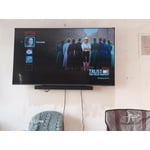
[This review was collected as part of a promotion.] TV was an exceptional deal and works amazing. I will say brightness is maxed out but it is just great at that setting and it's location. Thanks for a wonderful product

Review from Samsung US
Helpful?340LGBQNMBLF16007967994
Jul 7, 2026
Reviewer name: EverythingSamsung
5 out of 5 stars
5 out of 5 stars review

Best gear in the game!

[This review was collected as part of a promotion.] I thought this TV was top-notch and there's no other company that I've ever ever seen that compared to what the quality of this TV is. hands down the best TV on the market by far

Review from Samsung US
Helpful?340LGBQNMBLF16007967994
Jun 5, 2026
Reviewer name: Bjw72
5 out of 5 stars
5 out of 5 stars review

Great TV - excellent resolution, clear image
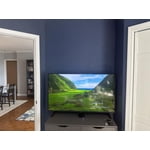
[This review was collected as part of a promotion.] Excellent TV that is bright and clear and vibrant! Advanced software built in. Easy integration with AppleTV.

Review from Samsung US
Helpful?340LGBQNMBLF16007967994