
 Customer reviews for SAMSUNG 75” Class U8000F Series 4K Crystal UHD Smart TV for
Member photos


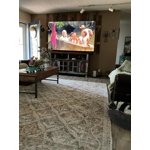
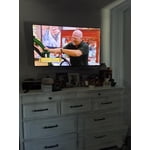
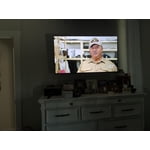
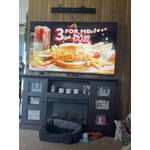
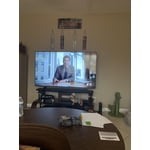
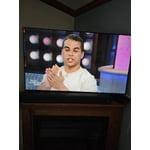
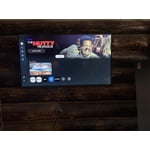
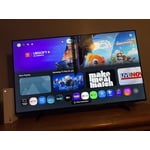
Good resolutionnfor the price
[This review was collected as part of a promotion.] Honestly i have a bit okder model the 2024 one. But i believe its a great tv i was used to my mothers tv that i was able to have the bluetooth + tv speaker. Which mine didnt have that features. The resolution and brightness seems perfect for our eyes(mine and family's).
Awesome TV
[This review was collected as part of a promotion.] I bought this to replace my patio TV. I am very pleased with the brightness and resolution. My old TV was not bright enough during the afternoon but this one works great. Outdoor TV's are much more expensive so the price for this TV is well worth it. I have been buying Samsung TV's for years and will continue to buy them in the future.
Ok but not good
[This review was collected as part of a promotion.] The remote is very bad and hard to operate. The screen layout makes it hard to understand and find what you are looking for. I have a 65" LG that is a lot easier to operate. Will sell this and buy another LG.
Hi Old man, Thank you for sharing your feedback with us. To help you get the most from your TV, you can download the full e-Manual and more by visiting Samsung’s website, then navigating to: Support > Manual & Software > TVs & Home Theater. From there, you can search for and select your U8000F TV model to view or download the available guides. The e-Manual & User Guide are also conveniently built into your TV: Settings > Support > Tips and User Guides. Your TV includes Learn Menu Screen, an accessibility feature that provides audio guidance for on-screen menus. When enabled, your TV will announce the name and function of each menu item as you scroll, without making any changes. This feature is particularly helpful for users who are visually impaired or new to Smart TV menus. To enable, go to: Settings > All Settings > General & Privacy > Accessibility > Learn Menu Screen. To exit, press the Return key twice. If you’d like more assistance with this feature, please reach Samsung Support at 1-800-SAMSUNG (8AM – 9PM EST Mon – Fri, 8AM – 6PM Sat – Sun). LiveChat agents are also available through the ‘Support’ link on our website. ~ Samsung Advisor
Samsung or nothing
Its Samsung or nothing when it comes to phones,TVS or any general product Samsung makes. You cannot go wrong when choosing Samsung for all of your entertainment needs. The clarity, the color the response time as well as updates and easily accessible features. Samsung is always the right product for my family & my home and should be for whom it may concern!
Great purchase.so happy!
[This review was collected as part of a promotion.] Actually I'm kinda old school so I have a outdoor antenna which takes care of my local stations. But with my new Samsung crystal I also use the Samsung plus For a variety of different stations and movies . I also mirror Different Programs off my cell phone. Using all three of this Type Of broadcast The brightness And color Is absolutely perfect.
Well worth the investment
One of the first things that impresses is the Crystal UHD 4K picture quality. Images appear exceptionally sharp, with vibrant colors and impressive detail that bring movies, sports, and games to life. Compared to many budget-oriented 4K televisions, the U8000FD offers noticeably better color accuracy and clarity. Scenes that often look washed out on competing models retain depth and realism, making everything from nature documentaries to blockbuster films more engaging. The TV's Crystal Processor 4K does an excellent job of upscaling lower-resolution content. Many households still watch a mix of cable programming, streaming content, and older media that isn't native 4K. The U8000FD enhances these sources effectively, producing a cleaner and more refined image than many similarly priced alternatives. Instead of exposing flaws in lower-quality content, it intelligently improves sharpness and detail without creating an artificial appearance. Brightness and contrast are also strong points. While some televisions in this category struggle to maintain image quality in well-lit rooms, the U8000FD performs admirably. Colors remain vivid and blacks appear deeper than expected for a TV in this price range. This gives it an advantage over many entry-level competitors that can look dull or flat during daytime viewing. Samsung's smart TV platform is another major strength. Navigation is smooth, responsive, and intuitive. Popular streaming services load quickly, and the interface feels polished compared to many competing smart TV systems that can become sluggish over time. The seamless integration of apps, voice assistants, and personalized recommendations creates an experience that feels genuinely premium. Design is an area where the U8000FD further separates itself from the competition. The slim profile and minimal bezels provide a modern appearance that complements virtually any room. Many televisions at similar price points still feature bulkier frames and less refined aesthetics, making the Samsung look significantly more upscale. Gaming performance is also impressive. Input response feels quick and responsive, helping casual and competitive gamers alike enjoy a smoother experience. Combined with the sharp 4K resolution, games look crisp and immersive without requiring an expensive gaming-focused television. Perhaps the greatest advantage of the U8000FD is its balance of quality and value. The television delivers performance that often exceeds expectations for its category, challenging models that cost substantially more. In a market crowded with options and marketing buzzwords, Samsung has created a TV that focuses on delivering a consistently excellent experience across all forms of entertainment. Overall, the Samsung 43" Class Crystal UHD U8000FD 4K Smart TV (2025) is an outstanding television that excels in picture quality, smart features, design, and everyday usability. It offers a level of refinement and performance that makes many competing models feel like compromises, proving that a great television doesn't have to come with a premium price tag. Humanity somehow managed to get at least one consumer electronics product mostly right this time. One of the most impressive aspects of the 43" Class Crystal UHD U8000FD 4K Smart TV (2025) is its excellent screen uniformity. Unlike many competing TVs in this price range that suffer from noticeable dirty-screen effect, uneven brightness, or distracting clouding, the U8000FD maintains a remarkably consistent image across the entire panel. Solid colors appear smooth and even, making sports, gaming, and panoramic scenes look cleaner and more natural. During darker scenes, brightness distribution remains well controlled, helping reduce the blotchy appearance often found on lower-quality displays. This level of uniformity contributes significantly to overall picture quality, creating a more immersive viewing experience and reinforcing the premium feel of the television. Compared to many similarly priced competitors, the U8000FD demonstrates superior panel consistency, ensuring that viewers can enjoy content without being distracted by visual imperfections.
Exceptional 75” TV and Great Price.
After reading the reviews I was a bit concerned because some people were complaining about the volume, the remote, the picture, etc. I had my 65 inch Samsung for over 10 years and I loved it. Since Sam’s Club has a great return policy I decided to take the chance. When it was delivered I couldn’t wait to set it up. When I first turned it on I was extremely disappointed and thought I was going to have to return it. After going into the settings and changing from standard to dynamic and playing with the sound settings I absolutely love my television! It’s an excellent TV at a great price. What makes it even better is that my old Samsung remotes work on my new TV!
Terrible picture quality
[This review was collected as part of a promotion.] the picture quality on this television it makes everything appear as if it is a low budget movie I'm not understanding why it looks that way it didn't look that way at the store but by far is the worst quality picture out of all the televisions that I own I will not buy a Samsung television again
Hi Rharris, We appreciate your feedback on the picture quality of Samsung’s U8000F TV. If the image doesn’t quite match your preferences, there are several adjustments you can make to better suit your viewing environment and content type. First, please ensure your TV is running the latest firmware, as updates may include important picture quality enhancements. Go to: Home > Left directional button > Settings > Support > Software Update > Update Now To explore picture mode options, navigate to: Home > Left directional button > Settings > All Settings > Picture > Picture Mode. Options include: • Standard – Ideal for general viewing • Dynamic – Brighter and more vibrant for well-lit spaces • Eco – Optimized for energy efficiency • Movie – Best for viewing in low light • Filmmaker Mode – Preserves the content creator’s intent and disables motion smoothing for supported content You can further customize your image by going to: Settings > All Settings > Picture > Expert Settings, where you can adjust Brightness, Contrast, Color Tone, Sharpness, Contrast Enhancer and more. If you’d like help finding the best picture settings for your preferences, please don’t hesitate to contact Samsung Support at 1-800-SAMSUNG (8AM – 9PM EST Mon – Fri, 8AM – 6PM Sat – Sun). You can also LiveChat with an agent or explore additional resources on our website by clicking the ‘Support’ link. ~ Samsung Advisor
Good features poor connectivity
[This review was collected as part of a promotion.] The picture quality is terrific and the Samsung television channels do provide some good viewing programs. My biggest complaint is its inability to sync properly with my cable box and the television will not allow me to connect my Roku streaming device. If I could return this television for another I would, but I've held on to it too long.
Hi Nisey, We appreciate you sharing the issues you’re experiencing when connecting your U8000FD TV to your cable box. To ensure everything is set up correctly, we recommend using the Connection Guide, which provides step-by-step instructions for connecting external devices. Navigate to: Home > left directional key > Connected Devices > Connection Guide Also, please double-check that your cable box is powered on and that the HDMI cable is securely connected. To change input sources, go to: Connected Devices > Sources You can also run HDMI Troubleshooting, which checks the connection between your TV, HDMI cable, and external device. This takes approximately 2 minutes and can be found under: Connected Devices > Connection Guide > Video Device > HDMI Troubleshooting Finally, please ensure that the broadcast signal or network your cable box is connected to is functioning properly. If you continue to experience issues, don’t hesitate to reach out to Samsung Support at 1-800-SAMSUNG (8AM – 9PM EST Mon – Fri, 8AM – 6PM Sat – Sun), or reach us via text 24/7. You can also visit ‘Support’ on our website for: • Live Chat • Manuals, Software, & Warranty Info ~ Samsung Advisor
I hate this TV. It’s horrible.
[This review was collected as part of a promotion.] I hate this TV. I hate it. I hate it. I hate it. It always freezes it locks my cable box so it won’t change channels. I have to turn off the TV and the cable box regardless of what I was watching lose everything I was watching. I hate it I hate it. I hate it.
Hi Happy, We appreciate you sharing the issues you’re experiencing when connecting your U8000F TV to your cable box. To ensure everything is set up correctly, we recommend using the Connection Guide, which provides step-by-step instructions for connecting external devices. Navigate to: Home > left directional key > Connected Devices > Connection Guide Also, please double-check that your cable box is powered on and that the HDMI cable is securely connected. To change input sources, go to: Connected Devices > Sources You can also run HDMI Troubleshooting, which checks the connection between your TV, HDMI cable, and external device. This takes approximately 2 minutes and can be found under: Connected Devices > Connection Guide > Video Device > HDMI Troubleshooting Finally, please ensure that the broadcast signal or network your cable box is connected to is functioning properly. If you continue to experience issues, don’t hesitate to reach out to Samsung Support at 1-800-SAMSUNG (8AM – 9PM EST Mon – Fri, 8AM – 6PM Sat – Sun), or reach us via text anytime. You can also visit ‘Support’ on our website for: • Live Chat • Manuals, Software, & Warranty Info ~ Samsung Advisor