
Skip to Main Content
Sam's Club
Sam's Club
All Departments
All Services
Customer reviews for SAMSUNG 50" Class U8000F Series 4K Crystal UHD Smart TV for
SAMSUNG 50" Class U8000F Series 4K Crystal UHD Smart TV
4.5 out of 5 stars
stars
1,733 ratings1,681 reviews
  1. 5 stars73% (1,262)
  2. 4 stars15% (261)
  3. 3 stars6% (104)
  4. 2 stars3% (51)
  5. 1 star3% (55)

Member photos

  • +488 images
Sort by |
Showing 911-920 of 1,681 reviews
Dec 16, 2025
Reviewer name: SamsungLuvinDawg
5 out of 5 stars
5 out of 5 stars review

Love My Samsung

[This review was collected as part of a promotion.] I had this 55 Samsung in the bedroom and I have another brand 65 in the living room. I love this Samsung so much that I'm switched them so the smaller TV is actually in the living room now and the bigger TVs in the bedroom and I rarely watch it. The Samsung TV is amazing I love it and I love my Samsung s25 ultra. Amazing I love Samsung!

Review from Samsung US
Helpful?0U87HKRK7K5R15580452247
Oct 14, 2025
Reviewer name: Littlegretz
2 out of 5 stars
2 out of 5 stars review

UX could use some TLC

[This review was collected as part of a promotion.] The image quality is fine and I've not experienced an issue with viewing shows. Challenge is that the TV runs slowly often. It seems to have trouble loading apps, navigation the interface and sometimes just being responsive to the remote. Not really sure why this is the case but it's hugely disruptive to our experience.

Review from Samsung US
Helpful?0U87HKRK7K5R15580452247
reply from Samsung Advisor

Hi Littlegretz, We appreciate your feedback regarding your U8000F TV’s performance. If you're experiencing slow apps, freezing, or lag in general response time, try the following steps: 1. Check for firmware updates – Keeping your TV up to date can resolve many performance issues: Home > left directional key > Settings > Support > Software Update > Update Now 2. Run Device Care – This tool checks system memory, frees up cached data, and closes background apps that could be slowing things down: Home > left directional key > Settings > Support > Device Care > Start Device Care 3. Cold boot your TV – With the TV powered on, press and hold the Power button on your remote for 5+ seconds until the TV restarts. This helps refresh the system. If you're still noticing performance issues after these steps, please contact Samsung Support at 1-800-SAMSUNG, 8AM – 12AM EST, 7 days a week. You can also connect with a LiveChat agent via the ‘Support’ link on our website. ~ Samsung Advisor

Nov 7, 2025
Reviewer name: TexasBestWelder87
5 out of 5 stars
5 out of 5 stars review

Remarkable Clarity he's TV has.

[This review was collected as part of a promotion.] This television represents a significant upgrade in visual entertainment. Its advanced display technology delivers exceptionally vivid colors and remarkable detail. The smart features integrated seamlessly, providing intuitive access to a vast array of content. Furthermore, the audio performance is surprisingly robust, creating an immersive experience. For discerning viewers, this model sets a new benchmark for home theater quality.

Review from Samsung US
Helpful?0U87HKRK7K5R15580452247
Dec 15, 2025
Reviewer name: MSmartSTV
5 out of 5 stars
5 out of 5 stars review

Samsung Smart Tv

[This review was collected as part of a promotion.] Samsung products by far are the best of the best. Especially when paired with Samsung compatible devices. I am very impressed with the sound , picture and overall easy to navigate the OS to make it you own.

Review from Samsung US
Helpful?0U87HKRK7K5R15580452247
Dec 26, 2025
Reviewer name: Bradley
5 out of 5 stars
5 out of 5 stars review

Samsung Crystal 85in

[This review was collected as part of a promotion.] Best Television I have ever owned. Really enjoy the Samsung pass channel app. No need to get cable. It comes with a lot of channels. There are so many features on this Television, I would have to write a book to tell you all the feature! Really awesome TV

Review from Samsung US
Helpful?0U87HKRK7K5R15580452247
Dec 5, 2025
Reviewer name: Randy1
4 out of 5 stars
4 out of 5 stars review

Great picture and value

[This review was collected as part of a promotion.] We have had the 75" version of this TV since September so far I am pleased with the picture. The colors lights and darks are vibrant and the contrast is amazing. The Smart features are just what we would expect from Samsung. Having Samsung products in the house complement the Smart things eco system. Only 2 small issues keep me from giving a 5 star review. First the speakers are not great so to truly match the picture and have an immersive experience I had to pick up a Samsung soundbar with the wireless woofer. The second issue is the Samsung TV plus app is very buggy, the intro sound is way too loud and half the time the live TV guide does not load properly. Overall the experience has been positive on this TV.

Review from Samsung US
Helpful?0U87HKRK7K5R15580452247
Nov 6, 2025
Reviewer name: Leisureuae
4 out of 5 stars
4 out of 5 stars review

Crystal UHD TV

[This review was collected as part of a promotion.] Use in bed room. Reasonable price but colors were not as good as my old Samsung TV LN52A630M1FXZA bought in 2009 I use in my living room. I bought Samsung S60D Sound Bar to pair with it with easy set up

Review from Samsung US
Helpful?0U87HKRK7K5R15580452247
Oct 14, 2025
Reviewer name: Trobert765
1 out of 5 stars
1 out of 5 stars review

Picture quality

[This review was collected as part of a promotion.] The picture quality is poor when watching sports. The image is very blurry. Tried adjusting the picture settings but it did not improve the quality. Using an older model for our primary TV. Very disappointing!

Review from Samsung US
Helpful?0U87HKRK7K5R15580452247
reply from Samsung Advisor

Hi Trobert765, Thank you for your feedback on the Samsung U8000F TV and your experience when watching fast-motion content. If the picture appears blurry or unnatural during high-speed scenes, there are several settings you can adjust to improve motion clarity. Go to: Home > left directional key > Settings > All Settings > Picture > Expert Settings, and review these key settings: Picture Clarity Settings • Off: Disables all motion enhancement • Auto: Automatically adjusts motion clarity based on content • Custom: Enables manual control of: o Judder Reduction: Smooths motion in film-based content o LED Clear Motion: Increases sharpness during fast movement o Noise Reduction: Helps reduce distortion in lower-quality sources Additional Picture Controls • Brightness – Adjust overall image brightness • Contrast – Controls the difference between light and dark areas • Sharpness – Enhances the definition of object edges • Color – Adjusts color intensity for more natural or vivid tones We hope these settings help improve your viewing experience, especially with fast-moving content. If you'd like further assistance, feel free to reach out to Samsung Support at 1-800-SAMSUNG, 8AM – 12AM EST, 7 days a week. LiveChat is also available via the ‘Support’ link on our website. ~ Samsung Advisor

Dec 5, 2025
Reviewer name: Jeffrey
5 out of 5 stars
5 out of 5 stars review

Great picture, user friendly.
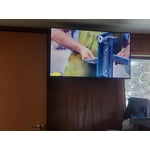
[This review was collected as part of a promotion.] The picture looks great and the sound is good also. I primarily use it to stream channels through my cable app. Wifi streaming made the setup very quick. Love all the channels that come on Samsung Plus.

Review from Samsung US
Helpful?0U87HKRK7K5R15580452247
Dec 2, 2025
Reviewer name: Bubulubu
5 out of 5 stars
5 out of 5 stars review

Great as computer monitor/TV

[This review was collected as part of a promotion.] I use this TV also as computer monitor and works great, plenty of desktop space and text is clear at 4k resolution. Also it comes with a RDP application to connect to remote computers, which is great when used with mouse and keyboard.

Review from Samsung US
Helpful?0U87HKRK7K5R15580452247









