
Skip to Main Content
Sam's Club
Sam's Club
All Departments
All Services
Customer reviews for SAMSUNG 50" Class U8000F Series 4K Crystal UHD Smart TV for
SAMSUNG 50" Class U8000F Series 4K Crystal UHD Smart TV
4.5 out of 5 stars
stars
1,733 ratings1,681 reviews
  1. 5 stars73% (1,262)
  2. 4 stars15% (261)
  3. 3 stars6% (104)
  4. 2 stars3% (51)
  5. 1 star3% (55)

Member photos

  • +488 images
Sort by |
Showing 1,351-1,360 of 1,681 reviews
Mar 23, 2026
Reviewer name: Anthony
5 out of 5 stars
5 out of 5 stars review

Great user friendly tv

[This review was collected as part of a promotion.] The picture is sharp and the accessories are user friendly, the remote control is extra special

Review from Samsung US
Helpful?0U87HKRK7K5R15580452247
Mar 23, 2026
Reviewer name: El papuchon 15
5 out of 5 stars
5 out of 5 stars review

Greatness TV

[This review was collected as part of a promotion.] Beautiful view, great sound, fantástic resolution and beautiful contrast. Thanks samsung.

Review from Samsung US
Helpful?0U87HKRK7K5R15580452247
Apr 20, 2026
Reviewer name: Briz
5 out of 5 stars
5 out of 5 stars review

Great for games

[This review was collected as part of a promotion.] I love it. Playing ps5 on it is awesome. 120hz co.ing through it.

Review from Samsung US
Helpful?0U87HKRK7K5R15580452247
Mar 23, 2026
Reviewer name: Laceranger
5 out of 5 stars
5 out of 5 stars review

Great picture

[This review was collected as part of a promotion.] Worked great picture but broke on my move when taking pads off bottom was not sturdy enough

Review from Samsung US
Helpful?0U87HKRK7K5R15580452247
Feb 17, 2026
Reviewer name: Juangto86
5 out of 5 stars
5 out of 5 stars review

Great tv I love samsung products

[This review was collected as part of a promotion.] Samsung tv are amazing tv colors brightness easy to deal with also works longer

Review from Samsung US
Helpful?0U87HKRK7K5R15580452247
Feb 17, 2026
Reviewer name: Luke
5 out of 5 stars
5 out of 5 stars review

Great features!!!!

[This review was collected as part of a promotion.] Great picture looks like it really in front of you.

Review from Samsung US
Helpful?0U87HKRK7K5R15580452247
Feb 17, 2026
Reviewer name: CVA1964
5 out of 5 stars
5 out of 5 stars review

Samsung 75 inch tv is awesome
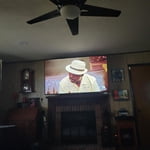
[This review was collected as part of a promotion.] the resolution viewing area and brightness of our 75-in TV is awesome

Review from Samsung US
Helpful?0U87HKRK7K5R15580452247
Feb 16, 2026
Reviewer name: Vodysir
5 out of 5 stars
5 out of 5 stars review

Unbelievable

[This review was collected as part of a promotion.] Absolutely gorgeous amazing stunning nothing beats Samsung

Review from Samsung US
Helpful?0U87HKRK7K5R15580452247
Apr 20, 2026
Reviewer name: Paul
5 out of 5 stars
5 out of 5 stars review

Crystal clear

[This review was collected as part of a promotion.] Crystal clear tv for a great price. My kids love to game and stream movies on it.

Review from Samsung US
Helpful?0U87HKRK7K5R15580452247
Apr 22, 2026
Reviewer name: Andy
1 out of 5 stars
1 out of 5 stars review

Great TV

[This review was collected as part of a promotion.] Everything is fine except the internet not working in this TV!?

Review from Samsung US
Helpful?0U87HKRK7K5R15580452247
reply from Samsung Advisor

Hi Andy, Thank you for sharing your experience with the internet connection on your Samsung U8000F TV. Whether you're using Wi-Fi or a wired (LAN) connection, there are a few steps you can take to help resolve the issue: 1. Power Cycle Your Equipment. Unplug both your TV and router/modem from the wall outlet. Wait at least 30 seconds, then plug them back in and allow both devices to fully restart. 2. Check the Network Status. On your TV, go to: Home > left directional key > Settings > All Settings > Connection > Network > Network Status. This will help determine if the issue lies with the network or the TV. 3. Try a Different Connection Type. If you're using Wi-Fi, try connecting an Ethernet (LAN) cable directly from your router to the TV to test the connection. If you're using a wired connection, try switching to Wi-Fi to see if the issue persists. 4. Reestablish the Network Connection. Go to: Settings > All Settings > Connection > Network > Open Network Settings, and follow the prompts to reconnect to your Wi-Fi or wired network. 5. Update Firmware. Software updates can often resolve network bugs. To check for the latest version: Settings > Support > Software Update > Update Now If these steps don't resolve the issue, we’d be happy to provide further assistance. Please call Samsung Support at 1-800-SAMSUNG, 8AM – 9PM EST Mon – Fri, 8AM – 6PM Sat – Sun. LiveChat is also available at the ‘Support’ link on our website. ~ Samsung Advisor









