Skip to Main Content
Sams Club
Sams Club
Customer reviews for SAMSUNG 85” Class Q7FD Series 4K QLED Smart TV for
SAMSUNG 85” Class Q7FD Series 4K QLED Smart TV
4.7 out of 5 stars
stars1,724 ratings1,724 reviews
  1. 5 stars82% (1,411)
  2. 4 stars14% (233)
  3. 3 stars3% (45)
  4. 2 stars1% (11)
  5. 1 star1% (24)
Write a review

Customer photos

  • +517 images
Sort by |
Showing 481-490 of 1,724 reviews
Nov 4, 2025
SOLYMART
5 out of 5 stars review

Amazing and easy to use. Beautiful images

[This review was collected as part of a promotion.] I recently purchased a Samsung TV, and I am extremely impressed with the quality and performance. The picture is crystal clear with vibrant colors and deep contrast that truly bring movies and shows to life. The sound quality is surprisingly rich for a slim TV, and setup was quick and easy. The smart features work flawlessly — apps load fast, and navigating the menu feels smooth and intuitive. Samsung has absolutely exceeded my expectations. I highly recommend this TV to anyone looking for a reliable, beautifully designed, and high-quality home entertainment upgrade.

Review from Samsung US
Helpful?4WF2HDYGONT215579013784
Nov 11, 2025
Olofberzerker
4 out of 5 stars review

Solid 3.5-4 star tv

3.5-4 star tv The upgraded tizen ui is really good and the new ai processor does a pretty decent job speed wise. The tv has a decent snap to it. The WiFi connection is strong and soundbars work really well via Bluetooth connection. Whats crazy is Apps and videos load a little bit faster than the a higher end qled tv I own. The Ai features for this year are ok I guess. If your into learning a bit more about what your watching than the ai will definitely be a treat for you. Picture wise, the ai implementation doesn’t really do much. It doesn’t seem to do much for up scaling or processing the image. The color booster pro is the only ai feature I found to be useful. It helped the picture pop quite a bit more than out of the box. It did take some color adjustment though. The red 2point level did need to be turned down a bit though when the booster was on. Sdr brightness and quality is pretty good overal. I really do enjoy the picture in sdr. Nice color, brightness and the motion also looks fine with minimal blur and judder. HDR is where the tv takes a pretty huge dive unfortunately. The screen gets way too dark and there’s no way to turn it up without enabling the contrast enhanced on high. The resolution is fine in hdr, good detail in the image but again just way too dark with no workaround. It’s sad because the tv is somehow dimmer than my 2 year old 70” crystal uhd tv I have in my living room. That being the most basic tv released that year and a non qled tv. This tv is A solid 3.5-4 star tv if you can get it at a discounted price.

Review from Samsung US
Helpful?4WF2HDYGONT215579013784
Dec 20, 2025
Nikluvsung
5 out of 5 stars review

Samsung proud

[This review was collected as part of a promotion.] Im here as a returning customer of all things samsung. Samsung phone,tvs,washer all great. On the fence about kitchen upgrade to Samsung. I ❤️ the products and their loyalty. Havent tested AI feature but look forward to exploring. Thank you for making products of quality.

Review from Samsung US
Helpful?4WF2HDYGONT215579013784
Sep 20, 2025
tiagbbt
5 out of 5 stars review

Very Affordable and Lots of Features

[This review was collected as part of a promotion.] Bought this TV and particular size to use in the bedroom. I love the ART feature of the TV and it interfaces extremely well with a Samsung soundboard. I have it mounted to the wall which was so easy and Samsung helped me with it all along the way.

Review from Samsung US
Helpful?4WF2HDYGONT215579013784
Sep 23, 2025
Samsungfan
5 out of 5 stars review

Great tv all around

[This review was collected as part of a promotion.] I love my Samsung tv it is perfect does so much it's so high tech the picture quality is out of this world when we're streaming movies on Netflix or Amazon prime it feels like we're in the movie it's so amazing when my son is playing is Xbox the graphics are unbelievable looks so good

Review from Samsung US
Helpful?4WF2HDYGONT215579013784
Oct 17, 2025
Harleydave
5 out of 5 stars review

This TV has a fantastic picture and great colors.

[This review was collected as part of a promotion.] The TV replaced an older 45" Samsung and is used in the main bedroom for watching programs and movies at this time. Later it will have the DVD and VHS player connected to it to enjoy older moves that have been saved. The owner is wheelchair bound and goes to bed early so this is his main source of entertainment.

Review from Samsung US
Helpful?4WF2HDYGONT215579013784
Oct 14, 2025
Have owned 5 Samsung TVs
3 out of 5 stars review

Disappointed

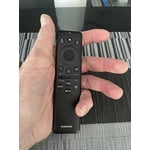
IMO it is dull. I took 1 star off for the remote - fortunately I had an older Samsung remote with separate labeled buttons. I subtracted another star for lack of brightness. I have owned for almost a week and have explored and adjusted all settings. I just can't get it any brighter. I should have heeded a professional review that rated the TV as 5.9 out of 10 due to the number of NITS being low and a dim picture, especially in bright rooms. The 43" Crystal display is brighter and just as good of a picture. The QLED is not worth the extra $.

Review from Samsung US
Helpful?4WF2HDYGONT215579013784
reply from Samsung Brand Ambassador

Hello, We appreciate your feedback on the picture quality of Samsung’s Q7F TV. If the image doesn’t quite match your preferences, there are several adjustments you can make to better suit your viewing environment and content type. First, please ensure your TV is running the latest firmware, as updates may include important picture quality enhancements. Go to: Home > Left directional button > Settings > Support > Software Update > Update Now To explore picture mode options, navigate to: Home > Left directional button > Settings > All Settings > Picture > Picture Mode. Options include: • Standard – Ideal for general viewing • Dynamic – Brighter and more vibrant for well-lit spaces • Eco – Optimized for energy efficiency • Movie – Best for viewing in low light • Filmmaker Mode – Preserves the content creator’s intent and disables motion smoothing for supported content You can further customize your image by going to: Settings > All Settings > Picture > Expert Settings, where you can adjust Brightness, Contrast, Color Tone, Sharpness, Contrast Enhancer and more. If you’d like help finding the best picture settings for your preferences, please don’t hesitate to contact Samsung Support at 1-800-SAMSUNG, available 8AM – 12AM EST, 7 days a week. You can also LiveChat with an agent or explore additional resources on our website by clicking the ‘Support’ link. ~ Samsung Pro

Sep 20, 2025
Toncat
1 out of 5 stars review

Terrible Audio

[This review was collected as part of a promotion.] The audio on this TV is the worst I have ever experienced! The volume is all over the map when commercials air. Auto Volume mode which is described to help with this problem is NOT available with external sound bars or speakers. We even purchased a new Samsung sound bar package and that was no help. Dave your money…… purchase another brand!

Review from Samsung US
Helpful?4WF2HDYGONT215579013784
reply from Samsung Specialist

Toncat, Thank you for sharing your experience with volume fluctuations on your Samsung Q7F TV. Sudden changes in volume can often be related to audio settings or content differences between sources or apps. Please try the following adjustments to help stabilize your TV's audio: 1. Enable Auto Volume. Go to: Settings > All Settings > Sound > Expert Settings > Auto Volume. This feature helps maintain a consistent volume level when switching channels or apps. 2. Change Sound Mode. Try a different sound mode to see if one offers a more stable output: Settings > All Settings > Sound > Sound Mode (We recommend Standard or Amplify for more even performance.) 3. Check External Devices. If you're using a soundbar, receiver, or other audio device, check that its volume leveling or dynamic range settings aren’t interfering with the TV’s audio. 4. Update Firmware. Ensure your TV is running the latest software, as updates may include audio improvements: Settings > Support > Software Update > Update Now If the issue persists after these steps, please don’t hesitate to reach Samsung Customer Support at 1-800-SAMSUNG, 8AM – 12AM EST, 7 days a week. LiveChat is also available via the ‘Support’ link on our website. ~ Samsung Specialist

Oct 14, 2025
55Kingdom
5 out of 5 stars review

This TV is exactly what was described/advertised

[This review was collected as part of a promotion.] Our old TV was a 65-inch Samsung we bought back in 2016, which is still working fantastic (which we are still using in the basement). Therefore, we are confident that our new Samsung will perform like and last as long as the old one. So far, the TV is fantastic, it is exactly what was described/advertised. It has a great picture and responds almost immediately when using the remote. Again, we couldn't be happier with our old and our new Samsung TV's.

Review from Samsung US
Helpful?4WF2HDYGONT215579013784
Oct 13, 2025
MalinoisPooch
5 out of 5 stars review

Great Product at Very Attractive Price Q7F QLED 4K

[This review was collected as part of a promotion.] My Samsung 2025 model 65" is prefect for all of my TV needs especially for streaming thereby allowing for multiple avenues of viewing options for sports, movies or local TV programing. The picture is fantastic and very clear. I love the small trim around the TV unit. Set up was simple and easy to connect to internet, streaming services and download various apps for streaming. And, I was surprised at such an affordable price. If you're in doubt, this is the brand and TV model where you'll enjoy!

Review from Samsung US
Helpful?4WF2HDYGONT215579013784