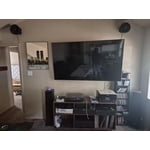
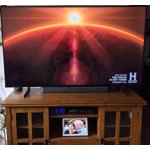
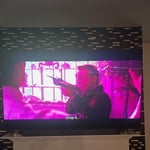
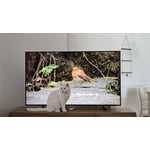
Customer reviews for SAMSUNG 85” Class Q7FD Series 4K QLED Smart TV forCustomer photos


+517 images
“Stunning Colors and Great Value – A Fantastic 65”
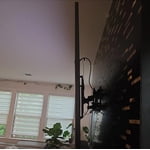
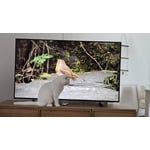
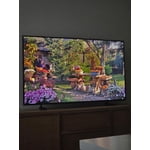
[This review was collected as part of a promotion.] I’ve been using this 65-inch Samsung QLED 4K TV for a little while now, and overall I’m really impressed with the experience. The picture quality is the first thing that stands out—colors are vibrant, bright scenes look fantastic, and the 4K resolution makes movies, shows, and games look incredibly sharp. The QLED technology really helps with brightness, which is great for watching during the day in a well-lit room. The size is perfect for a living room setup. At 65 inches, it feels immersive without being overwhelming. Streaming apps are easy to access thanks to the smart TV interface, and everything runs smoothly with minimal lag. I also like how sleek and modern the design is—it has thin bezels and looks great mounted on the wall or on a stand. Sound quality is decent for built-in TV speakers, though adding a soundbar would make the experience even better if you want more powerful audio. Overall, this TV offers excellent picture quality, a user-friendly smart system, and a premium look at a solid value. If you’re looking for a large 4K TV with bright, colorful visuals, this Samsung QLED is a great choice. ⭐⭐⭐⭐⭐
Awesome tv
[This review was collected as part of a promotion.] Beautiful unit, great for gaming. Refresh rate is excellent with no artifacting and the colors are incredibly vibrant, with deep rich blacks, as you qould expect from an OLED tv. Cannot beat a 4k resolution for modern gaming, and with OLED, brightness always looks accurate to the source material without weird colorbanding.
Sorry to say I am disappointed in this one.
[This review was collected as part of a promotion.] I have bought Samsung products including several TV's because of their beautiful graphics, and have always like all their products having also used and Have a Samsung Phone. But I am sorry to say this TV I am not happy with it all, I feel the colors are off and to bright, and the picture itself is completely terrible in my opinion. I played with the setting as much as I can and I am just so much disappointed in this TV my wife and I have already been talking about replacing it and we only had for less than 2 months.
DCangiolosi, We appreciate your feedback on the picture quality of Samsung’s Q7FB TV. If the image doesn’t quite match your preferences, there are several adjustments you can make to better suit your viewing environment and content type. First, please ensure your TV is running the latest firmware, as updates may include important picture quality enhancements. Go to: Home > Left directional button > Settings > Support > Software Update > Update Now To explore picture mode options, navigate to: Home > Left directional button > Settings > All Settings > Picture > Picture Mode. Options include: • Standard – Ideal for general viewing • Dynamic – Brighter and more vibrant for well-lit spaces • Eco – Optimized for energy efficiency • Movie – Best for viewing in low light • Filmmaker Mode – Preserves the content creator’s intent and disables motion smoothing for supported content You can further customize your image by going to: Settings > All Settings > Picture > Expert Settings, where you can adjust Brightness, Contrast, Color Tone, Sharpness, Contrast Enhancer and more. If you’d like help finding the best picture settings for your preferences, please don’t hesitate to contact Samsung Support at 1-800-SAMSUNG, available 8AM – 12AM EST, 7 days a week. You can also LiveChat with an agent or explore additional resources on our website by clicking the ‘Support’ link. ~ Samsung Specialist
Amazing interface
[This review was collected as part of a promotion.] When I bought this TV I never thought it would have such vibrant colors and the resolution was amazing. When I played my games, the interface of the television and gaming system really brought out the brightness and contrast of our new tv. Thank you Samsung.
Amazeballzz
[This review was collected as part of a promotion.] I'm truly impressed with the overall performance of this television. The picture quality is absolutely stunning, delivering vibrant colors and sharp details that bring content to life. Its sound system provides an immersive audio experience, perfectly complementing the visuals. I also appreciate the intuitive user interface, making navigation and accessing features a breeze. This device has significantly enhanced my viewing experience, making every moment more enjoyable. #TV #HomeEntertainment #PicturePerfect #AudioExperience
Good TV, average PC monitor
[This review was collected as part of a promotion.] This is a good TV with lots of features, but the HDMI connectivity for PCs is somewhat lacking in that if the PC is not active it can be difficult to connect it to the monitor. By this, I mean that if the PC is hibernating and not emitting HDMI, the TV will not recognize it when it comes online.
Excellent tv!!!!
[This review was collected as part of a promotion.] The tv is excellent for a bedroom works perfectly right out of the box no need to adjust the settings maybe just a little depending on the rooms brightness. Interface is my favorite it is easy to use and very well done putts everything you need right at your I guess I would call it a quick menu freaking awesome 👌 👏 I highly recommend this tv model.
Great Interface
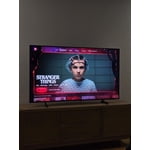
[This review was collected as part of a promotion.] Interface, resolution, and vibrancy are what gives this product, quality. Furthermore the device is easy to manage with its fast interface I don't miss programs in the event of wifi disconnection. TV now feels like the dock of my entertainment, instead of its reflection.
Failed in a week.
Top edge of screen had a dark spot which is now turning into 4 dark spots and the entire screen is wavy. I have samsung phones, head phones 4 other Samsung tvs Samsung appliances but this is the largest TV I ever bought and its already failing in a week highly disappointing hopefully the service tech can replace this for a better model after all the other bad reviews.
Crix20001, We appreciate your feedback on the picture quality of Samsung’s Q7F TV. Please ensure your TV is running the latest firmware (Version 1131.0), as updates include important picture quality enhancements. Go to: Home > Left directional button > Settings > Support > Software Update > Update Now If this firmware version is not yet available on your TV, you can download the update on a USB drive and manually update your TV: 1. On Samsung's website (upper right corner), go to: Support > Manual & Software > Find your TV model, and click on the Firmware – Upgrade File. 2. When the file has finished downloading, locate it and then unzip it. There is normally one folder inside but there may be multiple files. 3. Copy or move all of the files that were included in the zip file to a USB flash drive, but do not place them inside any other folders. If you place the software folders inside a folder on the USB flash drive, the TV or monitor will not find them. 4. Connect the USB drive containing the software upgrade into a USB port on your device. 5. Using your device's remote, navigate to and select Settings, then select All Settings, and then select Support. Select Software Update, select Update Now, and then select Yes if prompted. Your device will search the USB drive for update files. Follow the on-screen instructions to install the updated software. Updates usually take a few minutes; please do not turn off the TV until the update is complete. When the update is finished, it will restart automatically. For further assistance, please contact Samsung Customer Support at 1-800-SAMSUNG, available 8AM – 12AM EST, 7 days a week. LiveChat agents are also available on the ‘Support’ link at samsung.com. ~ Samsung Specialist
Cheap Tv
I'm locked out of certain settings for some reason. The interface lags and everyone so complicated. I made the mistake thinking everything Samsung was good but apparently I was wrong. I literally can't adjust the photos at all to full screen. I'm also really tired of this TV being weird.
Isaac, We appreciate your feedback regarding response time. For optimal performance, please ensure your TV is running the latest firmware. You can check this by going to: Home > left directional key > Settings > Support > Software Update To further optimize performance, try running Device Care, which checks memory, clears unused cached data, and closes background apps: Home > left directional key > Settings > Support > Device Care > Start Device Care To adjust how content is displayed, you can try changing the picture size settings on your external device or on the TV itself: Home > left directional key > Settings > All Settings > Picture > Picture Size Please note: Not all content can be stretched or zoomed without distorting the image. If you need further assistance with settings or any other TV features, feel free to contact Samsung Customer Support at 1-800-SAMSUNG, 8AM – 12AM EST, 7 days a week. LiveChat is also available via the ‘Support’ link on our website. ~ Samsung Specialist