
Skip to Main Content
Sam's Club
Sam's Club
All Departments
All Services
Customer reviews for SAMSUNG 85” Class Q7FD Series 4K QLED Smart TV [Limited Inventory - Sold Out] for
SAMSUNG 85” Class Q7FD Series 4K QLED Smart TV [Limited Inventory - Sold Out]
4.6 out of 5 stars
stars
3,645 ratings3,645 reviews
  1. 5 stars78% (2,826)
  2. 4 stars15% (531)
  3. 3 stars4% (162)
  4. 2 stars1% (50)
  5. 1 star2% (76)

Member photos

  • +1118 images
Sort by |
Showing 2,081-2,090 of 3,645 reviews
Jun 1, 2026
Reviewer name: Jody
5 out of 5 stars
5 out of 5 stars review

Yes wonderful

[This review was collected as part of a promotion.] Very nice equipment you hook up and enjoy It's all good stuff

Review from Samsung US
Helpful?4WF2HDYGONT215579013784
Jun 17, 2026
Reviewer name: Charlie J
5 out of 5 stars
5 out of 5 stars review

beautiful

[This review was collected as part of a promotion.] The TV is beautiful. Color is amazing and the integration with my Samsung Sounbar was seamless.

Review from Samsung US
Helpful?4WF2HDYGONT215579013784
Jun 5, 2026
Reviewer name: Jabernard
3 out of 5 stars
3 out of 5 stars review

Not as vibrant as I wished

[This review was collected as part of a promotion.] Not as vibrant as I wished and doesn't do well with sun glare

Review from Samsung US
Helpful?4WF2HDYGONT215579013784
reply from Samsung Advisor

Hi Jabernard, Thank you for purchasing the Samsung Q7F TV and for sharing your feedback regarding screen reflections. Lighting conditions vary from room to room, and reflections may be more noticeable depending on placement and ambient light. For optimal glare control, we recommend positioning the TV to minimize direct light on the screen or consulting with a professional installer for best placement. Samsung’s Glare Free technology, engineered to minimize reflections from ambient light, is available on the QN90F Neo QLED 4K and higher. Anti Reflection is also featured starting with the S85F OLED and up. If you have any questions about features, specifications, or setup, we’re here to help – please contact Samsung Customer Support at 1-800-SAMSUNG (8AM – 9PM EST Mon – Fri, 8AM – 6PM Sat – Sun). LiveChat is also available via the ‘Support’ link on our website. ~ Samsung Advisor

Jun 22, 2026
Reviewer name: Carl
4 out of 5 stars
4 out of 5 stars review

Picture

[This review was collected as part of a promotion.] Resolution, brightness and contrast are exceptionally good.

Review from Samsung US
Helpful?4WF2HDYGONT215579013784
Jun 1, 2026
Reviewer name: Tjtime
4 out of 5 stars
4 out of 5 stars review

Great pic

[This review was collected as part of a promotion.] Great picture and responsive controls, an all around great t.v.

Review from Samsung US
Helpful?4WF2HDYGONT215579013784
Jul 5, 2026
Reviewer name: Eliseo
5 out of 5 stars
5 out of 5 stars review

It is very nice
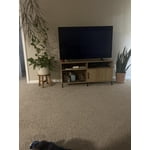
[This review was collected as part of a promotion.] It was great and it as very responsive and it was very good lighting.

Review from Samsung US
Helpful?4WF2HDYGONT215579013784
Jun 2, 2026
Reviewer name: Jester6511
5 out of 5 stars
5 out of 5 stars review

Awesome tv

[This review was collected as part of a promotion.] I love Samsung! I think they make the best products ever!

Review from Samsung US
Helpful?4WF2HDYGONT215579013784
Jul 6, 2026
Reviewer name: Malcolm
5 out of 5 stars
5 out of 5 stars review

Great TV

[This review was collected as part of a promotion.] I love the picture. The colors are vivid. Best TV I've ever had.

Review from Samsung US
Helpful?4WF2HDYGONT215579013784
Jun 9, 2026
Reviewer name: 111 run to me
1 out of 5 stars
1 out of 5 stars review

111

[This review was collected as part of a promotion.] ever time i turn it on it take 3-5 min to reconnect to the Wi-Fi.

Review from Samsung US
Helpful?4WF2HDYGONT215579013784
reply from Samsung Advisor

Hi 111 run to me, We appreciate your feedback regarding your Q7F TV’s performance. If you're experiencing slow apps, freezing, or lag in general response time, try the following steps: 1. Check for firmware updates – Keeping your TV up to date can resolve many performance issues: Home > left directional key > Settings > Support > Software Update > Update Now 2. Run Device Care – This tool checks system memory, frees up cached data, and closes background apps that could be slowing things down: Home > left directional key > Settings > Support > Device Care > Start Device Care 3. Cold boot your TV – With the TV powered on, press and hold the Power button on your remote for 5+ seconds until the TV restarts. This helps refresh the system. If you're still noticing performance issues after these steps, please contact Samsung Support at 1-800-SAMSUNG (8AM – 9PM EST Mon – Fri, 8AM – 6PM Sat – Sun). You can also connect with a LiveChat agent via the ‘Support’ link on our website. ~ Samsung Advisor

Jun 20, 2026
Reviewer name: Rudy
5 out of 5 stars
5 out of 5 stars review

Great color

[This review was collected as part of a promotion.] I haven't set it up yet but I the experience is amazing

Review from Samsung US
Helpful?4WF2HDYGONT215579013784









