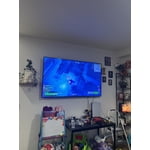
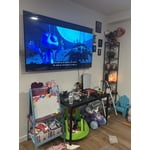
Skip to Main Content
Sam's Club
Sam's Club
All Departments
All Services
Customer reviews for SAMSUNG 85” Class Q7FD Series 4K QLED Smart TV [Limited Inventory - Sold Out] for
SAMSUNG 85” Class Q7FD Series 4K QLED Smart TV [Limited Inventory - Sold Out]
4.6 out of 5 stars
stars
3,645 ratings3,645 reviews
  1. 5 stars78% (2,826)
  2. 4 stars15% (531)
  3. 3 stars4% (162)
  4. 2 stars1% (50)
  5. 1 star2% (76)

Member photos

  • +1118 images
Sort by |
Showing 1,271-1,280 of 3,645 reviews
Jun 1, 2026
Reviewer name: Dekouga
5 out of 5 stars
5 out of 5 stars review

Large format viewing
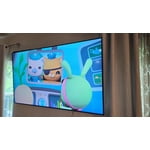
[This review was collected as part of a promotion.] Vibrant colors with decent sound that's better with a sound bar. With reliable internet service, I enjoy streaming from all my apps, using the simple remote. No regrets here.

Review from Samsung US
Helpful?4WF2HDYGONT215579013784
Jun 5, 2026
Reviewer name: Brack
3 out of 5 stars
3 out of 5 stars review

Resolution and clarity

[This review was collected as part of a promotion.] Contrast and resolution isn't as good as I thought this 4K QLED would be. I figured the depth perception would be much more like our true vision. I think my previous TV was as good. Steve Brackett

Review from Samsung US
Helpful?4WF2HDYGONT215579013784
reply from Samsung Advisor

Hi Brack, Thank you for your feedback on the Samsung Q7FB TV. If the picture appears unclear, dull, or lacks definition, there are several settings you can adjust to improve clarity and overall image quality. Go to: Settings > All Settings > Picture > Expert Settings, and review these key settings: Picture Clarity Settings: While originally intended for motion handling, these can also impact overall clarity • Off: Disables motion enhancements • Auto: Automatically adjusts based on content • Custom: Lets you fine-tune: o Judder Reduction – Helps smooth out uneven motion o LED Clear Motion – Boosts sharpness in fast-moving content o Noise Reduction – Reduces distortion and enhances detail in lower-resolution sources Core Picture Settings • Brightness – Controls overall screen brightness • Contrast – Enhances the difference between bright and dark areas • Sharpness – Adjusts edge definition; closer to 20 increases detail • Color – Enhances depth and intensity of colors And don’t forget to check for the latest firmware, which may improve performance: Settings > Support > Software Update > Update Now These adjustments can make a noticeable difference in overall clarity. If you need further help tailoring the settings to your preferences or environment, please contact Samsung Support at 1-800-SAMSUNG (8AM – 9PM EST Mon – Fri, 8AM – 6PM Sat – Sun). LiveChat is also available via the ‘Support’ link on our website. ~ Samsung Advisor

Jun 5, 2026
Reviewer name: Memamom
5 out of 5 stars
5 out of 5 stars review

Great Features
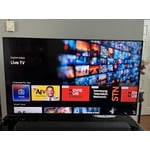
[This review was collected as part of a promotion.] Picture-color and resolution are great. Love all the additional choices with the Samsung TV channels. Set up was easy. I own 3 Samsung TV's and never had a problem.

Review from Samsung US
Helpful?4WF2HDYGONT215579013784
Jun 20, 2026
Reviewer name: Dvalenzuela18
5 out of 5 stars
5 out of 5 stars review

Great tv!

[This review was collected as part of a promotion.] Can't complain has really great features love the remote and love the view my daughter love it too the resolution is amazing

Review from Samsung US
Helpful?4WF2HDYGONT215579013784
Jun 21, 2026
Reviewer name: Tlc10
5 out of 5 stars
5 out of 5 stars review

Dream TV

[This review was collected as part of a promotion.] Very good! Works great, fun to watch, resolution and brightness amazing, we love the size of the tv . Not a one thing to complain!

Review from Samsung US
Helpful?4WF2HDYGONT215579013784
Jun 28, 2026
Reviewer name: Ballcena
5 out of 5 stars
5 out of 5 stars review

Great features

[This review was collected as part of a promotion.] The brightness on this tv is nothing like I've seen before it has a great response time aswell as good upscaling

Review from Samsung US
Helpful?4WF2HDYGONT215579013784
Jun 5, 2026
Reviewer name: Lawman154
3 out of 5 stars
3 out of 5 stars review

Cheap flimsy remote too small for arthritic hands

[This review was collected as part of a promotion.] Very cheap remote not like my Sony.difficult to move around with youyube tv. I can't get sony around here.

Review from Samsung US
Helpful?4WF2HDYGONT215579013784
reply from Samsung Specialist

Lawman154, Thank you for sharing your feedback on the remote. If there’s anything we can assist with, please don’t hesitate to call us at 1-800-SAMSUNG (8AM – 9PM EST Mon – Fri, 8AM – 6PM Sat – Sun), or reach us via text anytime. You can also visit ‘Support’ on our website for: • Live Chat • Manuals, Software, & Warranty Info ~ Samsung Specialist

Jun 5, 2026
Reviewer name: Buddy
3 out of 5 stars
3 out of 5 stars review

Not as expected
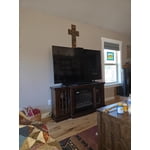
[This review was collected as part of a promotion.] This is by far the worst Samsung TV we've ever had. We are not happy with the resolution, the sound quality and the difficulty in use.

Review from Samsung US
Helpful?4WF2HDYGONT215579013784
reply from Samsung Specialist

We appreciate your feedback on the picture quality of Samsung’s Q7FD TV. First, make sure your TV is up to date. Firmware updates often include picture quality enhancements. To check for the latest version, go to: Home > Left directional button > Settings > Support > Software Update > Update Now If the image doesn’t quite match your preferences after updating/checking for updates, there are several settings you can adjust to better suit your viewing environment. To explore picture mode options, go to: Home > Left directional button > Settings > All Settings > Picture > Picture Mode. Available modes include: 1. Standard – Default mode for general viewing 2. Dynamic – Brighter and sharper for well-lit rooms 3. Eco – Optimized for energy saving 4. Movie – Best for dark room viewing 5. Filmmaker Mode – Preserves the director’s intended look and feel (automatically enabled for supported content) You can also fine-tune settings like brightness, contrast, sharpness, and more by navigating to: All Settings > Picture > Expert Settings If you’d like help finding the best setup for your preferences, please don’t hesitate to contact Samsung Customer Support at 1-800-SAMSUNG (8AM – 9PM EST Mon – Fri, 8AM – 6PM Sat – Sun). You can also LiveChat with an agent or find helpful guides by visiting the ‘Support’ section of our website. ~ Samsung Specialist

Jul 3, 2026
Reviewer name: Kahlil
5 out of 5 stars
5 out of 5 stars review

Q65

[This review was collected as part of a promotion.] I've had my TV a while now and I must say, so far it's had great support and updates as regularly as possible for a TV. Still works great, awesome quality and sound.

Review from Samsung US
Helpful?4WF2HDYGONT215579013784
Jun 1, 2026
Reviewer name: Erickh81
5 out of 5 stars
5 out of 5 stars review

Excelent

[This review was collected as part of a promotion.] Tv Samsung is the best on tv 4k the resolution is nice 4k perfect for watch movies is a hometeaters

Review from Samsung US
Helpful?4WF2HDYGONT215579013784