Skip to Main Content
Sam's Club
Sam's Club
All Departments
All Services
Customer reviews for SAMSUNG 85” Class Q7FD Series 4K QLED Smart TV [Limited Inventory - Sold Out] for
SAMSUNG 85” Class Q7FD Series 4K QLED Smart TV [Limited Inventory - Sold Out]
4.6 out of 5 stars
stars
3,645 ratings3,645 reviews
  1. 5 stars78% (2,826)
  2. 4 stars15% (531)
  3. 3 stars4% (162)
  4. 2 stars1% (50)
  5. 1 star2% (76)

Member photos

  • +1118 images
Sort by |
Showing 1,251-1,260 of 3,645 reviews
Jun 5, 2026
Reviewer name: tshicks
5 out of 5 stars
5 out of 5 stars review

Great Value

[This review was collected as part of a promotion.] Crisp, brilliant colors fitting within same footprint as previous TV without 3 inches of frame around it. All this for half the price of the previous unit.

Review from Samsung US
Helpful?4WF2HDYGONT215579013784
Jul 5, 2026
Reviewer name: Fishmaster
5 out of 5 stars
5 out of 5 stars review

Great TV

[This review was collected as part of a promotion.] I really like the Samsung TV it's got good color good reception volume is good the sound bar I'm using is Samsung good everything works just the way I wanted to thank you very much

Review from Samsung US
Helpful?4WF2HDYGONT215579013784
Jun 20, 2026
Reviewer name: Dmd1130
4 out of 5 stars
4 out of 5 stars review

Nice picture, easy set up

[This review was collected as part of a promotion.] This was our first smart TV, it was easy to set up, I just wish it had an optical jack, as we had to buy an adapter to hook up surround sound we had.

Review from Samsung US
Helpful?4WF2HDYGONT215579013784
Jun 22, 2026
Reviewer name: Clarkbar 13
5 out of 5 stars
5 out of 5 stars review

Amazing 85

[This review was collected as part of a promotion.] This is such an amazing TV, the color is amazing and so clear. Seemless motion and it was so worth moving up to 85 inch.

Review from Samsung US
Helpful?4WF2HDYGONT215579013784
Jun 26, 2026
Reviewer name: Rah Sr
5 out of 5 stars
5 out of 5 stars review

Great American features
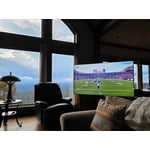
[This review was collected as part of a promotion.] Brightest TV ever sat in my recliner feel like im in my westerns upscaling contrast and the responsiveness was spot on along with its uniformity of a television

Review from Samsung US
Helpful?4WF2HDYGONT215579013784
Jun 19, 2026
Reviewer name: Chico
5 out of 5 stars
5 out of 5 stars review

Great features and picture quality

[This review was collected as part of a promotion.] I love this TV. Is so vibrant and clarity is perfect. I highly recommend this TV for any household

Review from Samsung US
Helpful?4WF2HDYGONT215579013784
Jun 5, 2026
Reviewer name: DC Chimney
5 out of 5 stars
5 out of 5 stars review

Best tv purchase for the money
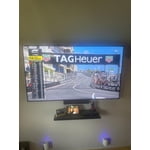
[This review was collected as part of a promotion.] This TV pitch fantastic the clarity the contrast everything is perfect. I watch a lot of hockey and I can actually follow the hockey book with the purchase of this TV. I love it.

Review from Samsung US
Helpful?4WF2HDYGONT215579013784
Jun 1, 2026
Reviewer name: Dcngs007
5 out of 5 stars
5 out of 5 stars review

Best t.v

[This review was collected as part of a promotion.] Best t.v I've ever purchased and have had the pleasure to watch. Stunning detail. Hands down honestly the best t.v quality you will ever see. Highly recommend going and purchasing one.five stars.

Review from Samsung US
Helpful?4WF2HDYGONT215579013784
Jun 16, 2026
Reviewer name: handyman
2 out of 5 stars
2 out of 5 stars review

Remote

[This review was collected as part of a promotion.] I don't like the AI remote at all and I haven't been able to scan local channels in with the antenna mode. the picture quality is excellent

Review from Samsung US
Helpful?4WF2HDYGONT215579013784
reply from Samsung Specialist

handyman, Thank you for your review. If your TV isn’t receiving all available channels, first check that your coaxial cable is securely connected. Then, try running Auto Program by going to: Home > left directional key > Settings > All Settings > General & Privacy > Broadcasting > Auto Program If the issue persists, a factory reset may help: Home > left directional key > Settings > All Settings > General & Privacy > Factory Data Reset (this will restore all settings on your TV) Please also note: • Broadcasting settings are only accessible when your source is set to TV. • These settings are not available when watching TV via a cable or satellite box. If you continue to experience issues, please don’t hesitate to contact Samsung Customer Support at 1-800-SAMSUNG (8AM – 9PM EST Mon – Fri, 8AM – 6PM Sat – Sun). LiveChat agents and additional resources are also available through the ‘Support’ link on our Samsung website. ~ Samsung Specialist

Jul 7, 2026
Reviewer name: Rockstarr1185
5 out of 5 stars
5 out of 5 stars review

Happy

[This review was collected as part of a promotion.] Received in good condition. Loaded with smart features such as using my phone as a remote, integrated games play and networking with other devices

Review from Samsung US
Helpful?4WF2HDYGONT215579013784