Skip to Main Content
Sam's Club
Sam's Club
All Departments
All Services
Customer reviews for SAMSUNG 85” Class Q7FD Series 4K QLED Smart TV [Limited Inventory - Sold Out] for
SAMSUNG 85” Class Q7FD Series 4K QLED Smart TV [Limited Inventory - Sold Out]
4.6 out of 5 stars
stars
3,645 ratings3,645 reviews
  1. 5 stars78% (2,826)
  2. 4 stars15% (531)
  3. 3 stars4% (162)
  4. 2 stars1% (50)
  5. 1 star2% (76)

Member photos

  • +1118 images
Sort by |
Showing 1,121-1,130 of 3,645 reviews
Jun 9, 2026
Reviewer name: Ruthie
5 out of 5 stars
5 out of 5 stars review

Excellent TV

[This review was collected as part of a promotion.] my TV has a very sharp picture the color was very bright and Vivid in the menu are really easy to follow

Review from Samsung US
Helpful?4WF2HDYGONT215579013784
Jun 20, 2026
Reviewer name: Terri
5 out of 5 stars
5 out of 5 stars review

Great Samsung!
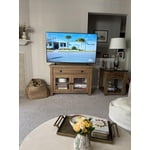
[This review was collected as part of a promotion.] 55” tv is perfect size for my space. Sharp nice picture and colors. Absolutely love it and happy with my decision!! Nice contrast and bright too.

Review from Samsung US
Helpful?4WF2HDYGONT215579013784
Jun 2, 2026
Reviewer name: Potsmoker4life
5 out of 5 stars
5 out of 5 stars review

Great features!

[This review was collected as part of a promotion.] Love the features. I enjoy the compatibility with my phone and my soundbar. Game mode looks great, and has little lag. Picture is super sharp and bright, color is very accurate. Fast

Review from Samsung US
Helpful?4WF2HDYGONT215579013784
Jun 5, 2026
Reviewer name: Bonnie
5 out of 5 stars
5 out of 5 stars review

Samsung OLED TV

[This review was collected as part of a promotion.] We love our Samsung OLED TV. The picture is great and we enjoy watching our videos on a 65 inch screen. The apps and features are easy to work with.

Review from Samsung US
Helpful?4WF2HDYGONT215579013784
Jul 4, 2026
Reviewer name: Anonymous
5 out of 5 stars
5 out of 5 stars review

Excellent Smart TV system

[This review was collected as part of a promotion.] The TV meets the minimum standards for 4k TVs, and I like that the Smart TV system is smooth for opening apps or switching between them.

Review from Samsung US
Helpful?4WF2HDYGONT215579013784
Jun 16, 2026
Reviewer name: handyman
2 out of 5 stars
2 out of 5 stars review

Remote

[This review was collected as part of a promotion.] I don't like the AI remote at all and I haven't been able to scan local channels in with the antenna mode. the picture quality is excellent

Review from Samsung US
Helpful?4WF2HDYGONT215579013784
reply from Samsung Specialist

handyman, Thank you for your review. If your TV isn’t receiving all available channels, first check that your coaxial cable is securely connected. Then, try running Auto Program by going to: Home > left directional key > Settings > All Settings > General & Privacy > Broadcasting > Auto Program If the issue persists, a factory reset may help: Home > left directional key > Settings > All Settings > General & Privacy > Factory Data Reset (this will restore all settings on your TV) Please also note: • Broadcasting settings are only accessible when your source is set to TV. • These settings are not available when watching TV via a cable or satellite box. If you continue to experience issues, please don’t hesitate to contact Samsung Customer Support at 1-800-SAMSUNG (8AM – 9PM EST Mon – Fri, 8AM – 6PM Sat – Sun). LiveChat agents and additional resources are also available through the ‘Support’ link on our Samsung website. ~ Samsung Specialist

Jun 6, 2026
Reviewer name: TVman
1 out of 5 stars
1 out of 5 stars review

DISAPPOINTED!!!

[This review was collected as part of a promotion.] The picture is a big disappointment. And programming it is confusing. I will be returning it. I don't know if I'll be buying another Samsung TV again. Don't buy this tv. It's not worth it.

Review from Samsung US
Helpful?4WF2HDYGONT215579013784
reply from Samsung Advisor

Hi TVman, We appreciate your feedback on the picture quality of Samsung’s Q7F TV. If the image doesn’t quite match your preferences, there are several adjustments you can make to better suit your viewing environment and content type. First, please ensure your TV is running the latest firmware, as updates may include important picture quality enhancements. Go to: Home > Left directional button > Settings > Support > Software Update > Update Now To explore picture mode options, navigate to: Home > Left directional button > Settings > All Settings > Picture > Picture Mode. Options include: • Standard – Ideal for general viewing • Dynamic – Brighter and more vibrant for well-lit spaces • Eco – Optimized for energy efficiency • Movie – Best for viewing in low light • Filmmaker Mode – Preserves the content creator’s intent and disables motion smoothing for supported content You can further customize your image by going to: Settings > All Settings > Picture > Expert Settings, where you can adjust Brightness, Contrast, Color Tone, Sharpness, Contrast Enhancer and more. If you’d like help finding the best picture settings for your preferences, please don’t hesitate to contact Samsung Support at 1-800-SAMSUNG (8AM – 9PM EST Mon – Fri, 8AM – 6PM Sat – Sun). You can also LiveChat with an agent or explore additional resources on our website by clicking the ‘Support’ link. ~ Samsung Advisor

Jun 22, 2026
Reviewer name: Ronnie
4 out of 5 stars
4 out of 5 stars review

GREAT FEATURES

[This review was collected as part of a promotion.] I really like to know what this is about . controls let me see vibrancy brightness and resolution . so tell me what this is really about . contrast inaccuracy no and accuracy thank you

Review from Samsung US
Helpful?4WF2HDYGONT215579013784
Jun 5, 2026
Reviewer name: Cpgrn
5 out of 5 stars
5 out of 5 stars review

Perfect!

[This review was collected as part of a promotion.] We love this tv! Purchased for our baseball addiction it turned out to be perfect for everything! An 85 inch tv is definitely the way to go!

Review from Samsung US
Helpful?4WF2HDYGONT215579013784
Jun 20, 2026
Reviewer name: Juwess
5 out of 5 stars
5 out of 5 stars review

The way to go

[This review was collected as part of a promotion.] The resolution creates a vibrant picture through the brightness and contrast. It was very easy to interface and start up.

Review from Samsung US
Helpful?4WF2HDYGONT215579013784