Skip to Main Content
Sam's Club
Sam's Club
All Departments
All Services
Customer reviews for SAMSUNG 75" Class QN70FD Series 4K Neo QLED Smart TV for
SAMSUNG 75" Class QN70FD Series 4K Neo QLED Smart TV
4.7 out of 5 stars
stars
726 ratings715 reviews
  1. 5 stars82% (594)
  2. 4 stars11% (83)
  3. 3 stars3% (25)
  4. 2 stars1% (7)
  5. 1 star2% (17)

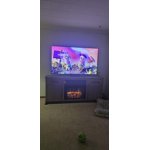
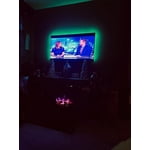
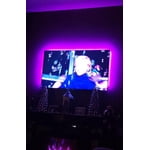
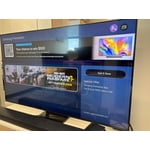
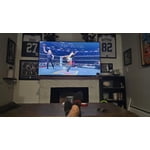
Member photos

  • +268 images
Sort by |
Showing 151-160 of 715 reviews
Jun 21, 2026
Dave
4 out of 5 stars review

Great picture

Picture on my Samsung is great. However the audio sometimes increases for no reason and sometimes goes completely off. I have to change the channel and come back to it again for sound. This happens when I use the TV speakers.

Review from Samsung US
Helpful?39U2Z263668915546701688
Jun 5, 2026
Sara
4 out of 5 stars review

Great picture difficult remote

[This review was collected as part of a promotion.] The remote will not stay charged. It is no longer working and has now forced me to use an app on my phone.

Review from Samsung US
Helpful?39U2Z263668915546701688
Jun 7, 2026
wynnkin
5 out of 5 stars review

awesome colors

[This review was collected as part of a promotion.] awesome colors. best ever in our house. menu is kinda for old peron (75) but i ended up with a great picture.

Review from Samsung US
Helpful?39U2Z263668915546701688
Jun 5, 2026
Paul D
5 out of 5 stars review

Very bright and clear screen

[This review was collected as part of a promotion.] This TV was one of my best purchases. It is very, very clear and bright. It responds Quickly to the remote control.

Review from Samsung US
Helpful?39U2Z263668915546701688
Jun 22, 2026
TaraT
5 out of 5 stars review

Great television

The television is great!! It has a great picture, with perfect brightness, contrast, and resolution. The what features are perfect and have met all my wants and desires. It's also very easy to use.

Review from Samsung US
Helpful?39U2Z263668915546701688
Mar 5, 2026
Candeelion
5 out of 5 stars review

Can really tell the difference

[This review was collected as part of a promotion.] We have an older Samsung TV and you can tell that the processing speed is so much better. The picture is clear. The smart TV interface is intuitive and I love that the remote is solar charged.

Review from Samsung US
Helpful?39U2Z263668915546701688
Jun 22, 2026
SamsungLady
5 out of 5 stars review

Amazing TV

Movies have become so much more vibrant, dynamic and focus consuming since using this product. I have had very little issues with brightness between day and night, and there has been no lagging between apps with this tv. I love it!!!

Review from Samsung US
Helpful?39U2Z263668915546701688
Jun 21, 2026
Sycamore
5 out of 5 stars review

75 sam

Works pretty good most of the time . Twice tv would just want to buffer in every app . Check all othet TVs were working ok . Have a Deco pod 10’ so signal is strong . Next day worked ok not sure what is going on ?

Review from Samsung US
Helpful?39U2Z263668915546701688
Jun 1, 2026
Lauren
5 out of 5 stars review

Samsung Neo TV

[This review was collected as part of a promotion.] Love my new TV. So much brighter than crystal model that I have in my bedroom. Definitely worth the upgrade. No1 ever complained about their TV being too big

Review from Samsung US
Helpful?39U2Z263668915546701688
Jun 5, 2026
qdog400
3 out of 5 stars review

the picture

[This review was collected as part of a promotion.] my picture on the TV's really not that clearing all try resetting your picture mode to Movie or Standard

Review from Samsung US
Helpful?39U2Z263668915546701688
reply from Samsung Advisor

Hi qdog400, Thank you for your feedback on the Samsung QN70F TV. If the picture appears unclear, dull, or lacks definition, there are several settings you can adjust to improve clarity and overall image quality. Go to: Settings > All Settings > Picture > Expert Settings, and review these key settings: Picture Clarity Settings: While originally intended for motion handling, these can also impact overall clarity • Off: Disables motion enhancements • Auto: Automatically adjusts based on content • Custom: Lets you fine-tune: o Judder Reduction – Helps smooth out uneven motion o LED Clear Motion – Boosts sharpness in fast-moving content o Noise Reduction – Reduces distortion and enhances detail in lower-resolution sources Core Picture Settings • Brightness – Controls overall screen brightness • Contrast – Enhances the difference between bright and dark areas • Sharpness – Adjusts edge definition; closer to 20 increases detail • Color – Enhances depth and intensity of colors And don’t forget to check for the latest firmware, which may improve performance: Settings > Support > Software Update > Update Now These adjustments can make a noticeable difference in overall clarity. If you need further help tailoring the settings to your preferences or environment, please contact Samsung Support at 1-800-SAMSUNG (8AM – 9PM EST Mon – Fri, 8AM – 6PM Sat – Sun), or reach us via text anytime. You can also visit ‘Support’ on our website for: • Live Chat • Manuals, Software, & Warranty Info ~ Samsung Advisor