Skip to Main Content
Sam's Club
Sam's Club
Customer reviews for TP-Link Archer AX5400 Pro Wi-Fi 6 Router for
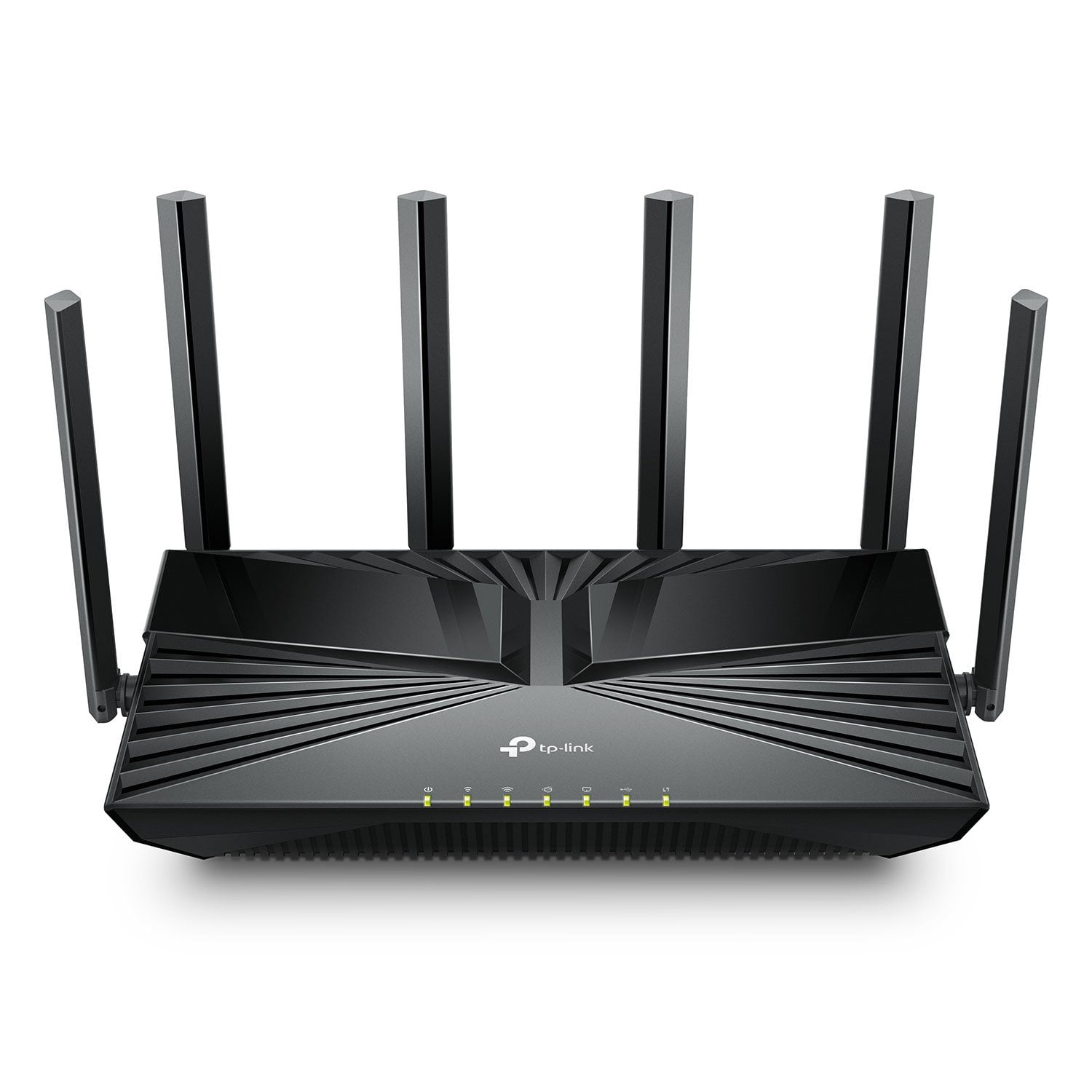
TP-Link Archer AX5400 Pro Wi-Fi 6 Router
4.4 out of 5 stars
stars72 ratings32 reviews
  1. 5 stars76% (55)
  2. 4 stars8% (6)
  3. 3 stars6% (4)
  4. 2 stars1% (1)
  5. 1 star8% (6)
Sort by |
Showing 21-30 of 32 reviews
Jan 10, 2026
anonymous
3 out of 5 stars review

Power issues.

It kept dropping and having to be rebooted and wasn't 2 months old. Then it finally got worse and dropped power. I went back to my internet providers router. Do not recommend.

Helpful?7FMAYGEF3EVA15462250872
reply from TPLinkSupport

Hi,<br /><br />Thank you for your review. Your Archer AX5400 Pro Wi-Fi 6 Router comes with a manufacturer&#39;s warranty, and we would greatly appreciate the opportunity to help address your concerns. At your convenience, please reach out to our support team using any of the support resources included with the product, or from the support portal on our official TP-Link website, and we&#39;ll gladly have a Support Agent follow up with you directly.<br /><br />Thank you,<br />TP-Link Systems Support

Feb 5, 2026
RACHEL
1 out of 5 stars review

No Internet

After literally hours of troubleshooting trying to get this thing to connect to the internet (internet was working fine, verified) it finally showed that it was connected. Then, I couldn't get a single one of my devices connected. All showed up on the network. None had internet. I'm going to try and return. A complete waste of time.

Helpful?7FMAYGEF3EVA15462250872
May 1, 2025
dox300
5 out of 5 stars review

Great router

I just bought this router after mine died.... this is a great product at a great price!!! Easy to set up and networking with my wifi units was super fast and easy!!! I highly recommend!!

Helpful?7FMAYGEF3EVA15462250872
Aug 2, 2025
Kelmer84
5 out of 5 stars review

So Simple

Works perfect and the installation could not have been any easier. Was all hooked up and ready to go in maybe 15 minutes if that. Very easy step by step instructions when using the app.

Helpful?7FMAYGEF3EVA15462250872
Jan 28, 2025
Slapdash
5 out of 5 stars review

Great Router at a Great Price

I upgraded my router from a TP-Link AC1750 to this TPLinkAX5400 and there is a significant improvement in both range and speeds. It's fantastic! I used to need an extender for wifi in the garage, but not anymore. The signal now reaches without issue, and I prefer to avoid mesh systems or extenders if possible. My home is large (around 6,000 sq ft) so reliable wifi coverage is essential. This model delivers. Setup was a breeze since I already use the TP-Link App with my other router. I especially like that the app displays real-time download/upload speeds and activity. Plus, the price was unbeatable - I've seen this same unit for over $100 online. Thank you, Sam's Club!

Helpful?7FMAYGEF3EVA15462250872
reply from TPLinkSupport

That is Awesome! Thanks for providing your heartfelt feedback. We are ecstatic that you love your new Archer AX5400 Pro and hope it keeps delivering you with an enjoyable experience. If you ever have any questions or concerns please know that TP-Link support is available 24/7 through phone, or chat and questions can always be sent via email too. --- On a side note, don’t throw away that Range Extender just yet. Especially if it supports EasyMesh. Your new router supports EasyMesh, so if you do end up needing to expand your network you have an option that easily expands your network with a seamless connection across all nodes. Best Regards,TP-Link Systems Inc. - Technical Support Team

Jun 14, 2025
Alpez
3 out of 5 stars review

Verified Purchase

Not work for me

Price

Helpful?7FMAYGEF3EVA15462250872
reply from TPLinkSupport

Hi Alpez,<br /><br />Thank you for your review. If you are having trouble connecting to the Internet after installing the router, your cable modem&#39;s MAC (Media Access Control) binding needs to be released and renewed so it can provide an IP address (and Internet) to the Router. This can typically be done using the following steps:<br /><br />1. Unplug the power from both your router and cable modem<br />2. Unplug the coax cable from the modem<br />3. Re-connect power ONLY to your cable modem<br />4. Wait until the cable modem is fully booted, then re-connect coax<br />5. Re-connect power to the router and connect it to the modem via Ethernet<br /><br />This process should release and renew the MAC binding, so your modem can provide connectivity to the router. If you&#39;d like assistance with any of these steps, please reach out to our support team using any of the resources included with the product, or from our official website, and we&#39;ll gladly have a Support Agent follow up with you directly.<br /><br />Thank you,<br />TP-Link Systems Support

May 24, 2025
LBarca
1 out of 5 stars review

Both two routers, both wont turn on out of box.

Both 2 of these routers and both will not turn on, the power supply is not the issue, I have tested them myself with a tester. It is router, seems to receive a bad batch. Will return and buy different brand. It is unfortunate, I have purchased other products from TP-Link is the past, have not had any issue with those.

Helpful?7FMAYGEF3EVA15462250872
reply from TPLinkSupport

Hello LaBarca,We would like to know more. Are you saying you purchased two of these routers and both would not power up? That would be highly irregular and we would like to help and investigate this. Please go to TP-Link's official website click on Support at the top and then Contact Technical Support. Support is 24/7 for your convenience.Best RegardsTP-Link Systems Support

Mar 3, 2025
Cherry
1 out of 5 stars review

Verified Purchase

Will not power

Router will not power

Helpful?7FMAYGEF3EVA15462250872
reply from TPLinkSupport

Hello Cherry,Sorry to hear you are having such a concern with your product. Please make sure to try a different outlet and make sure the power cord is fully seated. If you have we would suggest contacting TP-Link Support to inquire about a potential replacement. Support can be reached by going to our official website, click on Support at the top of the screen, then Contact Technical Support. Best RegardsTP-Link Systems Technical Support.

May 10, 2025
AkronDave
5 out of 5 stars review

Fantastic Router

Great router, super price. Wonderful coverage area. Set-up was pretty simple. Very happy

Helpful?7FMAYGEF3EVA15462250872
Jun 20, 2025
gtsrs
5 out of 5 stars review

Smokin' Router

This is the easiest router setup I have ever done. 30 minutes, tops. It is extremely fast also.

Helpful?7FMAYGEF3EVA15462250872