Skip to Main Content
Sams Club
Sams Club
Member ratings & reviews for
Samsung Galaxy S24+ (AT&T)
4.5 out of 5 stars
stars281 ratings281 reviews
  1. 5 stars76% (214)
  2. 4 stars13% (36)
  3. 3 stars4% (11)
  4. 2 stars2% (5)
  5. 1 star5% (15)
Sort by |
Showing 111-120 of 281 reviews
Jun 13, 2024
Glenroy
5 out of 5 stars review

Verified Purchase

Great phone and takes beautiful pictures.

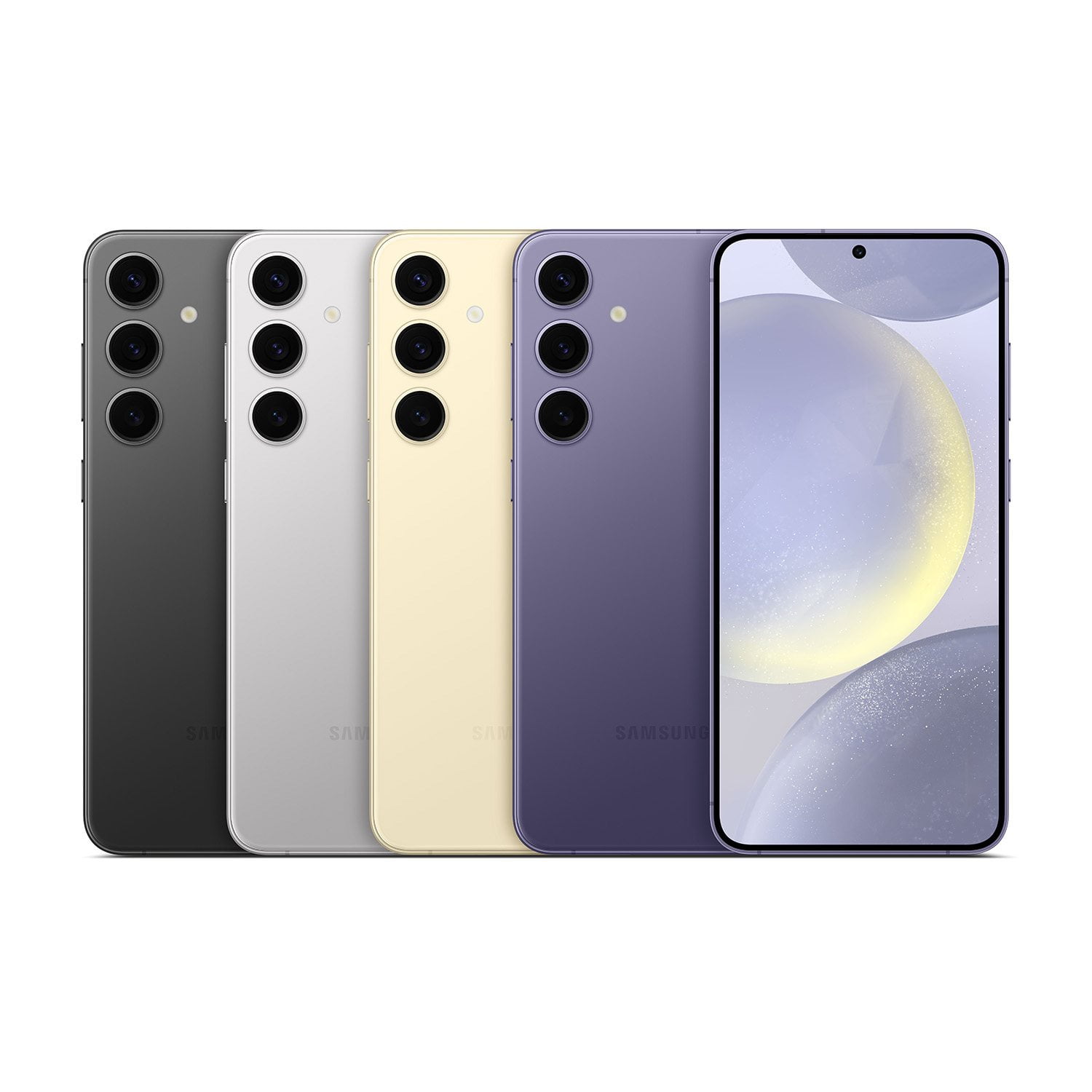
This phone is very beautiful to look at especially the purple color. The device takes some breathtaking photos and can play most games without at issues. Great Samsung device.

Review from ATT.com
Helpful?5OSS5UAIA9JD15408419717
Mar 6, 2024
Laticia w
3 out of 5 stars review

Verified Purchase

Could be better

My phone has so many issues. When on Google maps it won't let me select stuff at times. Weird background music play randomly. Freezes and jumps to a random app. I rather go back to iphone

Review from ATT.com
Helpful?5OSS5UAIA9JD15408419717
Feb 29, 2024
JTMM
5 out of 5 stars review

Verified Purchase

Great phone

Great phone, great deal! Local store store useless.....don't have the phones and suggest buying online. Unless you are an Apple user, they don't seem to know much about the Galaxy line. The process more complicated than need be.

Review from ATT.com
Helpful?5OSS5UAIA9JD15408419717
Mar 15, 2024
Faith Y
5 out of 5 stars review

Verified Purchase

Good phone

We were able to get this phone on an amazing promotion. My husband was way overdue for a upgrade, and is super pleased with the phone. It was easy to transfer the stuff from his old phone to this phone.

Review from ATT.com
Helpful?5OSS5UAIA9JD15408419717
Feb 28, 2024
Mr Nobody 4U
3 out of 5 stars review

Verified Purchase

Undete

Unhappy the credit for my old phone was not what I was originally qouted. There was absolutely nothing wrong with it. But as far as this phone I love it.

Review from ATT.com
Helpful?5OSS5UAIA9JD15408419717
Jun 20, 2024
Heimeken
3 out of 5 stars review

Verified Purchase

Not a impressive upgrade from my last galaxy phone

Just OK. Voice recognition in messenger has some issue. Lots more spam calls since registering this product along with an increase in spam texts. All of the buttons moved to right side, finding I'm always pushing the wrong one.

Review from ATT.com
Helpful?5OSS5UAIA9JD15408419717
reply from Samsung

Aloha Heimeken, thank you for finding the opportunity to share your sentiments with us about your Samsung Galaxy S24+. We appreciate your sincerity as we strive to be innovative while improving the design and functionality of our product line. Our goal is for our customers to feel like they are having the most enlightening experiences while using our products. Samsung provides a 12-month warranty on our products for manufacturing defects in materials and workmanship. You can easily keep your device safe by blocking threats and other suspicious activity. Here's how you can do this: 1. From Settings, tap Security and privacy > Auto blocker. 2. Tap to turn on the feature and configure advanced settings. Or you can add a caller to your Block list. Future calls from this number are sent directly to your voicemail, and messages are not received. If you would like to accomplish blocking a number, here's how you would do it: 1. From Phone, tap Recents. 2. Tap the caller you want to add to the Block list, and then tap Call history. 3. Tap Block and confirm when prompted. * You can also modify your Block list in Settings. From Phone, tap More options > Settings > Block numbers. If you would like to share additional feedback with us or if you would like any further assistance, please do not hesitate to contact Samsung Support at your earliest convenience. Thank you for being a valued Samsung customer. - Debra

Jul 30, 2024
DBa13
4 out of 5 stars review

Verified Purchase

Nice Phone

I really like the phone. Took off 1 star because of the built in ads that popped up occasionally at first. Also had to remove pre-installed apps I wasn't remotely interested in. Otherwise, it's a nice improvement over my previous Samsung S21 Ultra.

Review from ATT.com
Helpful?5OSS5UAIA9JD15408419717
Mar 14, 2024
Flaya564
4 out of 5 stars review

Verified Purchase

Nice updates from s21 I had

The phone is quick and responsive. I haven't gone through all the features but so far so good. Except the messaging. I get a sending error quite frequently where I need to restart my phone to send.

Review from ATT.com
Helpful?5OSS5UAIA9JD15408419717
reply from Samsung

Hello Flaya564, we appreciate you sharing your thoughts with us about your Samsung Galaxy S24+. We understand how important reliable messaging is to you on a daily basis, and we'd be more than happy to assist you in any way we can. We have an article on our website to help you address this matter at your convenience titled "Messages on Samsung phone are slow, do not send, or cannot be received". If this does not resolve this difficulty with your device, we also have the Samsung Support Team available to work with you directly. Thank you for being a Samsung customer. -Elizabeth

Feb 24, 2024
munyori
3 out of 5 stars review

Verified Purchase

it's a phone. nothing extraordinary

the camera is okay. really grainy and i have to use a separate camera app to not have it auto enhance the photo. it pretty much is an iphone with the way it looks with the apps and interface whatever you call it. doesnt have any charm to it. basic phone, and it gets the job done i guess. just wish it was not so similar to iphone, idk, just preference.

Review from ATT.com
Helpful?5OSS5UAIA9JD15408419717
reply from Samsung

Good day Munyori, thank you for finding the free time out of your busy day to share your thoughts with us about your Samsung Galaxy S24+. Samsung provides a 12-month warranty on our products for manufacturing defects in materials and workmanship. The camera uses AI Zoom to take better zoom photos. You can use AI to edit images, like Generative Edit, which can fill in backgrounds and move, resize or erase objects. Live Translate lets you communicate in other languages over the phone. You are able to disable or only allow on-device processing for the AI features. There is also a "master switch" to disable all cloud-based processing for the Galaxy AI features. Settings->Advanced Features->Galaxy AI. If you have any questions for us or if you would like any further assistance, do not hesitate to contact Samsung Support at your earliest convenience. Thank you for being an unwavering Samsung customer. - Debra

Feb 15, 2024
Dee1
4 out of 5 stars review

Fix The AOD

Have had the S24+ now a few weeks and LOVE it! My only criticism is not having the ability to change the brightness of the AOD. I had the ability to do this with all my other Samsung phones and have no idea why Samsung didn't include this on the S24??? I hope they add this feature back in a future update. When I'm in any dark lit room, the AOD is way too dim to even see! Please fix this Samsung!!

Review from Samsung US
Helpful?5OSS5UAIA9JD15408419717
reply from Social Commerce

Hey Dee1, Thank you for finding the time out of your bustling day to share your sentiments with us about your Samsung Galaxy S24+. Samsung provides a 12-month warranty on our products for manufacturing defects in materials and workmanship. You can adjust the screen brightness according to lighting conditions or personal preference. 1. From Settings, tap Display. 2. Customize options under Brightness: * Drag the Brightness slider to set a custom brightness level. * Tap Adaptive brightness to automatically adjust the screen brightness based on the lighting conditions. - Tap Extra brightness to increase the maximum brightness. This uses more battery. Tip: You can also adjust screen brightness from the Quick settings panel. For your convenience, I have linked your device manual below for your records. If you would like any further assistance or if you have any questions for us, feel free to reach out to Samsung Support. Thank you for being a trustworthy Samsung customer. - Debra smsng.us/Samsung-Support smsng.us/Warranty-Info smsng.us/Facebook-Messenger smsng.us/Twitter-Messages smsng.us/Samsung-Community https://www.samsung.com/us/support/downloads/